4: Element Operations • 77
©2008 Axia Audio — Rev. 3.0
to that of the Control Room Guest Microphone chan-
nel. Studio Microphone channels can be turned on and
off remotely and provide on/off status to a remote logic
device. Remote Talk and Remote Mute functions are
providedfor use with a remote On/Off/Talk/Mute panel.
Remote Talk lets talent and guests communicate
with the board op. When Talk is remotely activated, out-
puts to program buses for that channel are muted and the
source audio is fed to the Talkback bus. While active,
the Talkback key is lit and the Status Symbol displays
TALK. When the user stops talking, the channel returns
to its previous state, and its Talkback key flashes for
three seconds, alerting the board op to the guest who
spoke to him, and enabling reply via the Talkback key.
When Remote Mute is activated, the Status Symbol
will display MUTE, all channel outputs are muted until
the key is released, and the channel is again active.
The Monitor-2 speakers mute when a Studio Micro-
phone channel is turned on, or if it is assigned to the
Program-4/Record bus.
The Studio Microphone channel can be associated
with an individual Headphone feed. All Studio Micro-
phone-associated feeds will monitor the audio selected
on the Monitor 2 selector, but the board op can commu-
nicate privately using the Talkback function.
The block diagram for this channel selection is
shown in Figure 4-35.
Line Channel Operation
Line-level devices like CD players, tape players, etc.,
use the Line Channel profile. The Line Channel is ste-
reo, but the user can change the input mode to mono, left
only or right only by using the Pan & Mode key in the
Master Module’s Channel Options section.
Line channels have a variety of remote logic func-
tions available at the GPIO interface. On and Off keys
can be remotely controlled, as well as the Preview key.
Each function has a corresponding lamp driver.
LINE
SOURCE
EQ / DYN
PHASE
Ø
MODE
PRE FDR
PRE FDR
PRE FDR
PRE FDR ON
AUX 1
Σ AUX SEND 1
AUX 1
AUX 2
Σ AUX SEND 2
AUX 2
AUX 3
Σ AUX SEND 3
AUX 3
AUX 4
Σ AUX SEND 4
AUX 4
PRE ON
Σ PROGRAM 1
PGM 1
Σ PROGRAM 2
Σ PROGRAM 3
Σ PROGRAM 4
PGM 4
FADER PAN
PGM 3
PGM 2
JOIN TALK TO X MIX
Σ TALK TO X
MUTE PREVIEW
Σ PREVIEW
HI, MID, LO EQ NORMAL
INVERT LEFT
INVERT RIGHT
INVERT BOTH
STEREO
LEFT
RIGHT
SUM L+R
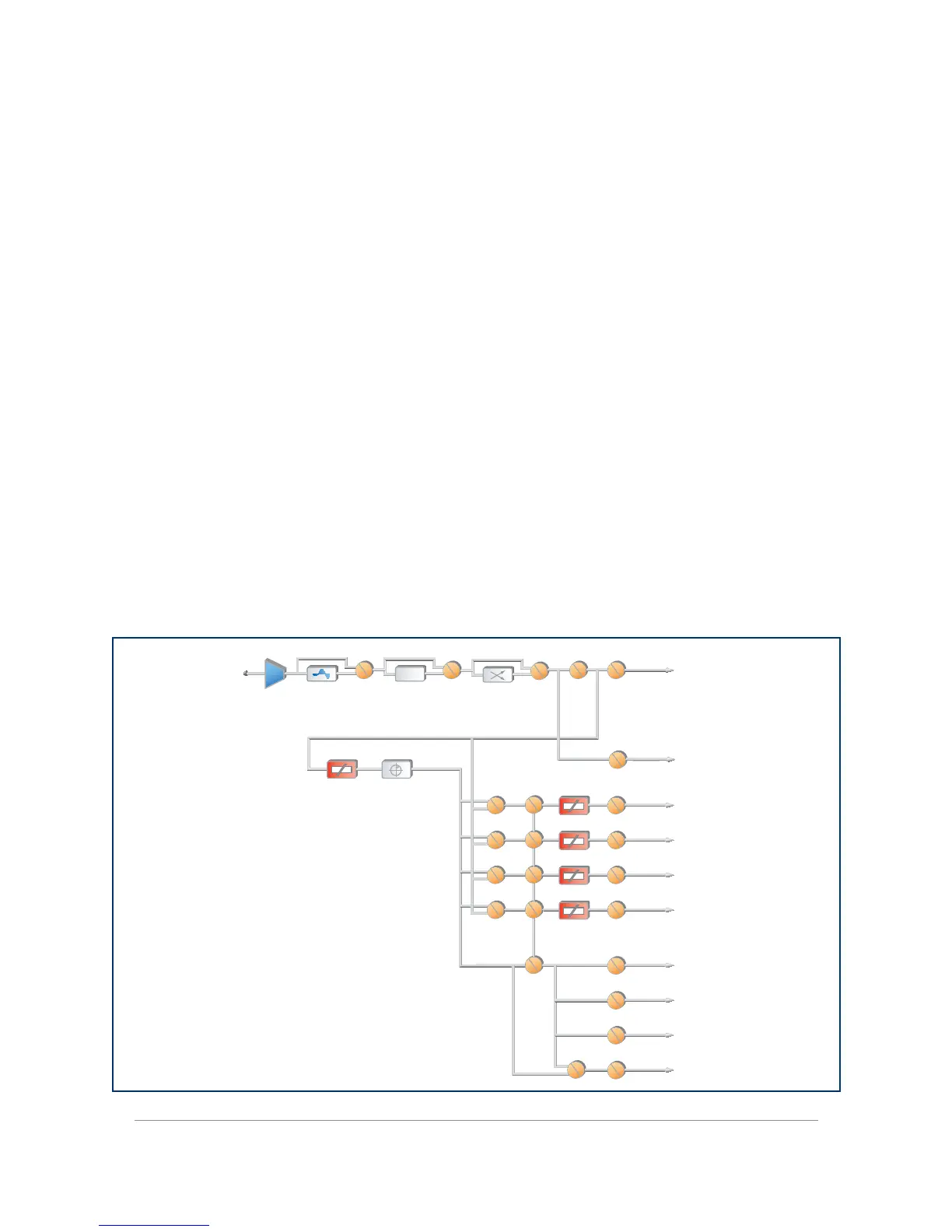
Figure 4-36: Line channel block



 To Next Page