4: Element Operations • 44
©2008 Axia Audio — Rev. 3.0
telephone hybrid is assigned to one of these faders, extra
functionality is enabled.
Taking Calls
When controlling a Telos
phone system, the Status
Symbol box above the alpha
display indicates an avail-
able line by displaying a
single dot. A call ringing in
shows a “ringing” icon. It is
answered by pushing either
the On or Preview button. If
Preview is already on, tog-
gling to Off and then On an-
swers the call. When the call
is answered, an “up arrow”
Status Symbol icon displays.
Also, a window on Element‘s
screen will show call status
and incoming caller ID (if
available).
When the phone channel
is off and in Preview, press
Off to drop the call. When
the channel is on, press Off
once to put the caller on
hold; press twice to drop.
Making Calls
To dial out from the con-
sole, press any control key
(Off, On, Hold, Set, or Pre-
view) on a fader that hosts
a Phone source. This assigns
the Keypad on the Monitor
Module to that fader. Dialing
works like a mobile phone:
enter all digits, then press
the Enter (8 ) or Pound (#)
key to place the call. The Status Symbol icon above the
fader indicates first that a line is active and then that the
call is proceeding. The Element display screen will also
indicate the numbers dialed and call status.
Set Key
If you’re using certain Telos broadcast phone systems,
pressing the Set key transfers the phone line assigned
to that fader to a handset. These buttons are mutually
exclusive across all faders;
touching a Set key on any
Phone Fader switches the
handset to the line assigned
to that fader and cancels any
previous line selection. For
details on Telos phone sys-
tems that utilize the Set key,
please refer to Appendix D,
“Working With Phone Hy-
brids”.
Hold Key
Pressing Hold sends a
hold command to the con-
nected Telos phone system.
When connected to Europe-
an ISDN lines, a hold signal
is sent to the network. With
USA ISDN lines, no net-
work hold function is avail-
able, so the hybrid enters a
virtual hold state.
Call Controller + 2-
Fader Phone Module
Controls
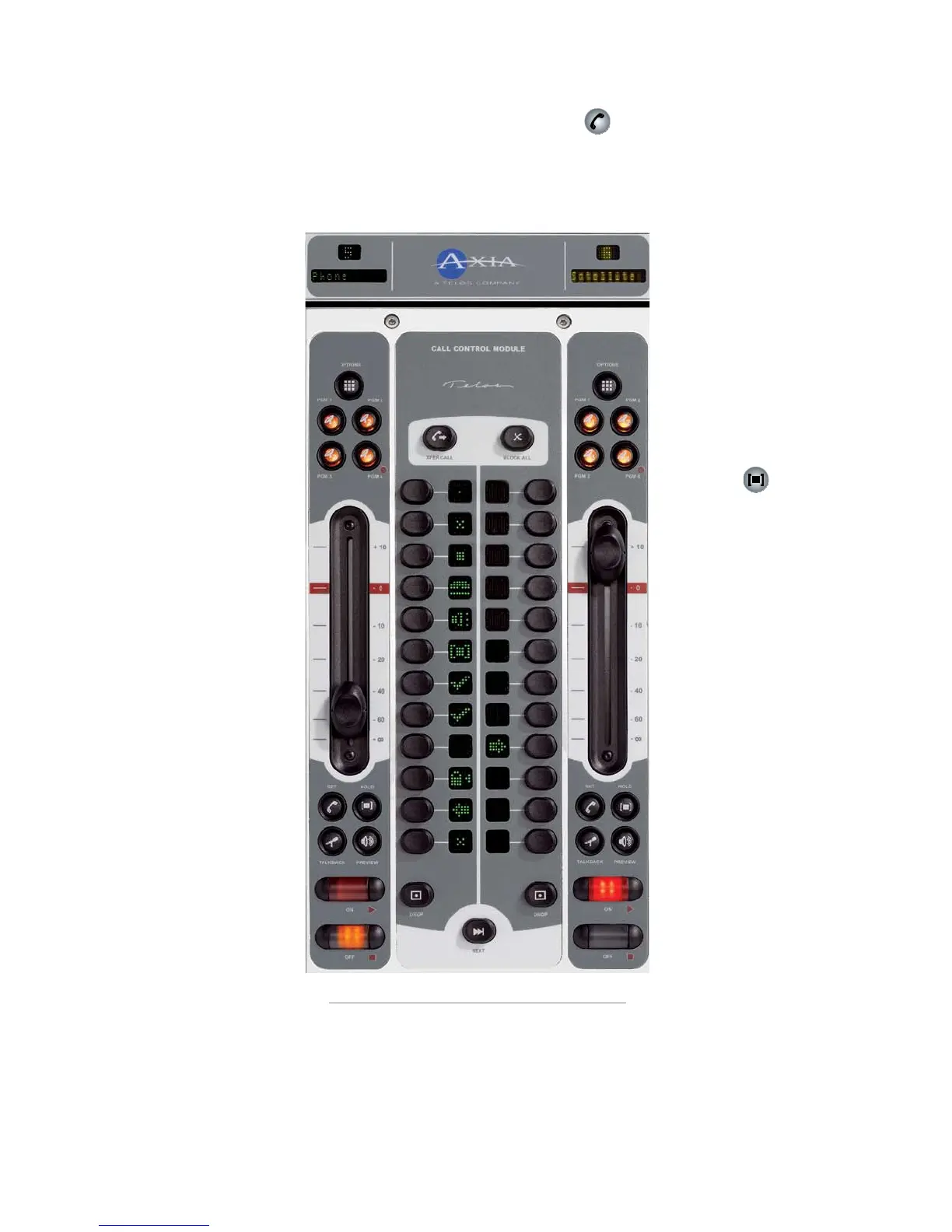
This module (Figure 4-3)
works with Telos TWOx12,
Series 2101 and Nx12 multi-
line talk show systems. Its
features the hybrid controls
found on Telos talk show
controllers, flanked by two
faders. Typically, the left
fader is linked to the left
hybrid control, and the right
fader to the right hybrid control. For details on hybrid
control operation and description of Status Symbols
used, please refer to your Telos TWOx12, Series 2101 or
Nx12 Operator’s Manual.
•
•
Figure 4-3:Call Controller + 2-Fader Phone Module



 To Next Page