3: Conguring GPIO • 33
©2008 Axia Audio — Rev. 3.0
GPIO Film Legendable User Button Module / Accessory Panel / Rack Panel
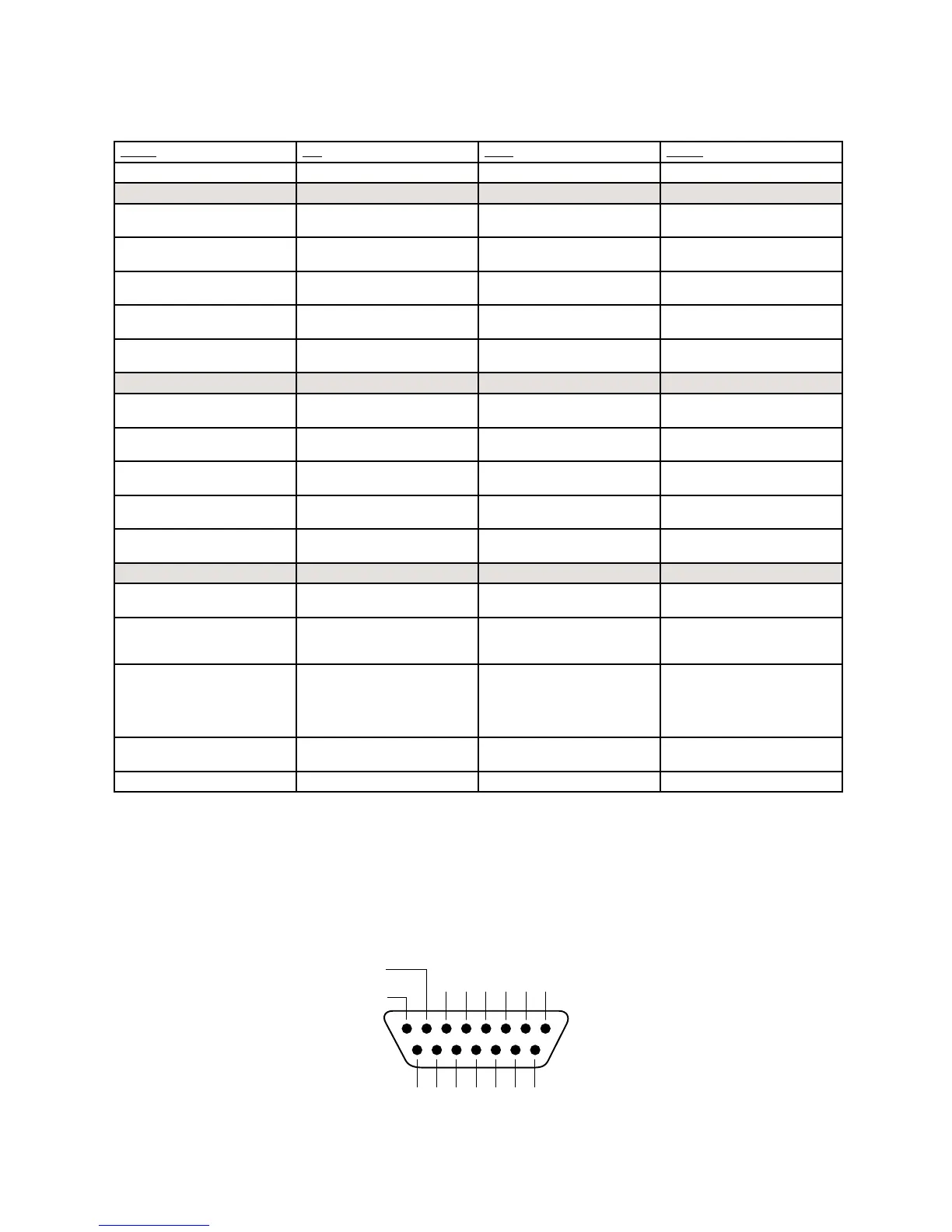
Name Pin Type Notes
INPUTS
User Button 1 Lamp 11 Active Low Input Illuminates User Button 1
Lamp
User Button 2 Lamp 12 Active Low Input Illuminates User Button 2
Lamp
User Button 3 Lamp 13 Active Low Input Illuminates User Button 3
Lamp
User Button 4 Lamp 14 Active Low Input Illuminates User Button 4
Lamp
User Button 5 Lamp 15 Active Low Input Illuminates User Button 5
Lamp
OUTPUTS
User Button 1 Switch 1 Open Collector to Logic Com-
mon Return
Active when User Button 1 is
pushed
User Button 2 Switch 2 Open Collector to Logic Com-
mon Return
Active when User Button 2 is
pushed
User Button 3 Switch 3 Open Collector to Logic Com-
mon Return
Active when User Button 3 is
pushed
User Button 4 Switch 4 Open Collector to Logic Com-
mon Return
Active when User Button 4 is
pushed
User Button5 Switch 5 Open Collector to Logic Com-
mon Return
Active when User Button 5 is
pushed
POWER & COMMON
Source Common 7 Logic Common Connect to ground of source
device or to Pin 8
Logic Common 8 Internal 5 Volt return Can be connected to Pin 7 if
source is not providing com-
mon
Logic + 5 Volt supply 9 Logic Supply, Individually
Fused
Can be connected to Pin 10
if source is not providing
voltage; active only when
source has been assigned to
channel.
Source Supply 10 Common for all 5 inputs Connect to power supply of
source device or to Pin 9
NOT CONNECTED 6
6'.$
3/52#%
/54054
#/--/.
2%452.
/54
/54
/54
/54
/54
.#
).
).
).
).
).
).
#/-
6
0/7%2
3/52#%
GPIO v.”Z” 12/2007



 To Next Page