4: Element Operations • 51
©2008 Axia Audio — Rev. 3.0
left/right), Left (left source channel fed to L/R
input), Right (right source channel fed to L/R
input) and Sum (left and right source channels
summed to mono and fed to L/R input). Push to
Take the new setting.
Phase: If the selected source is stereo, rotat-
ing this control lets the board op compensate for
out-of-phase audio sources. Normal is used for
in-phase sources; Inv Left inverts the phase of
the left input channel only, Inv Right inverts the
phase of the right input channel only, and Invert
Both reverses phase of both stereo channels.
If the selected source is in mono, the choices are
Normal and Invert only. Press to Take the new
setting.
Pressing Pan & Mode again returns to the Chan-
nel Options screen.
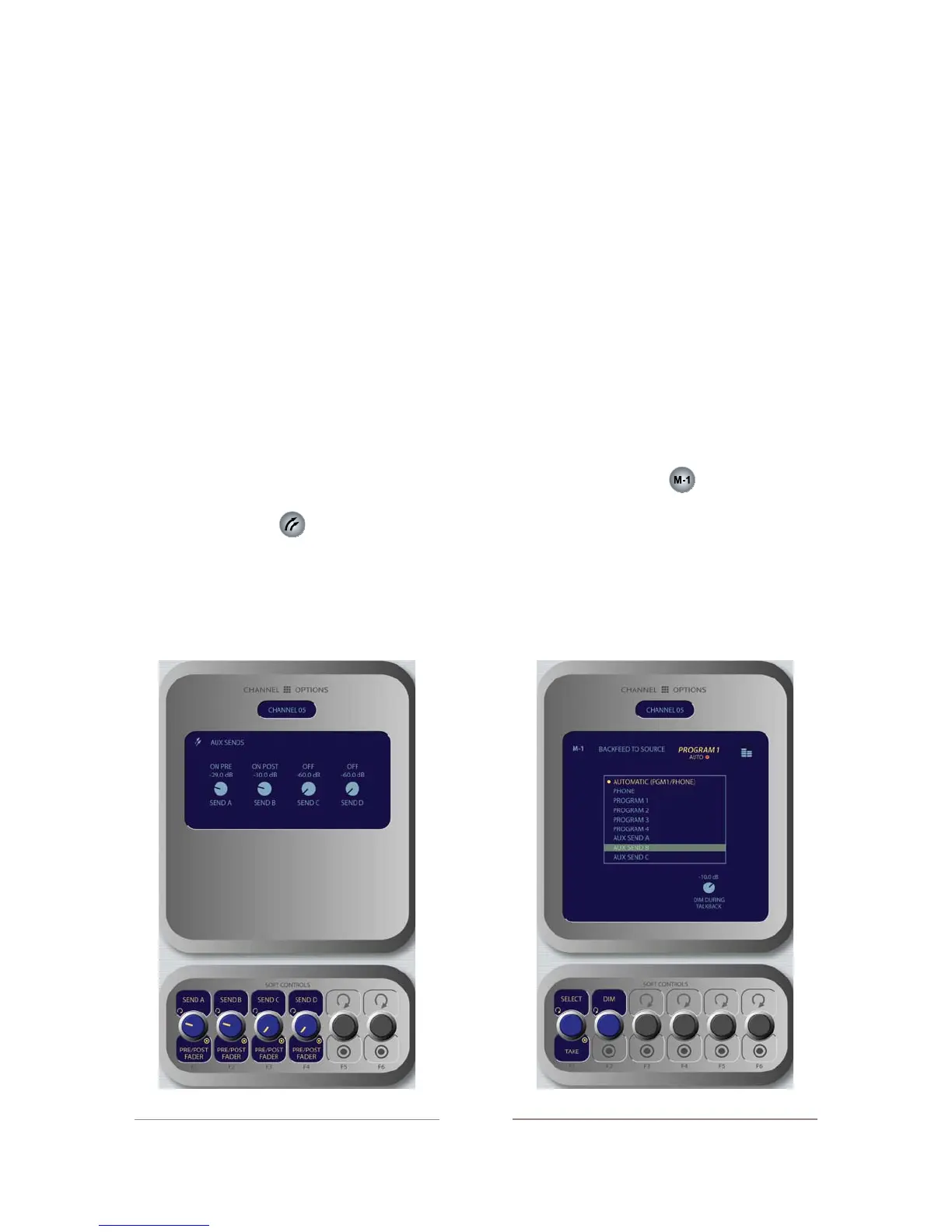
Aux Sends Key
Element has four stereo Aux buses that can be used
as utility buses for mixing, for constructing custom IFB
mixes, or as effects buses for production. Pressing this
key displays the Aux Sends screen.
Send A/B/C/D: Rotate these knobs to adjust the
»
»
»
»
level of the audio you’ll be sending to any or all
of the four Aux Send buses.
Pre/Post Fader: Pushing any of the four Send
SoftKnobs toggles the activity state of that par-
ticular Send. The state is indicated in the display
above.
On Pre sends the source assigned to the fader
to the selected Aux Send bus prior to having
its gain adjusted by the fader (fixed level).
On Post sends the source assigned to the fad-
er to the selected Aux Send bus after having
its gain adjusted by the fader (variable level).
Off sends no audio to the Aux Send bus.
Pressing Aux Sends again returns to the Chan-
nel Options screen.
Feed To Source Key
If the assigned source (i.e., a codec or phone hybrid)
has an associated backfeed or mix-minus, pressing this
key allows the board op to change the audio supplied
through the backfeed. This selection is normally pre-set
when a Source Profile is constructed (see Chapter Two,
“Configuring Inputs,” for information on Source Profiles),
but can be modified on-the-fly.
»
*
*
*
»
•
Figure 4-12: Feed to Source menu screen.
Figure 4-11: Aux Sends menu screen.



 To Next Page