DECS-200 Setup 6-13
Relay Setting
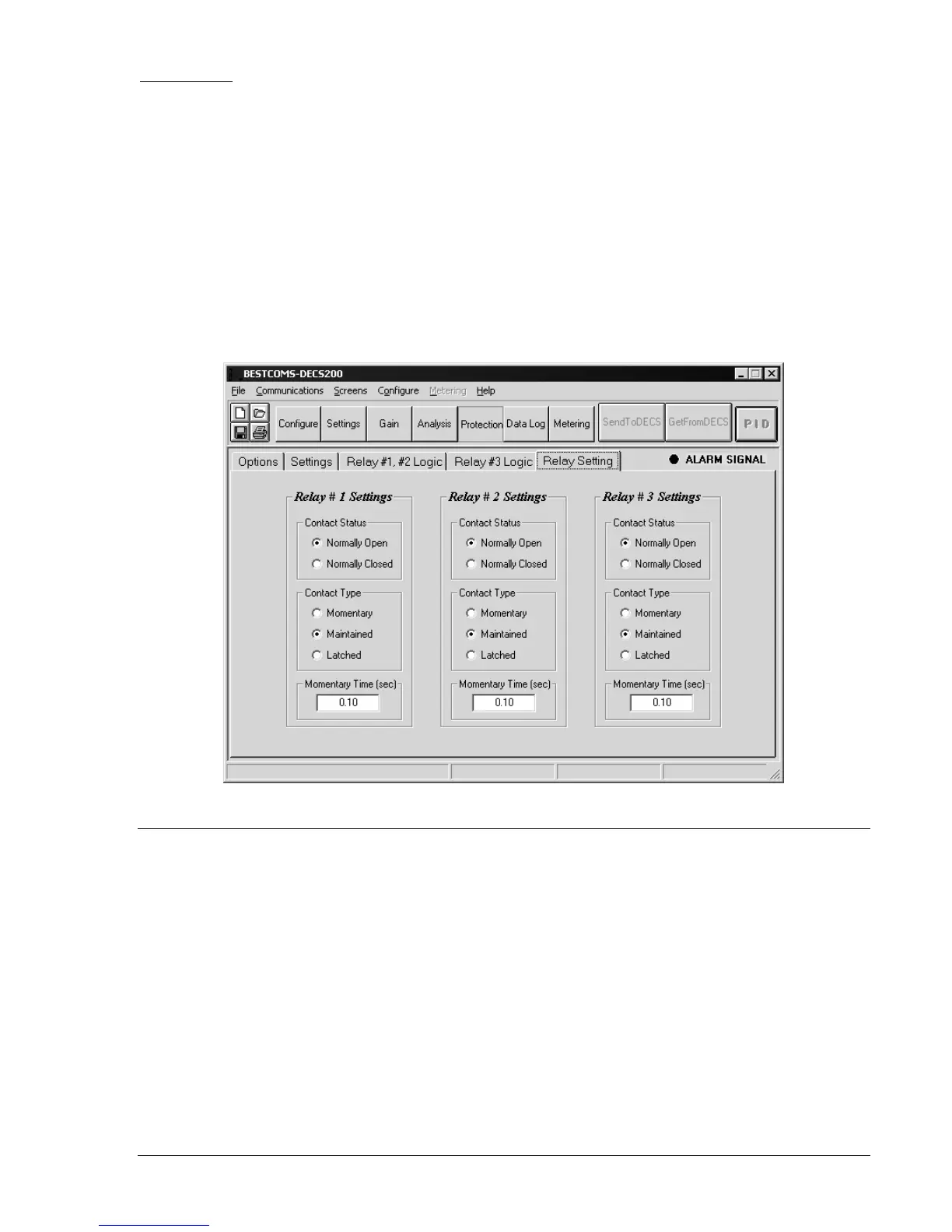
Configure the contact status and type settings illustrated in Figure 6-16.
Select the Relay #1 contact status as normally open (NO) or normally closed (NC) ................... ________
Configure the Relay #1 contact type as momentary, maintained, or latched ............................... ________
If the Relay #2 contact type is momentary, enter the open/closed contact duration .................... ________
Select the Relay #2 contact status as normally open (NO) or normally closed (NC) ................... ________
Configure the Relay #2 contact type as momentary, maintained, or latched ............................... ________
If the Relay #2 contact type is momentary, enter the open/closed contact duration .................... ________
Select the Relay #2 contact status as normally open (NO) or normally closed (NC) ................... ________
Configure the Relay #2 contact type as momentary, maintained, or latched ............................... ________
If the Relay #2 contact type is momentary, enter the open/closed contact duration .................... ________
Figure 6-16. Relay Setting Tab
OFF-LINE TESTS - TURBINE NOT SPINNING
In the following tests, control of the machine is demonstrated via BESTCOMS, front panel HMI, and user-
supplied, remote switches. These tests ensure that the machine is not stressed because of incorrect
wiring or faulty components. The parameters listed here are only temporary, initial settings.
Start/Stop Tests
Check the operation of the following start and stop controls.
BESTCOMS Metering Screen, Operation tab .............................................................................. ________
DECS-200 front panel................................................................................................................... ________
Remote switches........................................................................................................................... ________
With excitation off, check AVR/FCR transfer from the BESTCOMS, the front panel, and
remote switches ............................................................................................................................ ________



 To Next Page