Setting Up the Compounder
Operator Manual for the Baxter ExactaMix 2400 Compounder
53007410 Rev. C Page 67
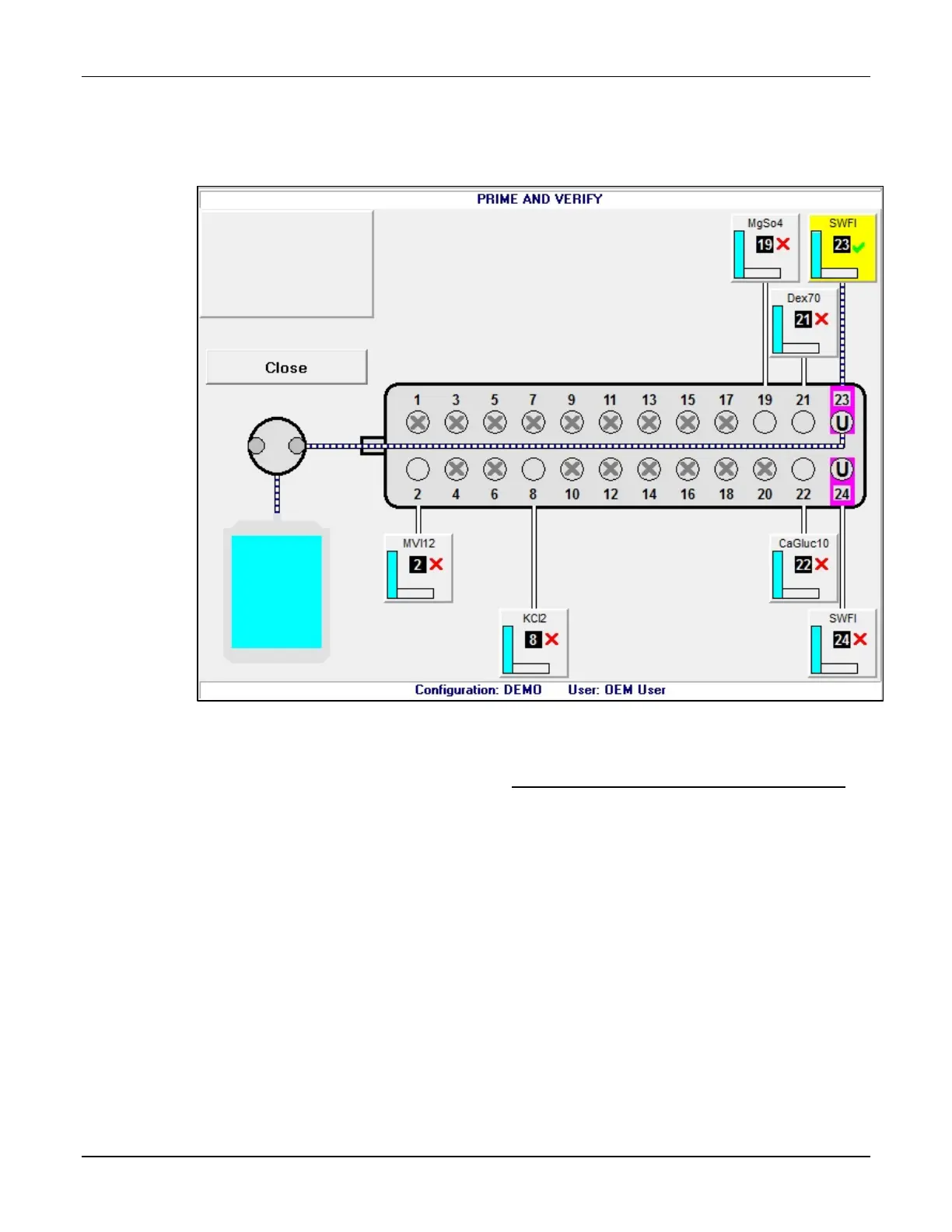
The connecting lines between the ingredient button and the port include horizontal
marks, indicating that the ingredient has been primed. On the ingredient button, the
red X becomes a green check mark, indicating that the ingredient has been verified.
PRIME AND VERIFY screen, one inlet primed and verified
11. Repeat steps 3–10 for all the attached ingredients. If the calibration bag becomes full,
remove it and attach a new one. Refer to Attaching and Removing the Calibration Bag
on Page 73.
12. When you are finished, tap Close.



 To Next Page