12 pro+ Surface Instruction for Use (209196 REV 8)
Surface Features
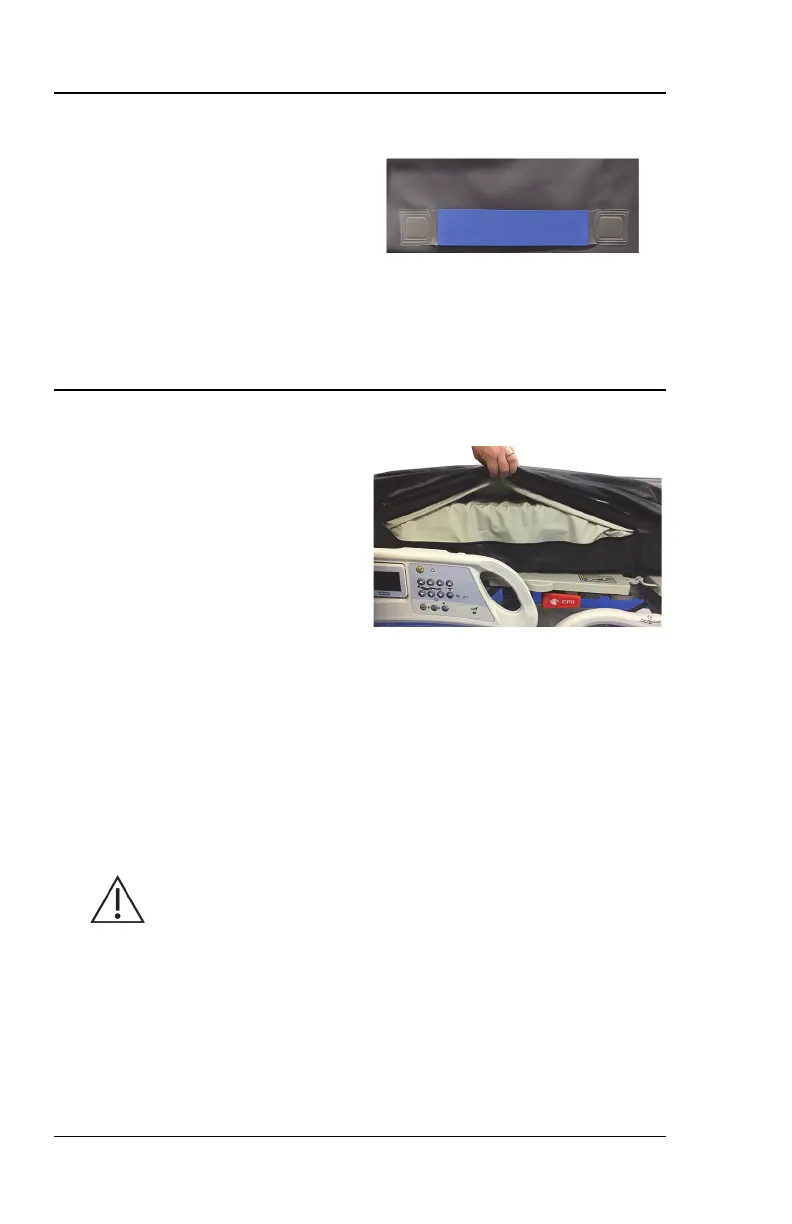
SURFACE HANDLES
X-RAY SLEEVE OPTION
The surface has two handles on each
side of the surface. The surface
handles are located on the bottom or
the sides of the surface.
The handles for the Centrella, Advanta 2 and CareAssist pro+ surfaces
(P7923 and P7924) are on the bottom of the surface.
The handles for the VersaCare and 900 pro+ surfaces (P3255 and
P006800) are on the sides of the surface.
The x-ray sleeve permits a 17" x 14"
(43.2 cm x 35.6 cm) x-ray cassette to
be inserted from either side of the
bottom cover.
To use the sleeve, do as follows:
1. Make sure the brake is set on the bed.
2. Make sure the bed is plugged into AC power.
3. Make sure the head of the bed is at least 30°. You may adjust this
position for patient comfort.
4. Pull the sheet away from the edge of the surface.
5. Lift the top cover flap to access the sleeve zipper.
6. Unzip the sleeve.
Caution—The sharp edges of an x-ray cassette can damage the
surface. Use care when you use an x-ray cassette with the surface.
7. Make sure the x-ray cassette is in a plastic bag or similar covering.
8. Insert the x-ray cassette.
9. Remove the x-ray cassette when finished.












 To Next Page