pro+ Surface Instruction for Use (209196 REV 8) 19
CENTRELLA Smart+ Bed
NOTES:
• For the latest list of approved bed frames, contact your local
Baxter representative.
• Any reference to a side of the bed or surface is from the patient’s
view lying in the bed on his or her back.
Go to the applicable section for your installation:
• “CENTRELLA Smart+ Bed” on page 19
• “VERSACARE Bed—pro+ Surface Installation Instructions” on
page 36
• “CAREASSIST and ADVANTA 2 Beds” on page 57
• “900 Beds” on page 66
CENTRELLA SMART+ BED
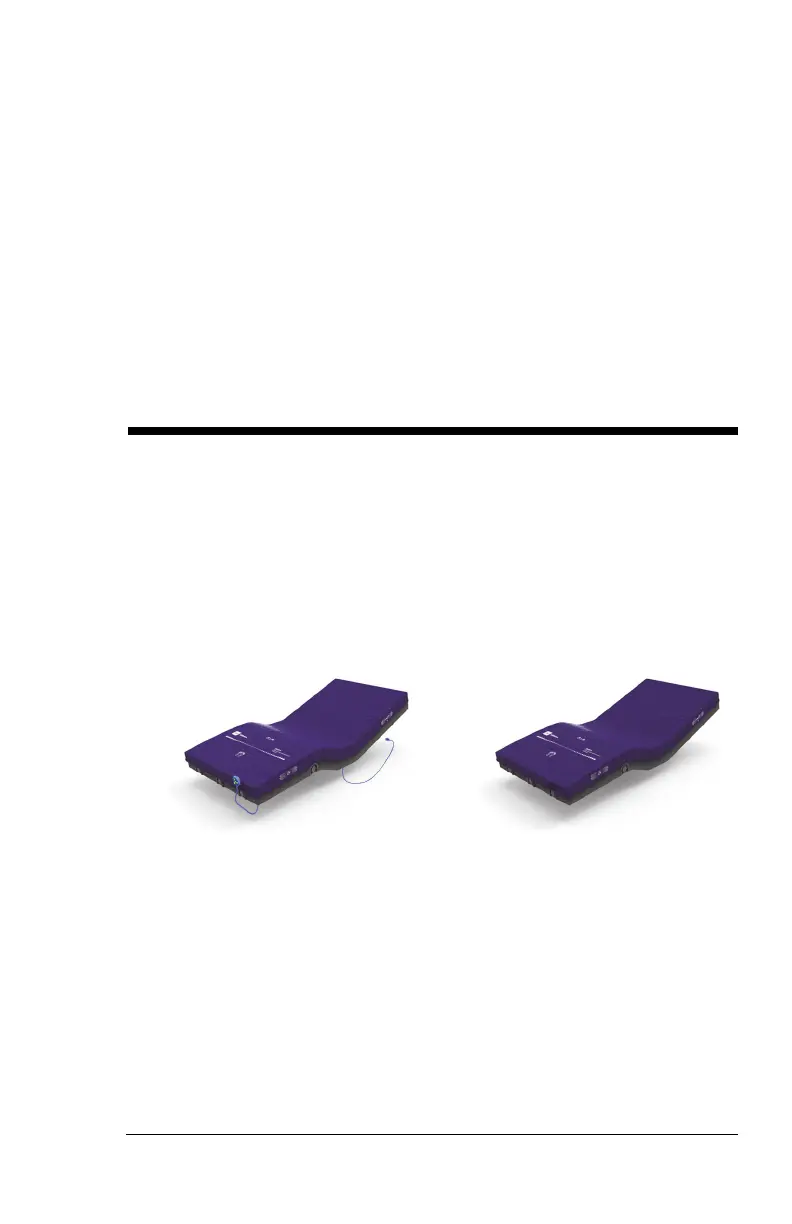
There are two versions of the pro+ surface for the Centrella Smart+ Bed:
non-integrated and integrated.
1. Determine which version of the surface you have (see below).
Non-integrated (P7924)
(has the status indicator and power
cord)
Integrated (P7923)
(powered by the bed)
2. Go to the applicable section for your surface:
• “CENTRELLA Smart+ Bed—Non-Integrated pro+ Surface” on
page 20
• “Status Indicator light” on page 30












 To Next Page