pro+ Surface Instruction for Use (209196 REV 8) 57
CAREASSIST and ADVANTA 2 Beds
CAREASSIST AND ADVANTA 2 BEDS
Tools: T10 Tor x screwdriver
Parts: P7924A01 pro+ surface with x-ray (36" (91 cm))
or
P7924A pro+ surface without x-ray (36" (91 cm))
Step 1: Setup
1. Make sure the brake is set on the bed.
2. Plug the bed into AC power.
3. Adjust the bed to the flat position.
4. Put the bed in the lowest position.
5. Lower the siderails.
6. Remove the footboard.
7. If applicable, remove the surface (see the bed’s service manual).
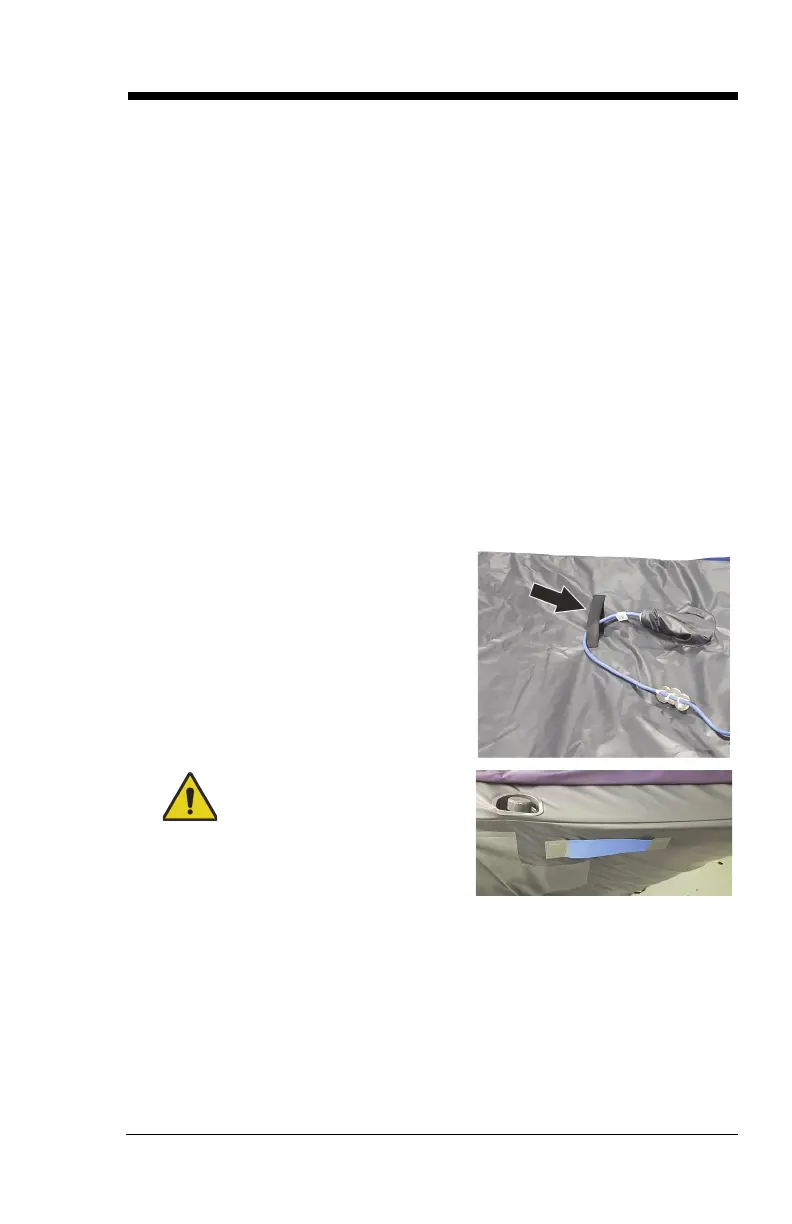
8. Lift the pro+ surface to make sure
the surface power cord is routed
through the strap on the bottom
cover.
Warning—The surface weighs
approximately 50 lb (22.7 kg). Lift
and move the surface with the
handles. Do not twist, and seek
assistance when necessary. Failure
to do so could cause injury or
equipment damage.












 To Next Page