44 pro+ Surface Instruction for Use (209196 REV 8)
VERSACARE Bed—pro+ Surface Installation Instructions
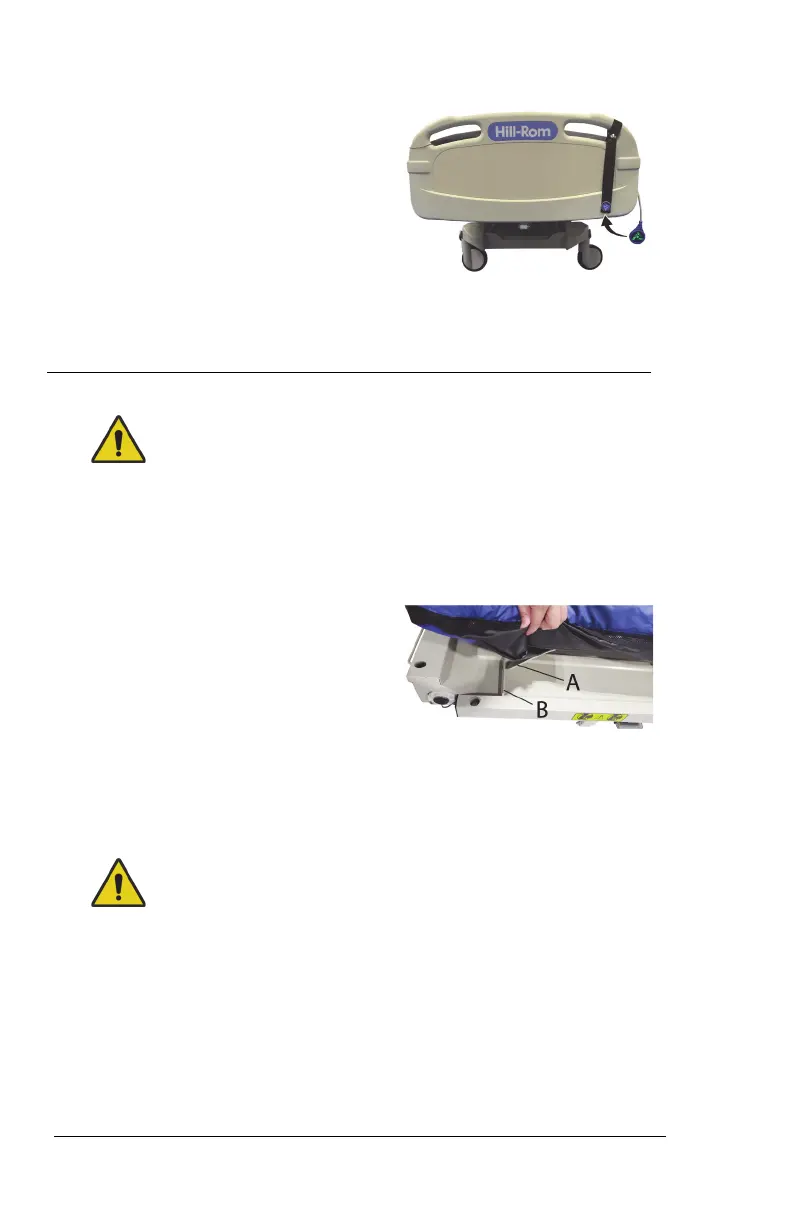
28. Wrap the status indicator strap
around the handle of the
footboard and snap the strap
together. Make sure the
attachment location for the status
indicator shows outward away
from the patient.
29. Attach the status indicator to the
status indicator label (metal disc)
on the strap.
30. Go to “Step 4: Final Steps” on page 44.
Step 4: Final Steps
Warning—Make sure the surface is installed correctly and is
securely attached to the bed. Failure to do so could cause the bed
not to articulate as intended. Injury and/or equipment damage
could occur.
31. Lift the foot end of the surface.
32. Install one side of the surface
retaining strap (A) into the retainer
(B).
33. Install the opposite side of the
surface retaining strap into the
retainer.
34. Repeat Step 32 and Step 33 at the head end of the bed.
35. Plug the surface power cord into AC power.
36. Put the bed in the flat position.
Warning—Keep cords out of the patient area or injury could occur.
37. Attach the magnetized status indicator to its mount on the
footboard. Make sure to store the excess cord away from the
patient area.












 To Next Page