pro+ Surface Instruction for Use (209196 REV 8) 25
CENTRELLA Smart+ Bed
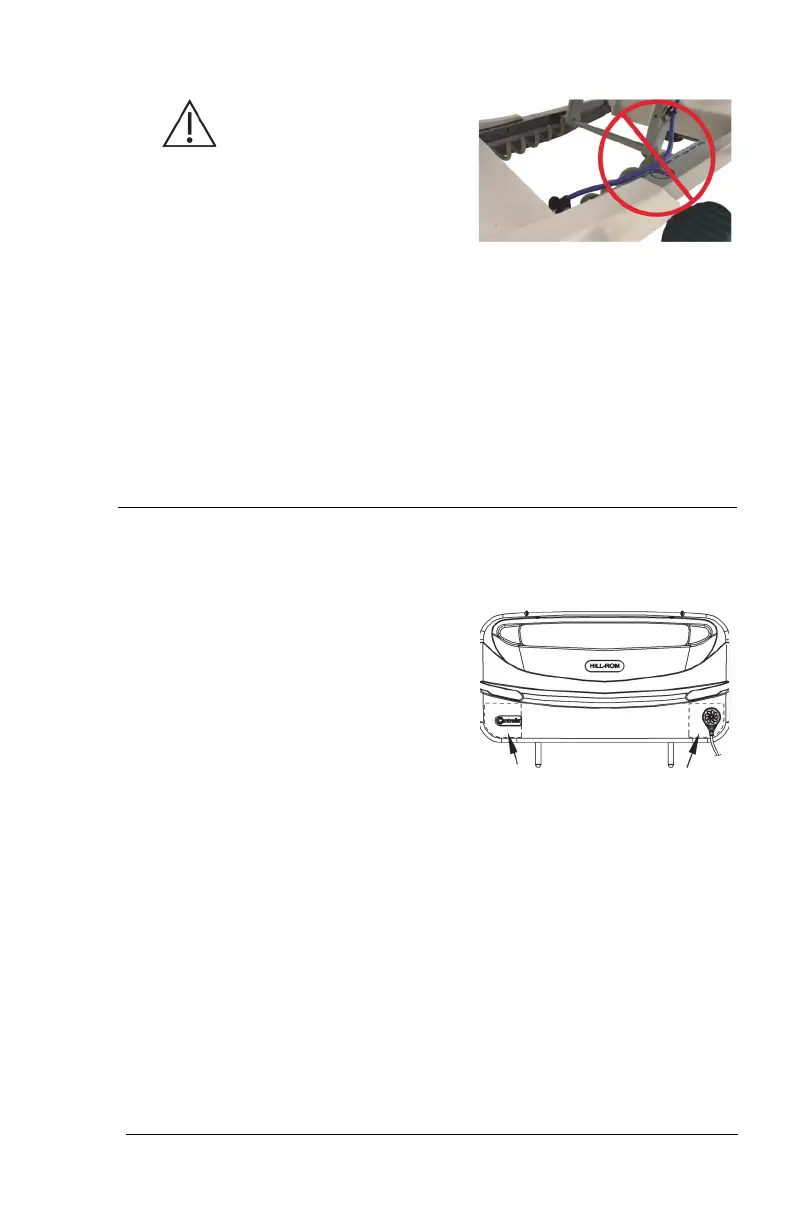
Caution—To help prevent
equipment damage, make sure the
power cord is routed under the lift
arm weldment.
18. Route the power cord under the lift arm weldment and between the
head-end casters.
19. Go to the applicable section:
• “Step 3A: Install the MCM Status Indicator Mounting Kit (Capital
Only)” on page 25
or
• “Step 3B: Install the MCM Status Indicator Mounting Kit (Rental
Only)” on page 27.
Step 3A: Install the MCM Status Indicator Mounting Kit
(Capital Only)
The mount for the MCM status indicator
is to be installed on the outside of the
footboard, on either the bottom-left or
bottom-right.
20. Lift the foot end of the surface.
21. Align the holes of the foot end flap with the footboard sockets in the
bed (see below).












 To Next Page