pro+ Surface Instruction for Use (209196 REV 8) 61
CAREASSIST and ADVANTA 2 Beds
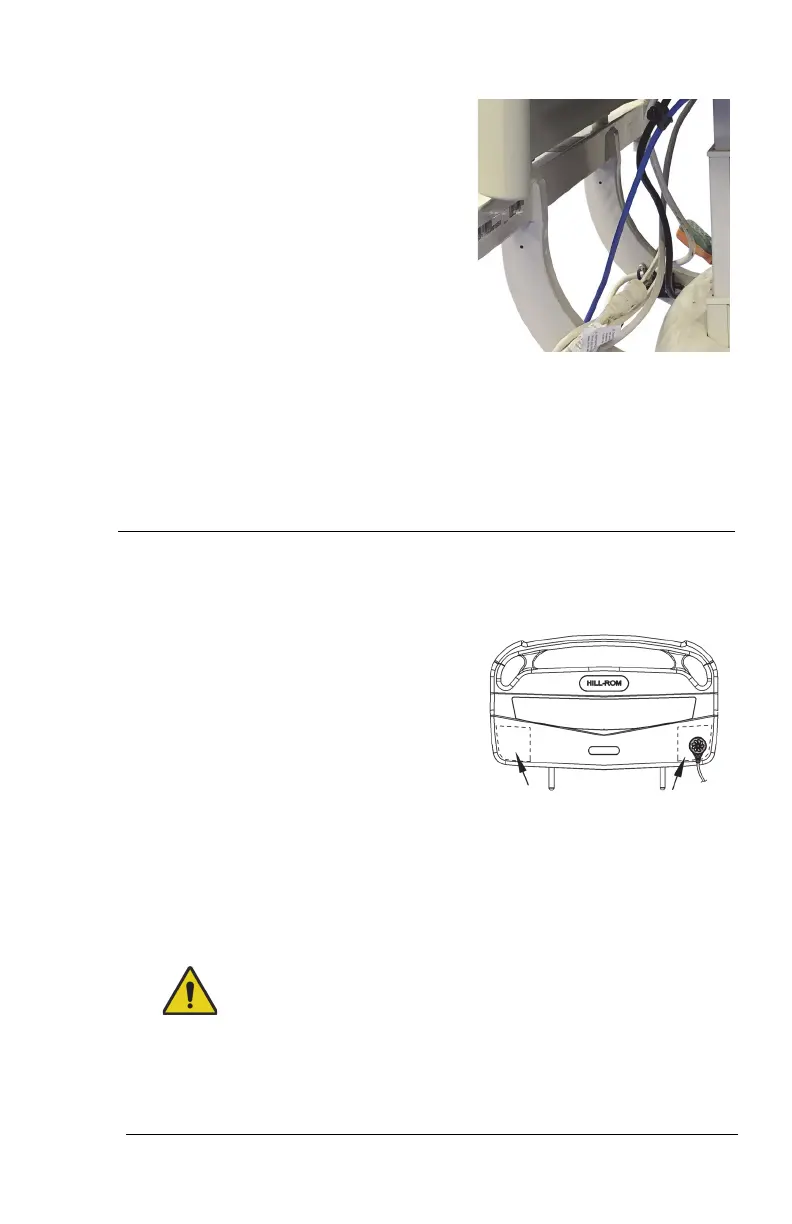
16. Route the power cord between the
lower frame and headboard
support.
17. Go to the applicable section:
• “Step 3A: Install the MCM Status Indicator Mounting Kit (Capital
Only)” on page 61
or
• “Step 3B: Install the MCM Status Indicator Mounting Kit (Rental
Only)” on page 62.
Step 3A: Install the MCM Status Indicator Mounting Kit
(Capital Only)
The mount for the MCM status indicator
(status indicator) is to be installed on
the outside of the footboard, on either
the bottom-left or bottom-right.
18. Install the footboard.
Make sure the status indicator cord is not between the installed
footboard and bed.
19. Make sure the status indicator can reach the mount location before
you start to install the mount assembly.
Warning—Alcohol-based cleaners are flammable and toxic to skin,
eyes, and respiratory tract. Do not use near an open flame. Do not
use in confined areas. Injury could occur.












 To Next Page