58 pro+ Surface Instruction for Use (209196 REV 8)
CAREASSIST and ADVANTA 2 Beds
9. Use the surface handles on the
bottom of the surface to lift and
install the surface on the bed. Make
sure the logo side is up and at the
foot end of the bed.
Warning—Make sure the surface is installed correctly and is
securely attached to the bed. Failure to do so could cause the bed
not to articulate as intended. Injury or equipment damage could
occur.
10. Attach the surface hooks to the
head end of the bed.
11. Put the bed in this configuration:
• Knee in the highest position
• Head in the highest position
• Bed in the highest position
Step 2: Route the Surface Power Cord
Warning—Failure to route the surface power cord correctly could create
a tripping hazard and/or the cord to be pinched during bed functions.
Injury and/or equipment damage could occur.
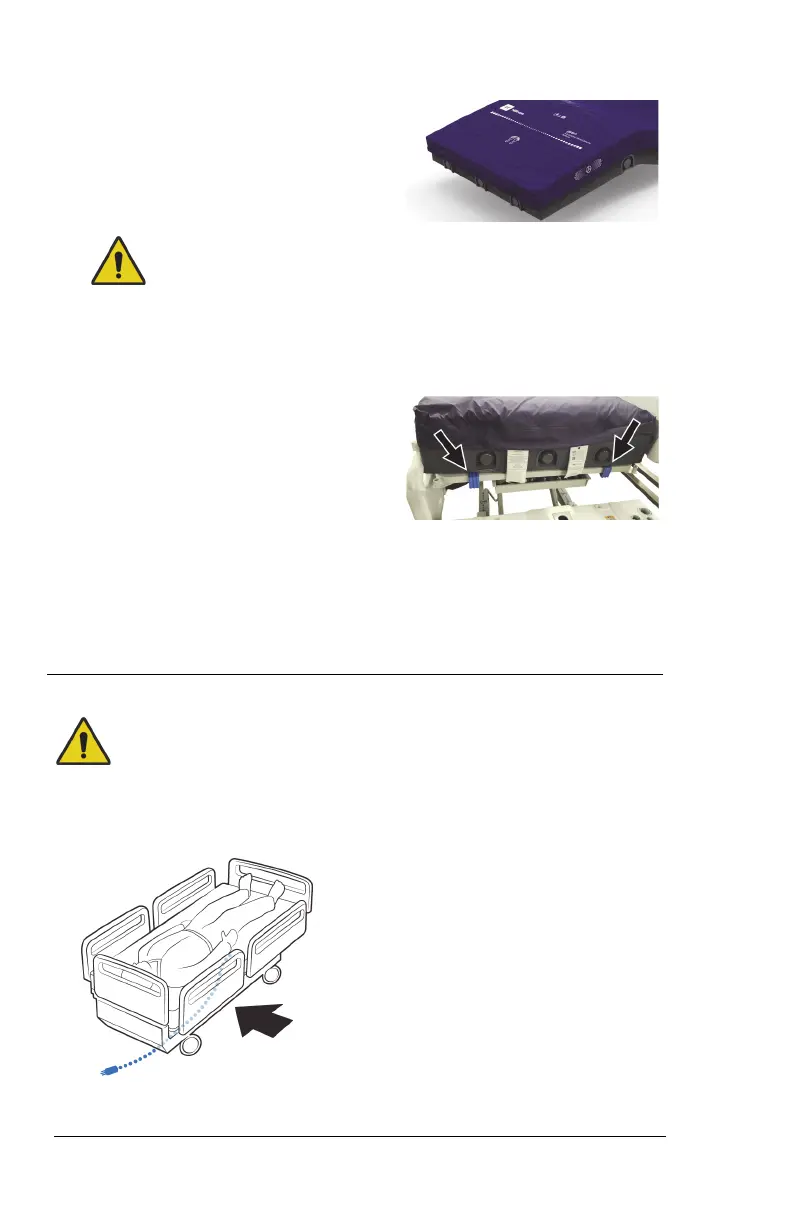
The surface power cord is
routed along the patient-right
side of the CareAssist and
Advanta 2 Beds.












 To Next Page