Cube
®
Installation & Startup
1MANUL963 Belanger, Inc. * PO BOX 5470. * Northville, MI 48167-5470 * Ph (248) 349-7010 * Fax (248) 380-9681 9-3
Chapter 9 Photo-Eyes
Photo-Eye: General Setup
With the Cube® System all the Photo-Eyes will be mounted to the walls in the bay at the
positions specified later in this section. However, if a floor mounted Photo-Eye is necessary they
are wired the same way, but they have different variables to consider for positioning. DO NOT
secure the Photo-Eyes into place until you have read this entire section.
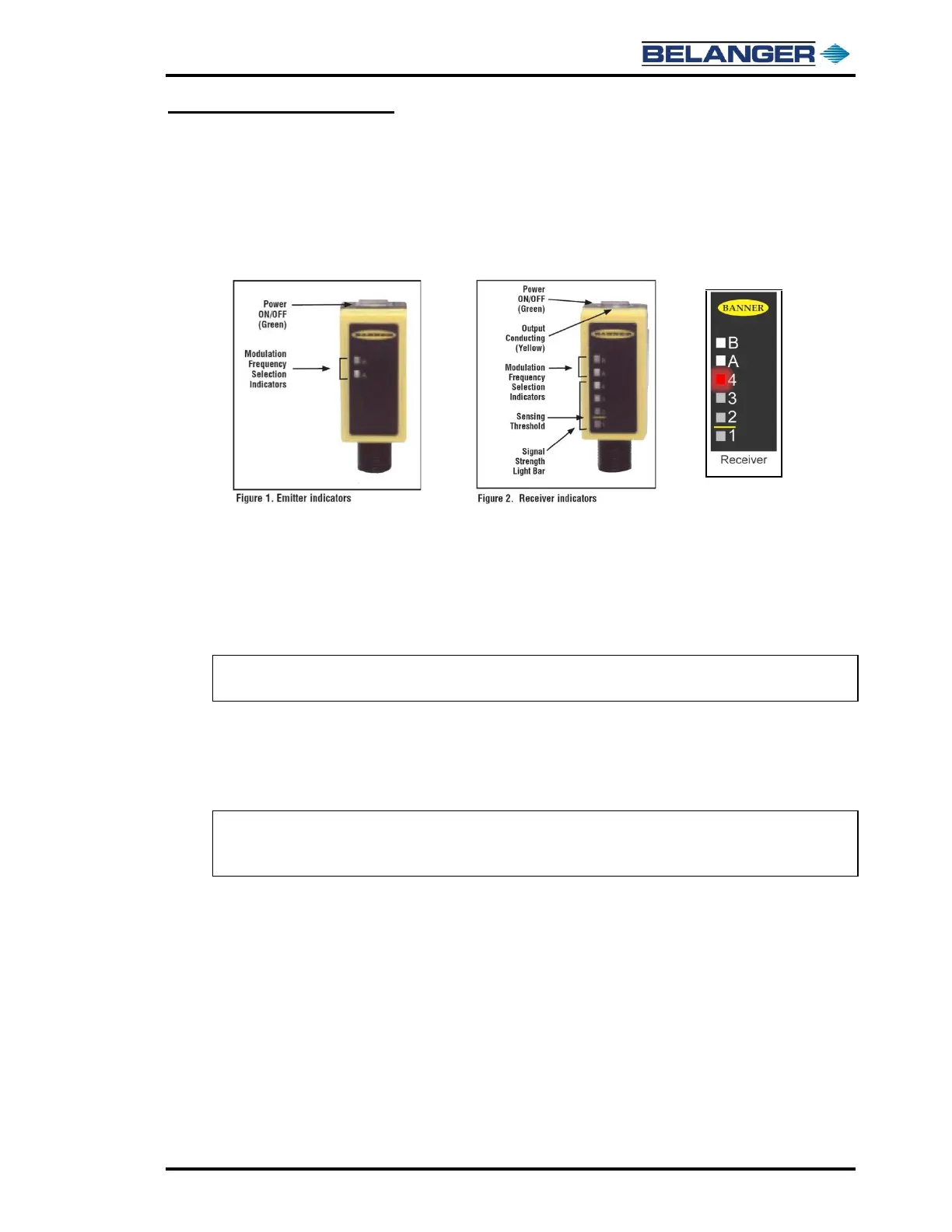
Identification
Alignment
1) Point the Emitter directly at the Receiver
2) Point the Receiver directly at the Emitter
3) Finely adjust the position of the Receiver until “Indicator 4” of the Signal Strength Light
Bar is ON.
Note: If Indicator 4 of the Signal Strength Light Bar can NOT be obtained, try re-adjusting the
Emitter and repeat step 3.
Working Temperature Range
• Non-Heated: 33° to 130° Fahrenheit
• Heated: -10° to 90° Fahrenheit
Note: If an optional photo eye heat kit has been installed, turn the power to the heat OFF before
the temperature exceeds 90° Fahrenheit. Turn the power back ON before the temperature
falls below 33° Fahrenheit.



 To Next Page