Cube
®
Installation & Startup
19-26 Belanger, Inc. * PO BOX 5470. * Northville, MI 48167-5470 * Ph (248) 349-7010 * Fax (248) 380-9681 1MANUL963
Chapter 19 Initial Startup Procedure of Cube®
5) Inspect and Adjust the Carriage Assembly
5j) Configure the Sonar Unit
Note: For proper setup of the Sonar floor distance, please refer to the programming and
operation manual under setup miscellaneous sonar offset.
Note: The Multifunction Sonar can be identified by the LED. It will flash a “pulse” pattern.
See following pages for adjustment and configuration of the Multifunction Sonar. See
Configuring the Sonar Unit later in this chapter.
This Multifunction Sonar has multiple modes for utilizing the same sonar unit on various
pieces of Belanger® equipment. The modes are switched by holding a magnet up to the
designated location of the sonar unit until it switches into the corresponding mode. The LED
on the sonar will flash a pulse pattern count that corresponds to the MODE number that it’s
in.
The modes are as follows:
MODE 1: Cube® / Vector® Length (frequency)
MODE 2: Vector® Width (frequency)
MODE 3: FreeStyler® (frequency)
MODE 4: Saber® (frequency)
MODE 5: Vector® Length (digital)
MODE 6: Vector® Width (digital)
MODE 7: Kondor® Width (frequency)
The frequency modes output changes in frequency corresponding to the measured distance
from the face of the sonar. Digital modes turn on the output when the floor is detected.
Changing the Parameters
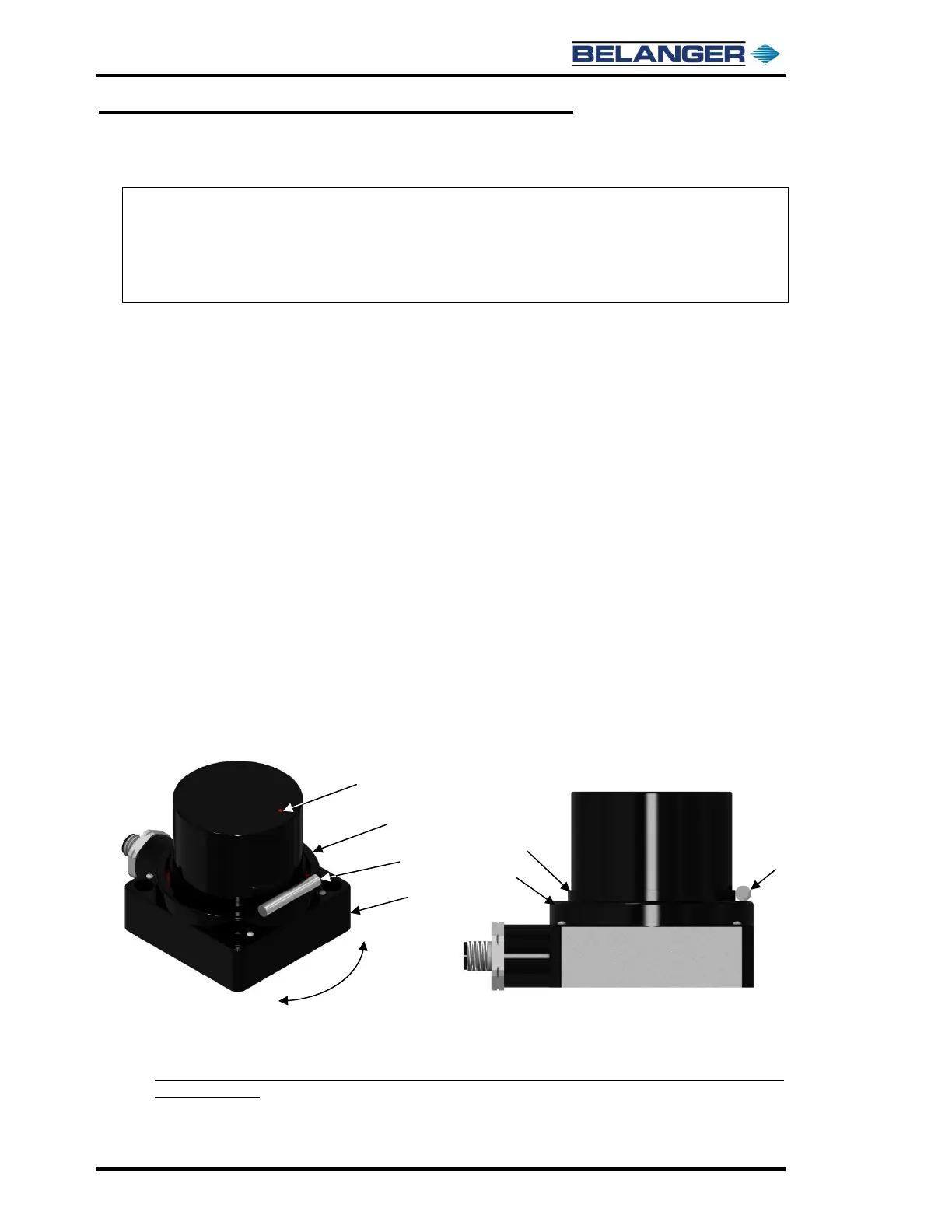
Holding the magnet to the sonar will cause it to cycle through the different modes. Hold the
magnet horizontally on the top of the wide ring and under the LED, as shown below. When
the LED pattern indicates the mode you’re seeking, remove the magnet. The sonar may
take a few seconds to start switching modes. If it does not cycle through the modes, confirm
that the magnet is up against round portion of sonar near the base as shown below.
If the LED pulse pattern is not cycling, try rotating the magnet back and forth to each side of LED as
shown by the arrow above.
The model number for the Multifunction Sonar Unit is IR2005R. The Belanger® part number is
1ELECT-SN950.



 To Next Page