IQC 5000B Operation Manual
9
b. Connect from the X-Series Q Out to the IQC5000 CH 1 Q Input
Rohde &Schwarz FSV/FSW
a. Mate the RSX adapter with the EX-IQ Z-Dok connector
b. Connect the wide LVDS cables from the RSX I and Q to the IQC5000 C
H
1 I/Q Input
c. Connect the EX-IQ data cable from the EX-IQ IN port to the FSV/
FSW Digital Baseband OUTPUT port
d. Connect a USB cable from the EX-IQ to the FSW running DigIConf.
e. Connect a BNC cable from the 10MHZ REF OUT on the FSV/FSW to the REF IN on the EX
-IQ
Te
ktronix RSA
a. Connect from the RSA I Out to the
IQC5000 CH 1 I Input.
b. Connect from the RSA Q Out to the IQC5000 CH 1 Q Input.
Anritsu Field Master Pro
a. Connect PCIe cable from MS2090A to MA25424A IQ Converter
b. Connect USB cable from MS2090A to MA25424A IQ Converter
c. Connect MA25424A IQ Converter I
O
ut to the IQC5000 CH 1 I Input
d. Connect MA25424A IQ Converter Q Out to the IQC5000 CH 1 Q Input
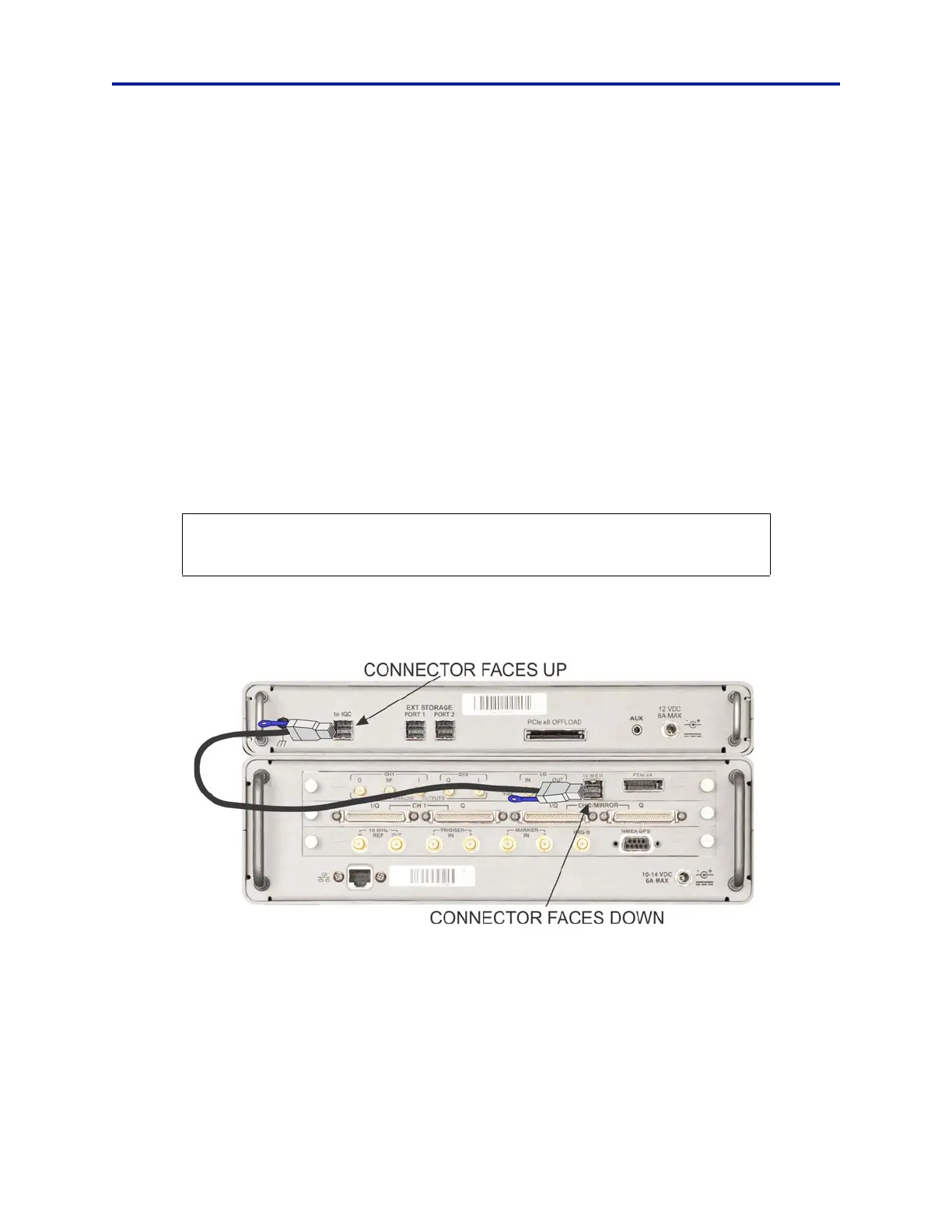
3. (Option: external storage) Connect cables for the IQC-MEM and external storage units.
a. Connect the External MiniSAS HD to
External MiniSAS HD cable to the IQC5000B to MEM port – with
tab facing down – connect remaining end to the IQC-MEM to IQC port – with tab facing up.
Figure 5 IQC-MEM Cable Connection
b. Connect one end of the External MiniSAS HD cable to the IQC-MEM EXT STORAGE PORT 1, connect the
remaining end to External Storage Unit data port.
CAUTION
Use extra care
when connecting External MiniSAS HD connectors, the ports are keyed,
but can be forced in upside-down.



 To Next Page