Setup
20
Tektronix RSA6000 Series
Note: Refer to the Tektronix RSA6000B Operating Manual for more detailed instructions. The following
steps are intended to provide a quick setup of record-specific settings.
It is recommended that a saved setup be made after completing the
nece
ssary steps for recording. A saved setup
file can be set to a user preset, so that the setup can be quickly recalled.
Note:
Settings in the Config In/Out menu on the RSA are not reset by a preset. These settings will need to
be checked after recalling a saved setup.
Save a Setup
To save a setup as a user preset on the RSA:
1. Go to File > Save As…
2. Navigate to C:\RSA6100B Files\User Presets and select to save as type Se
tup file.
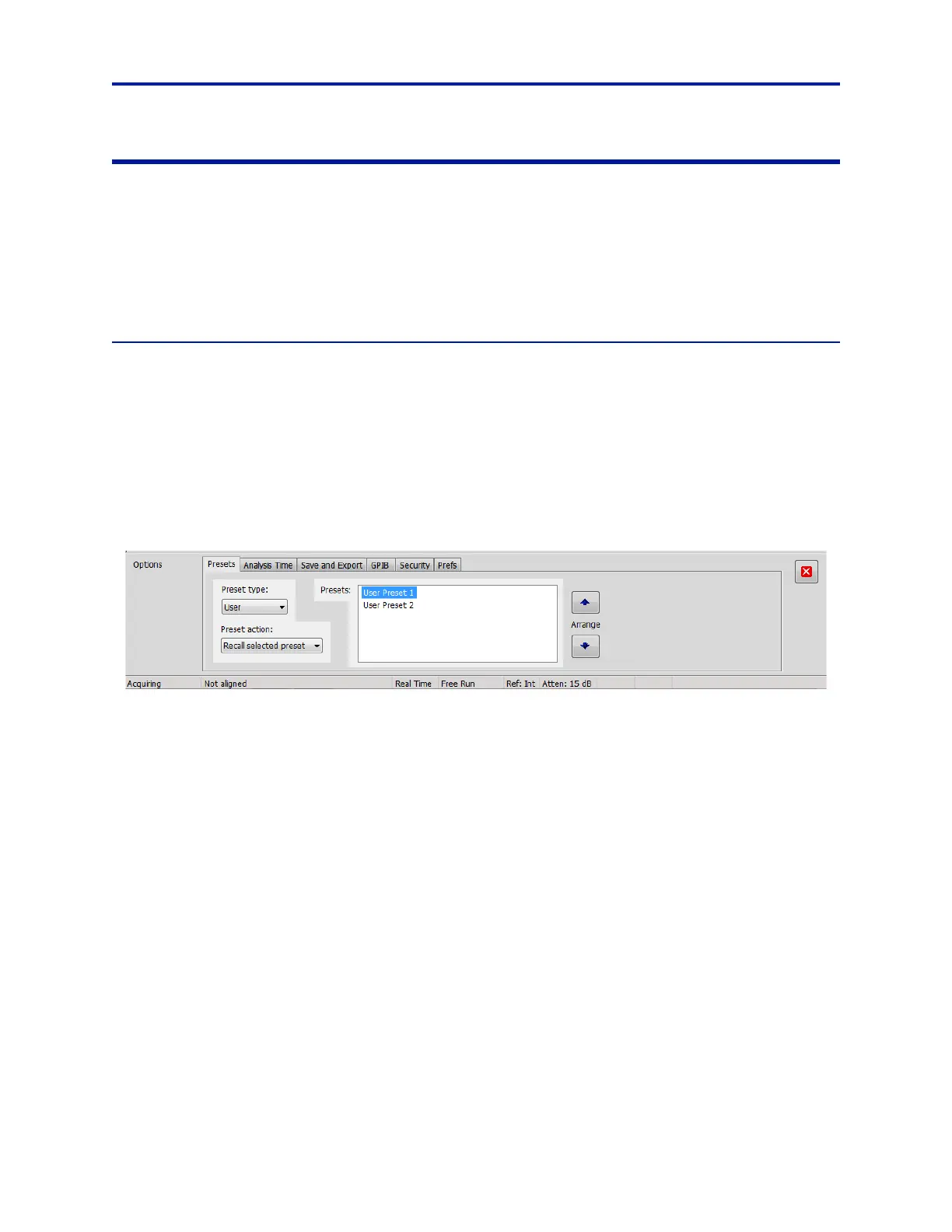
3. Go to Tools > Settings > Presets, and then select User from the dro
p-down Preset type. See Figure 14.
4. The new preset should show in the preset listing. If it is not a
t the top of the list, select it and then press the Up
button on the right of the list to move it to the top.
5. Select Recall selected preset from the drop-down Preset action.
Figure 14 Tektronix Presets
The preset can now be activated any time by pressing the User button on the front panel, in the Presets block.



 To Next Page