69
Chapter 6 Troubleshooting
The IQC5000 error log file can be accessed from within IQC Control by navigating to Help > Logs > View Current Error
Log. If any unexpected behavior occurs during use of the IQC5000, consult the error log first for a descriptive error
message.
If the unexpected behavior cannot be resolved, generate a session log a
s outline
d in "Session Logs" on page 62 and
provide Bird support with the error and session logs.
Connection Problems
Unable to Connect to Devices through IQC Control Software
If you experience difficulty connecting to either the IQC5000 or RSA when using the IQC Control software, check that
all antivirus/firewall software (proprietary and stock) allows communication.
1. Allow IQC Control through Microsoft® Windows™ Firewall (this is done initially as p
art of the installation rou-
tine, but if for some reason it has been removed, follow these step
s).
a. Acquire administrative privileges.
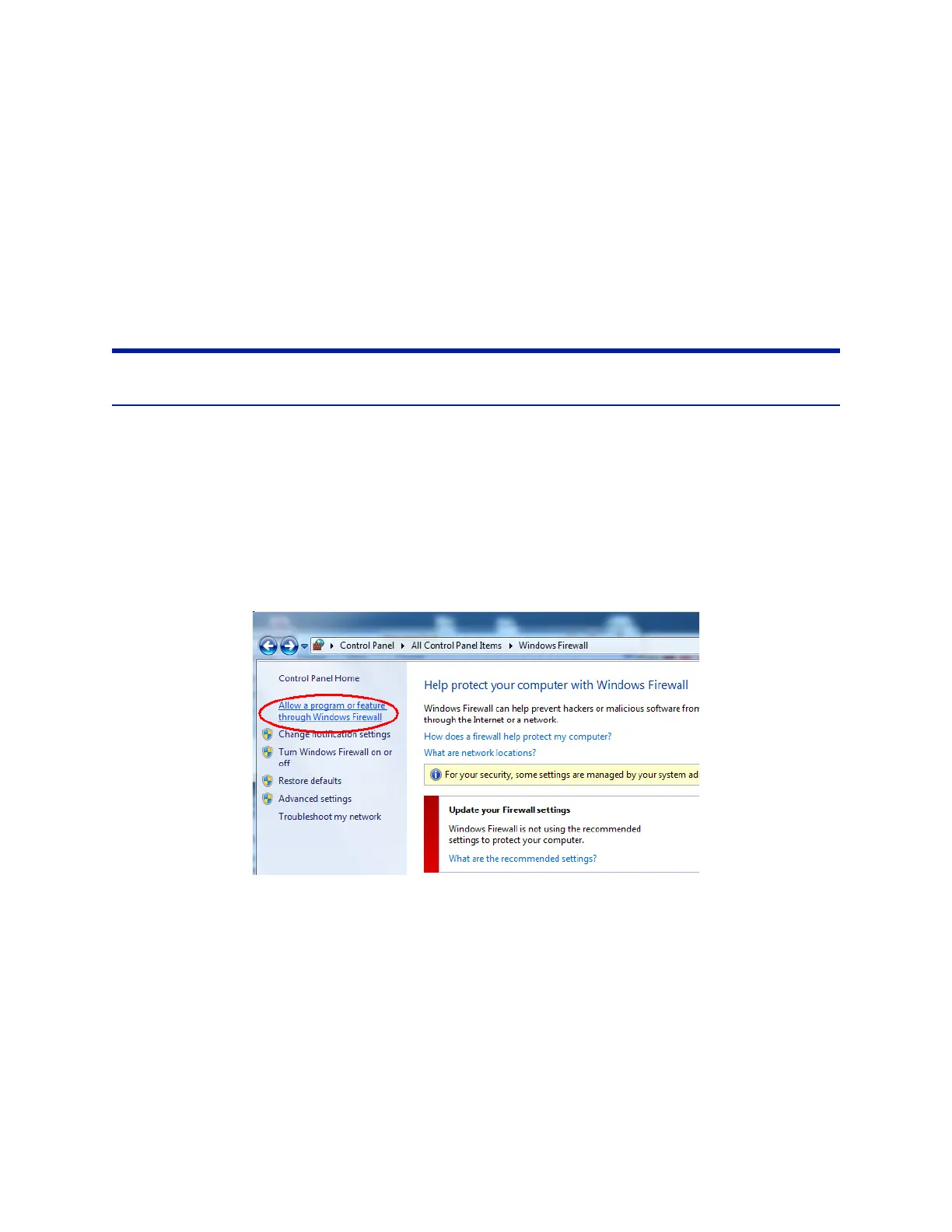
b. Navigate to Control Panel > Windows Firewall.
c. On the left side of this window, click Allow a program or featu
re through Windows Firewall.
Figure 57 Windows Firewall
d. In the Program Selection window, click Allow another program…



 To Next Page