Using IQC5000 with IQC Control
52
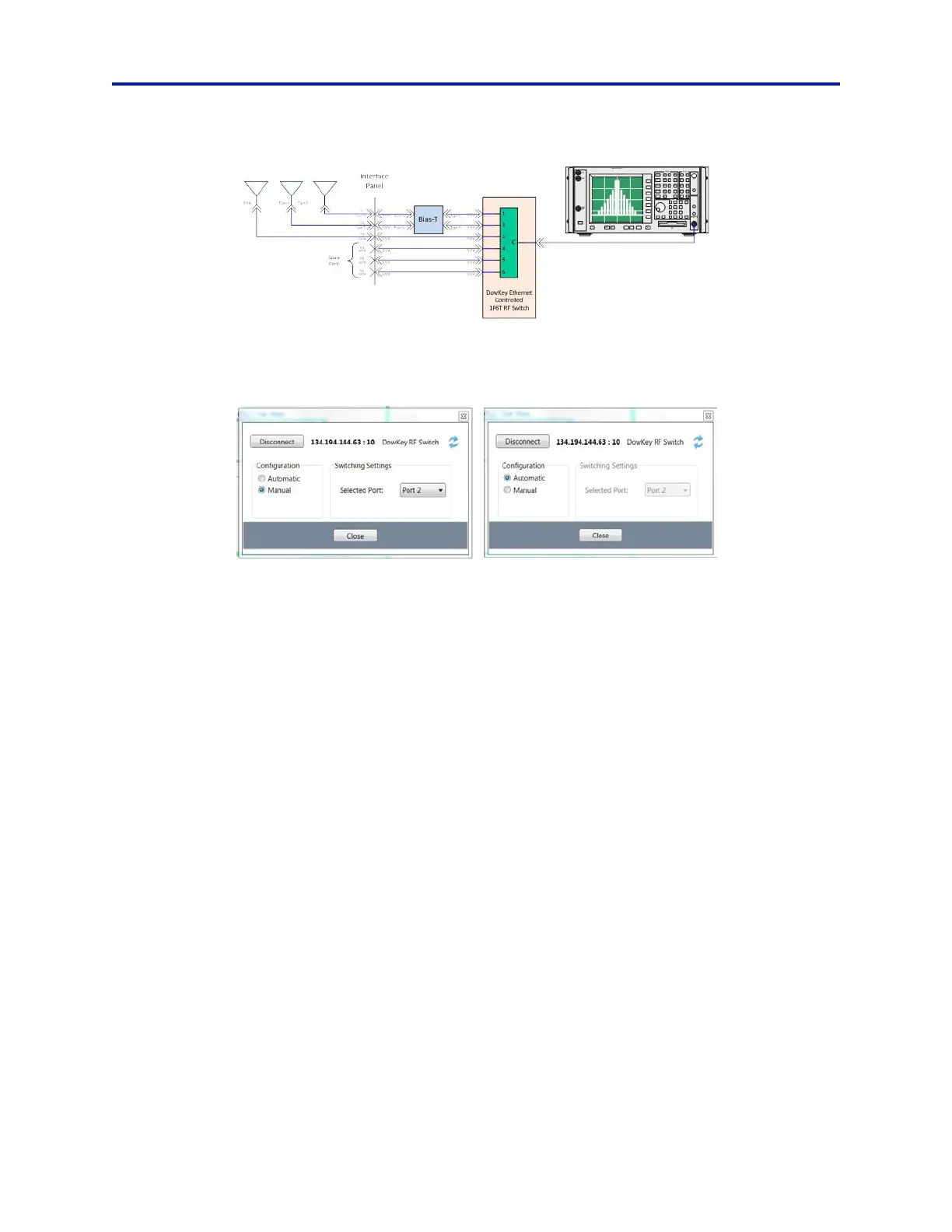
Figure 42 DowKey RF Switch Diagram
After adding the DowKey RF switch as a remote device and connecting to it, press Configure Device on the device’s
widget to access the device’s remote control panel. From here, select either Automatic or Manual operation.
Figure 43
DowKey RF Switch Mode Selection
In Manual mode, the user is permitt
ed to over-ride the automated frequency-dependent port assignments by
manually configuring the Selected Port (switch port assignment).
In Automatic mode, the antenna port is automatically selected for the
specified center frequency of the spectrum
analyzer, according to the frequency limit settings in the DOWConfig.txt configuration file, located in the IQC Control
program directory.
DOWConfig.txt Syntax and Usage:
P1 : <low frequency limit in Hz> - <hi
gh fr
equency limit in Hz>
P2 : <low frequency limit in Hz> - <high fr
equency limit in Hz>
P3 : <low frequency limit in Hz> - <high fr
equency limit in Hz>
P4 : <low frequency limit in Hz> - <high fr
equency limit in Hz>
P5 : <low frequency limit in Hz> - <high fr
equency limit in Hz>
P6 : <low frequency limit in Hz> - <high fr
equency limit in Hz>
Pn references the RF port to which the antenna is connected
Frequencies are expressed in Hertz
Frequencies must not overlap between ports
All ports must be listed in order
Unused ports must be entered as 00 – 00
The file must be named DOWConfig.txt
The file must be in the following directory: %APPDATA%\XCOM\XCOMControl\config (default:
C:\Users\USERNAME\AppData\Roaming\XCOM\XCOMControl\config)



 To Next Page