Setting up the Clock reference Part D VC-6000
TM
Compact monitor
© VC-6000
TM
Compact monitor Dec 09 C100585.002 Communication Vers. 03 - 17 -
5 Setting up the Clock reference
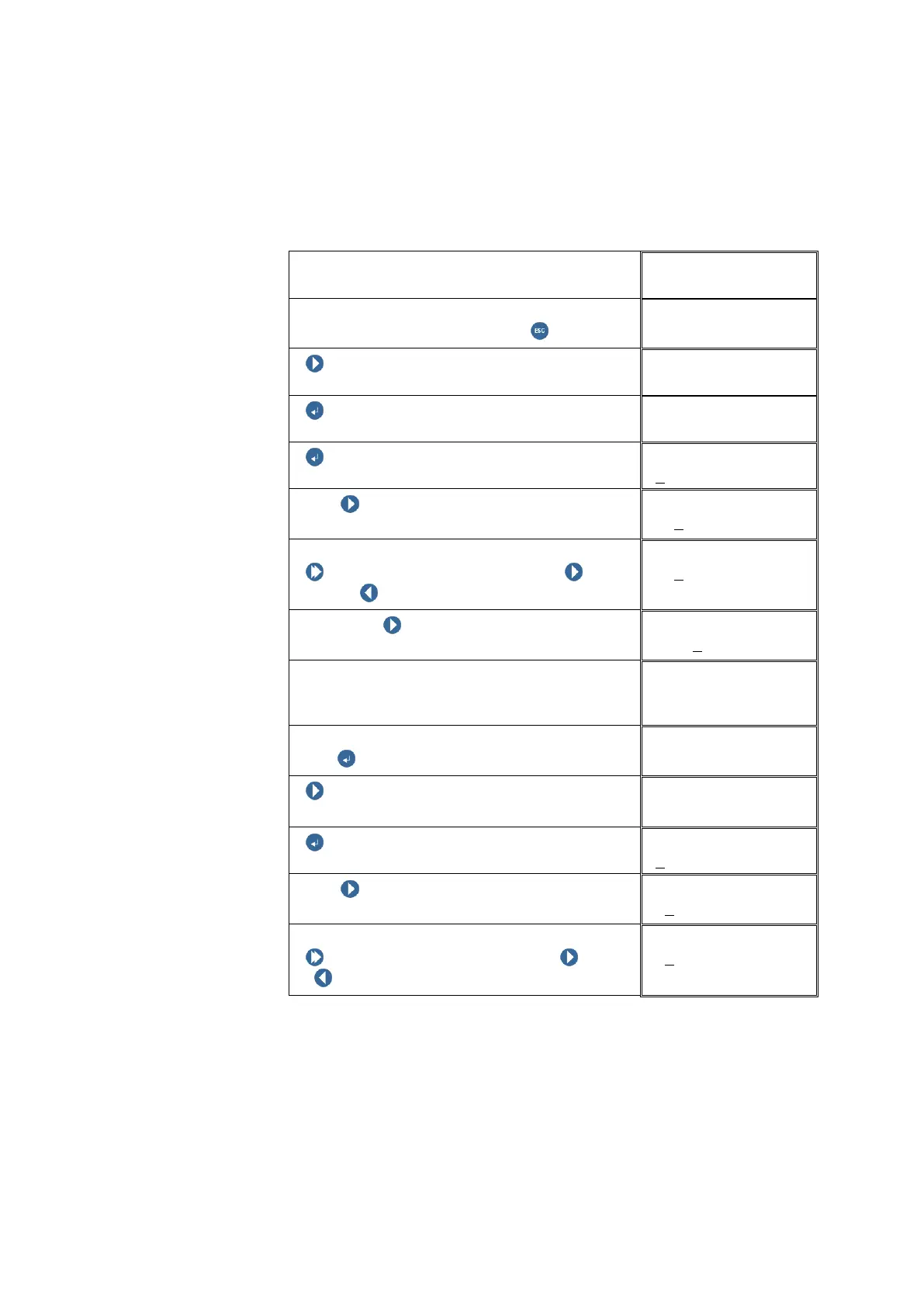
The block for setting up the CLOCK REFERENCE is on the same level as
the USER MENU block.
Example: Date: 24
th
June 2002, Time:10:25:30 h
You are logged in as a SUPER USER
USER MENU
To get to the block Date and Time, switch to
the next higher block level using ESCAPE
USER MENU
NEXT
ENTER BUTTON
DATE & TIME
ENTER BUTTON
Set date
With NEXT select the digit position to be
changed.
Set date
+00
0000 YYMMDD
Change the digit:
Push and hold SHIFT, then push
NEXT / PREVIOUS to change the digit.
Set date
+02
0000 YYMMDD
Then push NEXT to select the next digit
position and change this as well.
Set date
+0200
00 YYMMDD
Note the date format!
First two digits for the year, then two digits for
the month and finally two digits for the day.
Set date
+020624 YYMMDD
After entering the date confirm the changes
with ENTER BUTTON.
DATE & TIME
Set date
NEXT
DATE & TIME
ENTER BUTTON
Set time
With NEXT select the next digit position to
be changed.
Set time
+0
00000 HHMMSS
Changing the digit:
Push and hold SHIFT, then push NEXT
/ PREVIOUS to change the digit.
Set time
+1
00000 HHMMSS



 To Next Page