VC-6000
TM
Compact monitor Part D User Menus
- 10 - C100585.002 Communication Vers. 03 © VC-6000
TM
Compact monitor Dec 09
4 User Menus
4.1 Login to the system
First of all make sure that the User-terminal is properly connected to the
VIBROCONTROL 6000 Compact monitor .
The Start display will appear when the connection is made. The following is
an example only, as the text can be different for each application firmware.
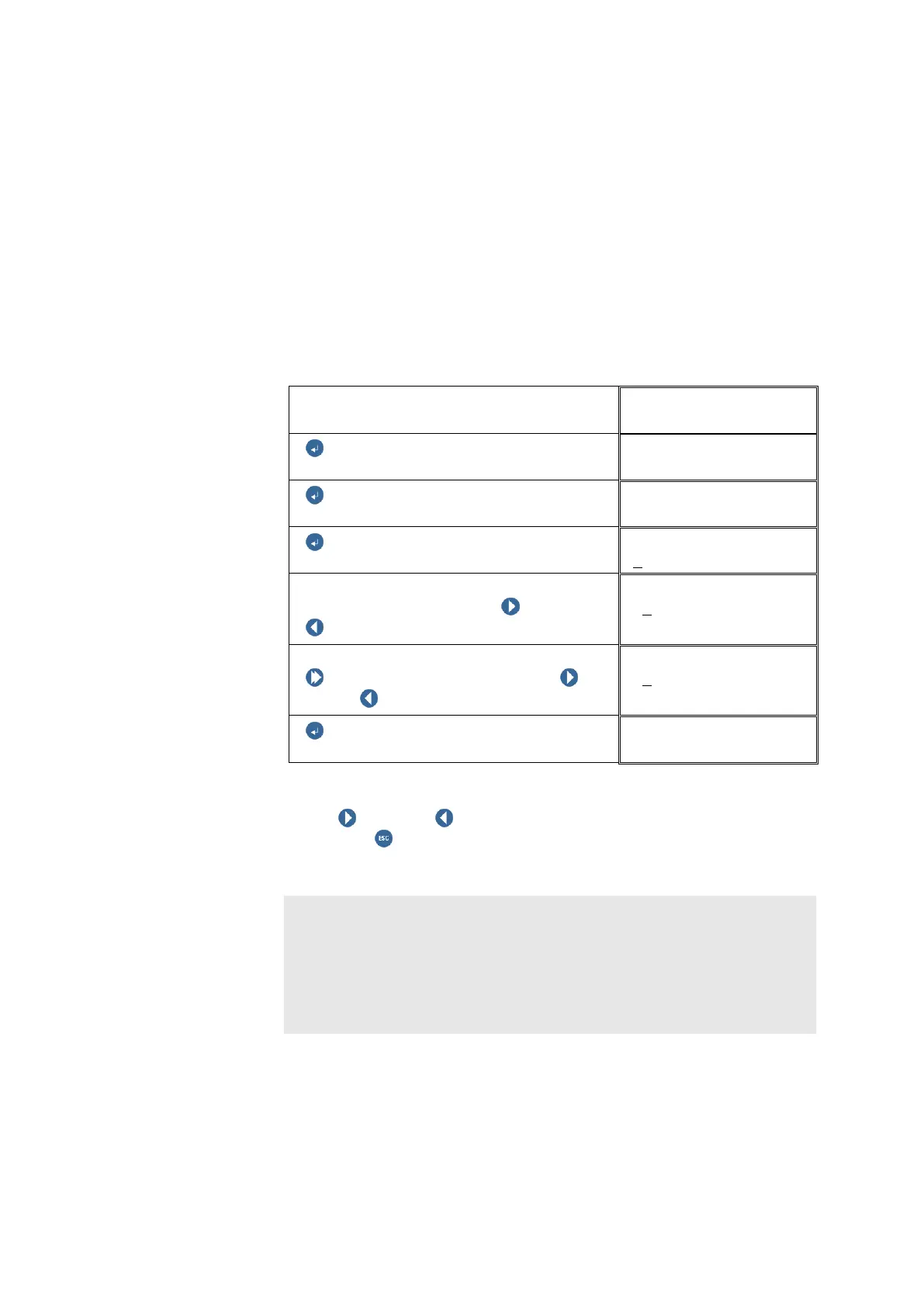
Login as a SUPER USER:
Example: The Super User password is: 9000
Start DISPLAY
CV_112
ENTER BUTTON
ENTER BUTTON
USER MENU
ENTER BUTTON
Login
Enter the password:
Select the digit position with NEXT or
PREVIOUS
Login
+0
000
Change the digit:
Push and hold SHIFT, then push
NEXT / PREVIOUS to change the digit.
Login
+9
000
ENTER BUTTON
USER MENU
The user then has the option to select the desired login block using the
button NEXT or PREVIOUS, or to switch to the next higher block
level, using ESCAPE(RETURN), in which the blocks of the signal-flow
charts are also arranged.
Note:
You will receive the correct password for your VIBROCONTROL 6000
Compact monitor application firmware together with the signal-flow chart of
your instrument. This is attached in section Individual instrument
documentation of the VIBROCONTROL 6000 Compact monitor handbook folder.
Please edit the default password (see chapter 4.6) and make sure that only
authorized persons have access to the new password!



 To Next Page