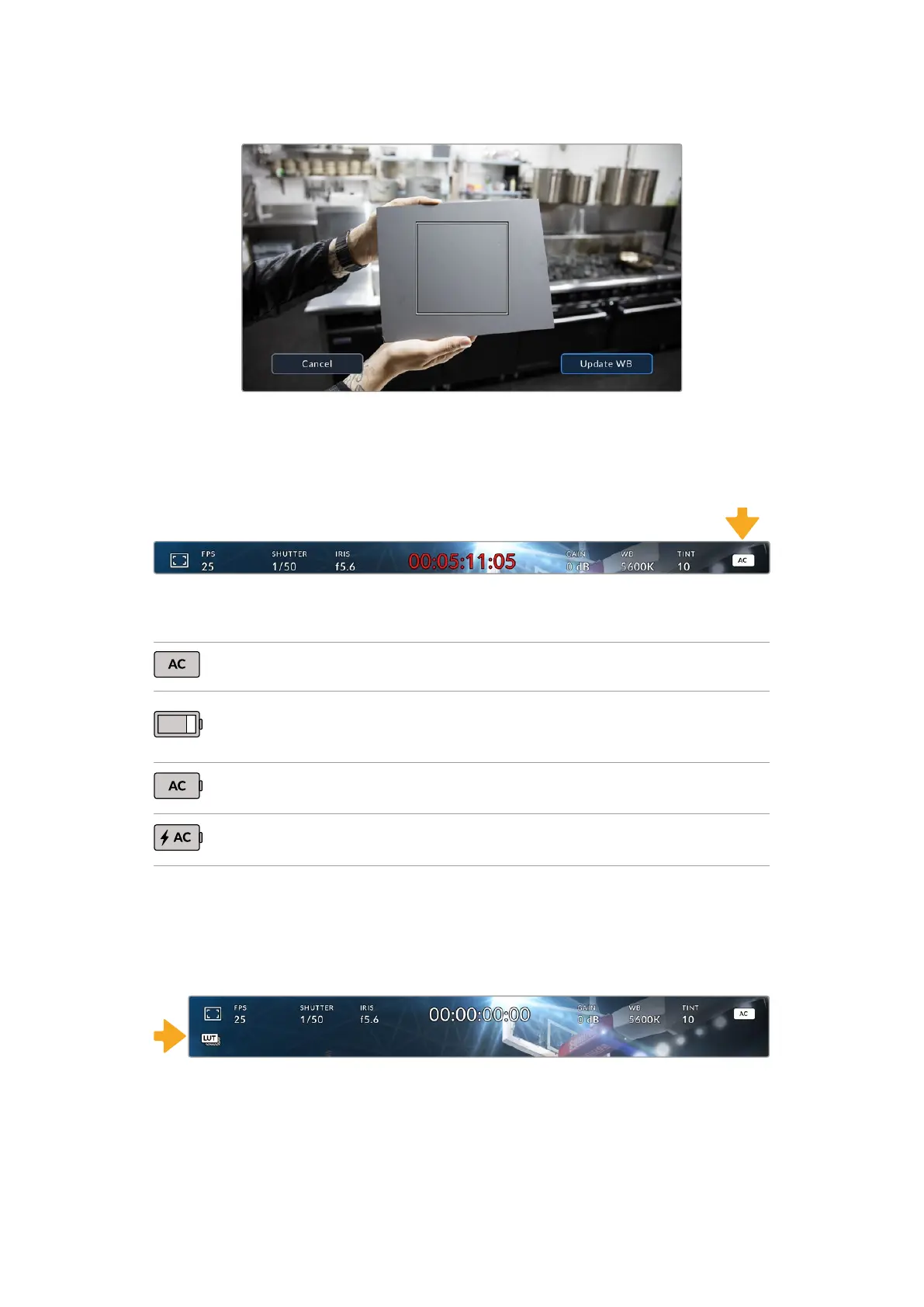
Use this with a white or neutral gray surface to
automatically set a neutral white balance
Power
Your camera’s power status is displayed in the top right of the HDMI display.
Your camera’s power indicator is at the top right of the display
There are four possible indicators:
AC Displays when your camera is plugged into mains power.
Battery bars
When a battery is attached to your camera, a battery icon is
displayed that drains in 25% steps. At 20% charge remaining,
the battery bar turns red.
AC and Battery
Displays when your camera is plugged into mains power and a
battery is connected.
AC / Charging
Displays when your camera is plugged into mains power, and is
simultaneously charging an attached LP-E6 battery.
LUT Indicator
When you are using a LUT as a preview tool on set, a white LUT icon will be displayed in the top
left corner of the screen to indicate that a LUT is currently active. This icon will be blue if you
have ‘Apply LUT in File’ switched on in the ‘record’ settings. For more information, refer to the
‘settings’ section.
Histogram
At the bottom left of your camera’s HDMI output you can see the histogram. The RGB
histogram shows the tonal distribution of the image separated into individual red, green and
blue channels.
24Using the HUD Controls


 To Next Page
 Loading...
