Zoom Rocker Direction
You can change the direction of the focus wheel on focus demand by selection either ‘normal’
or ‘reverse’.
Normal
The default zoom rocker direction. Push the zoom rocker to the right to zoom in and to the
left to zoom out.
Reverse
When the zoom rocker direction is set to ‘reverse’ push the zoom rocker to the left to zoom
in and to the right to zoom out.
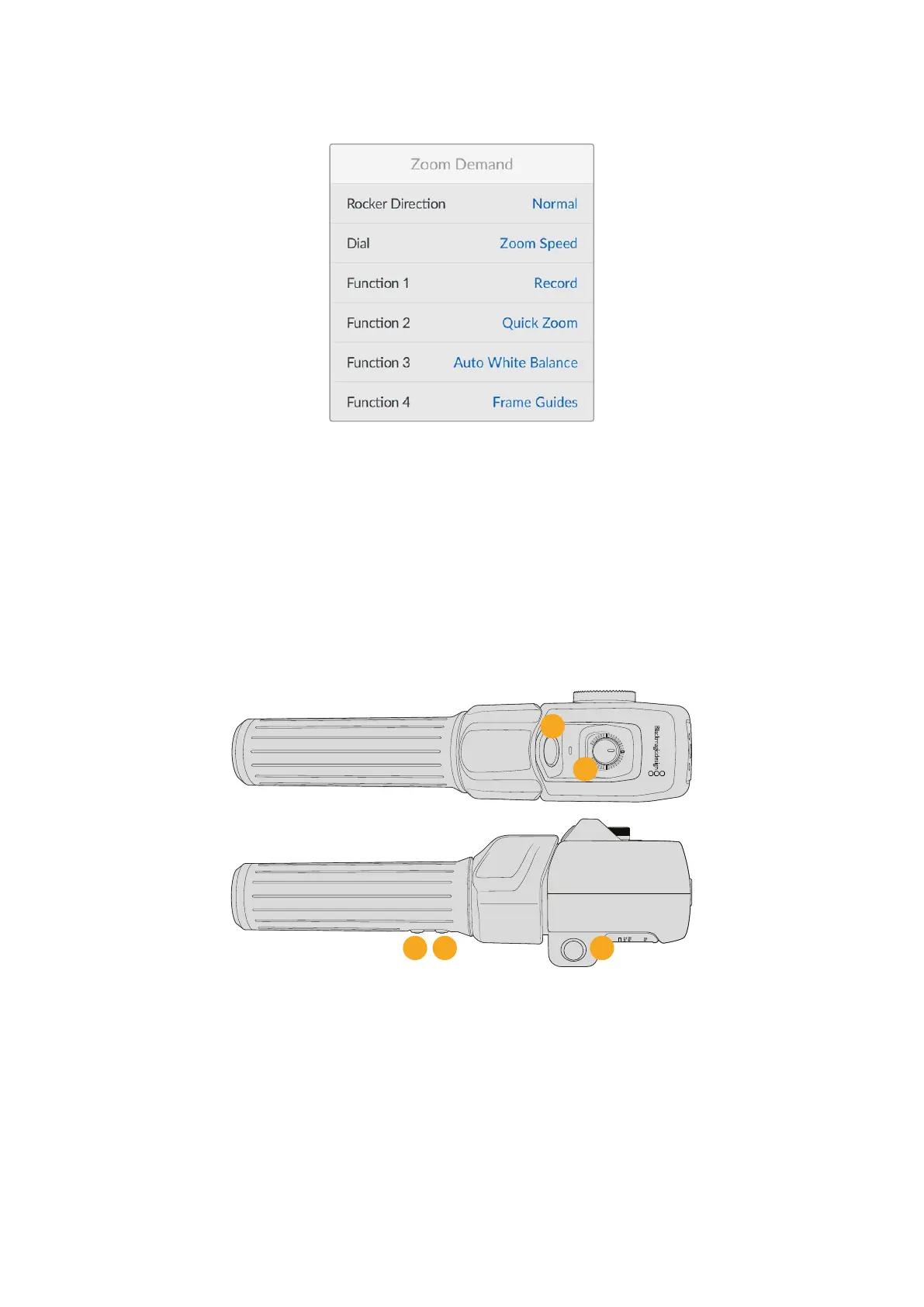
Blackmagic Zoom Demand has four zoom function buttons and a speed dial that you can map
to different functions.
2
3
4
1
5
1 Zoom F1 2 Zoom F2 3 Zoom F3 4 Zoom F4 5 Speed Dial
To assign a different function to the speed dial or one of the zoom buttons choose ‘dial’ or a
button number from the Zoom Demand menu and press ‘set’. Next, choose a function using
your camera’s arrow buttons and press ‘set’.
56Setup Menu


 To Next Page
 Loading...
