Modules & Options
PC Camera Module (Windows 8) 7 - 3
7
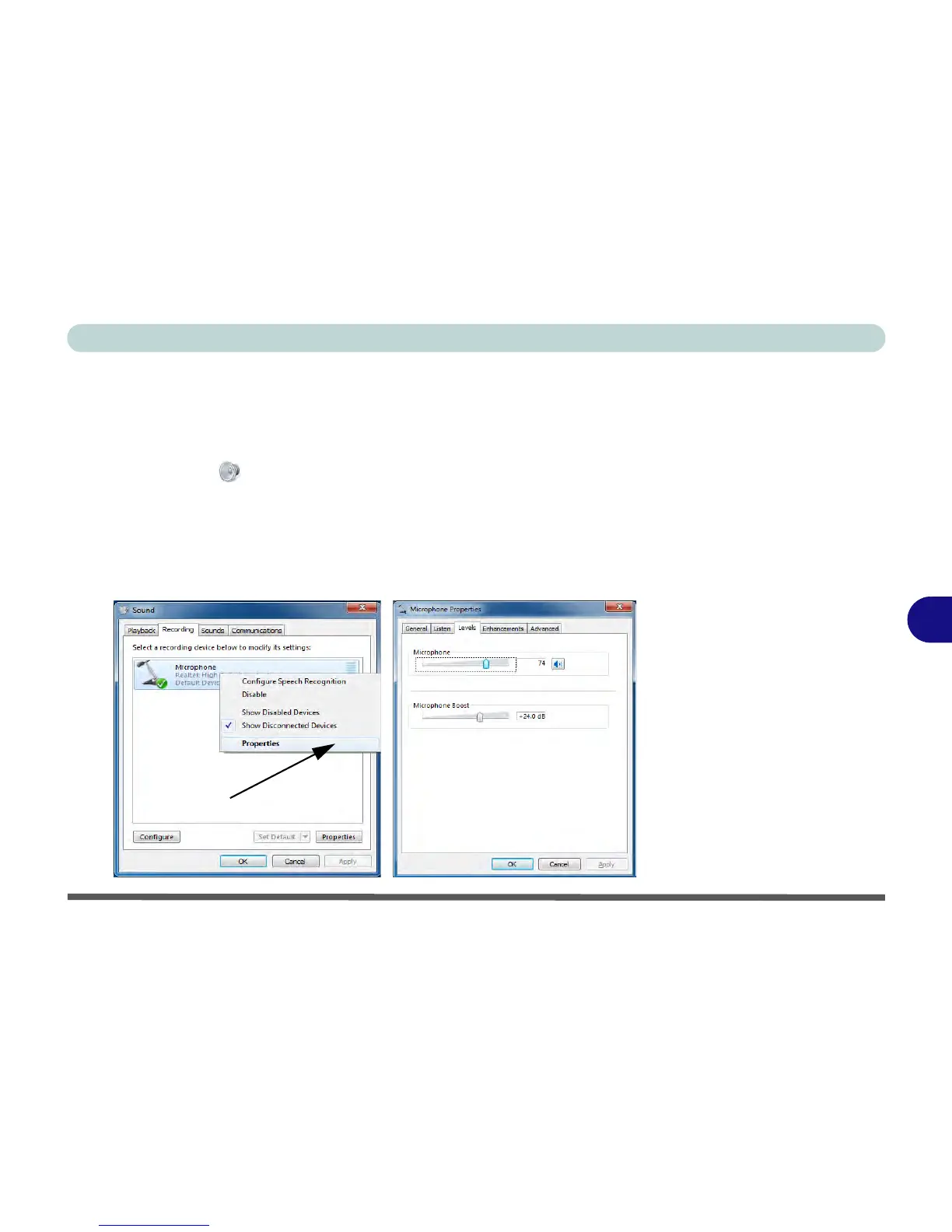
PC Camera Audio Setup
If you wish to capture video & audio with your camera, it is necessary to setup the
audio recording options in Windows.
1. Go to the
Control Panel
.
2.
Click/tap
Sound (Hardware and Sound) and
click/tap
Recording (tab).
3. Right-click/tap, hold and release Microphone (Realtek High Definition Audio) and
make sure the item is not disabled.
4. Double-click/tap Microphone (or select Properties from the right-click menu).
5.
Click/tap
Levels (tab), and adjust the Microphone and Microphone Boost sliders
to the level required.
6.
Click/tap
OK and close the control panels.



 To Next Page