1 - 30 Windows 8 Control Panel
Quick Start Guide
1
Windows 8 Control Panel
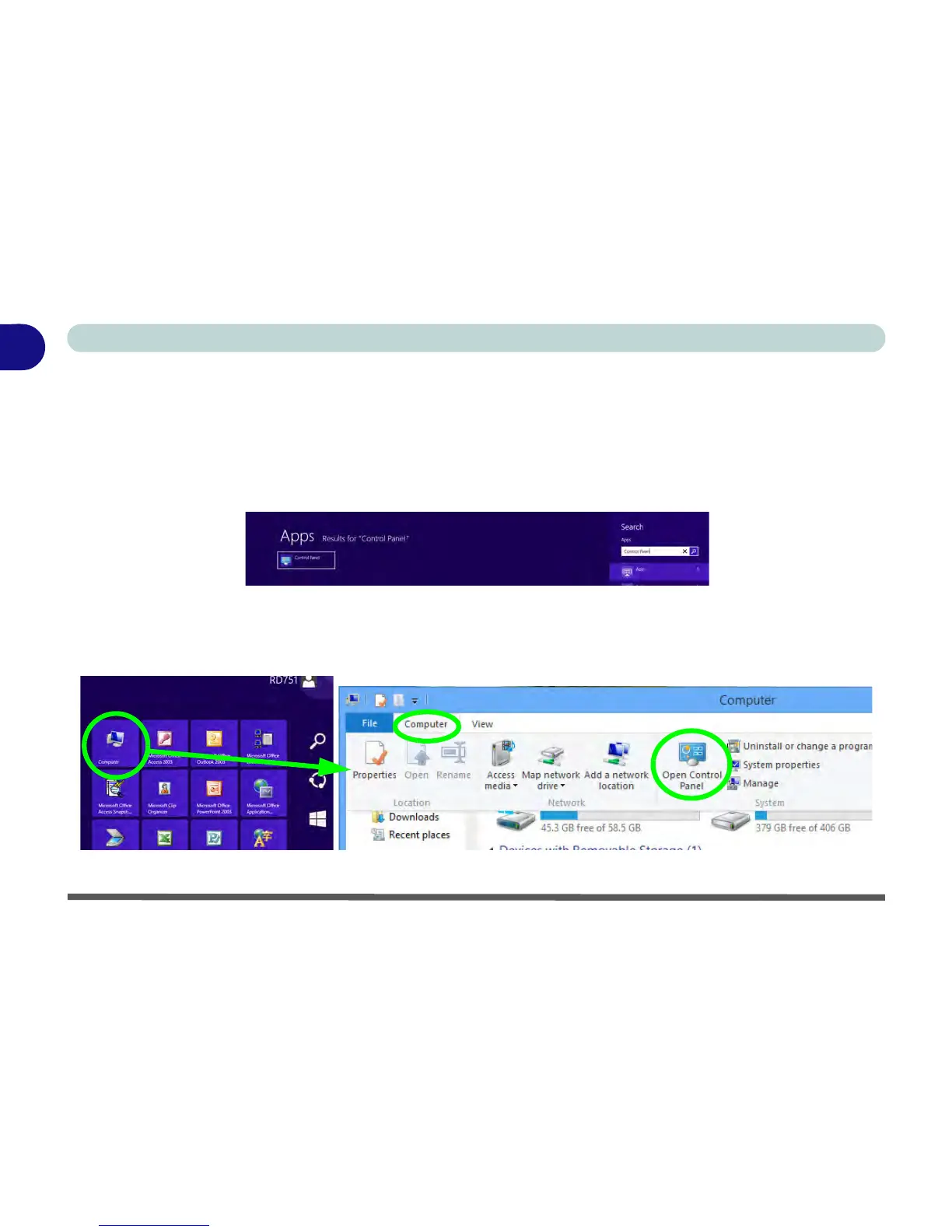
In many instances throughout this manual you will see an instruction to open the Control Panel. The Control
Panel is much the same as that in Windows 7, however it can be accessed in a number of ways in Windows 8.
• Click/tap Search in the Windows Charms Bar (see previous page) and the search pane will pop out.
Type Control Panel and select it from the results to the left.
Figure 1 - 23 - Search (Control Panel)
• Click/tap on Computer (you may need to pin Computer to the Start screen) in the Start screen, click/
tap on Computer in the top menu and select Open Control Panel from the ribbon.
Figure 1 - 24 - Open Control Panel (Computer)



 To Next Page