Intel Video Driver Controls
B - 6 Attaching Other Displays
B
Attaching Other Displays
If you prefer to use an external display, connect it to the HDMI-Out port.
To Clone Displays:
1. Attach your display to the HDMI-Out port and turn it on.
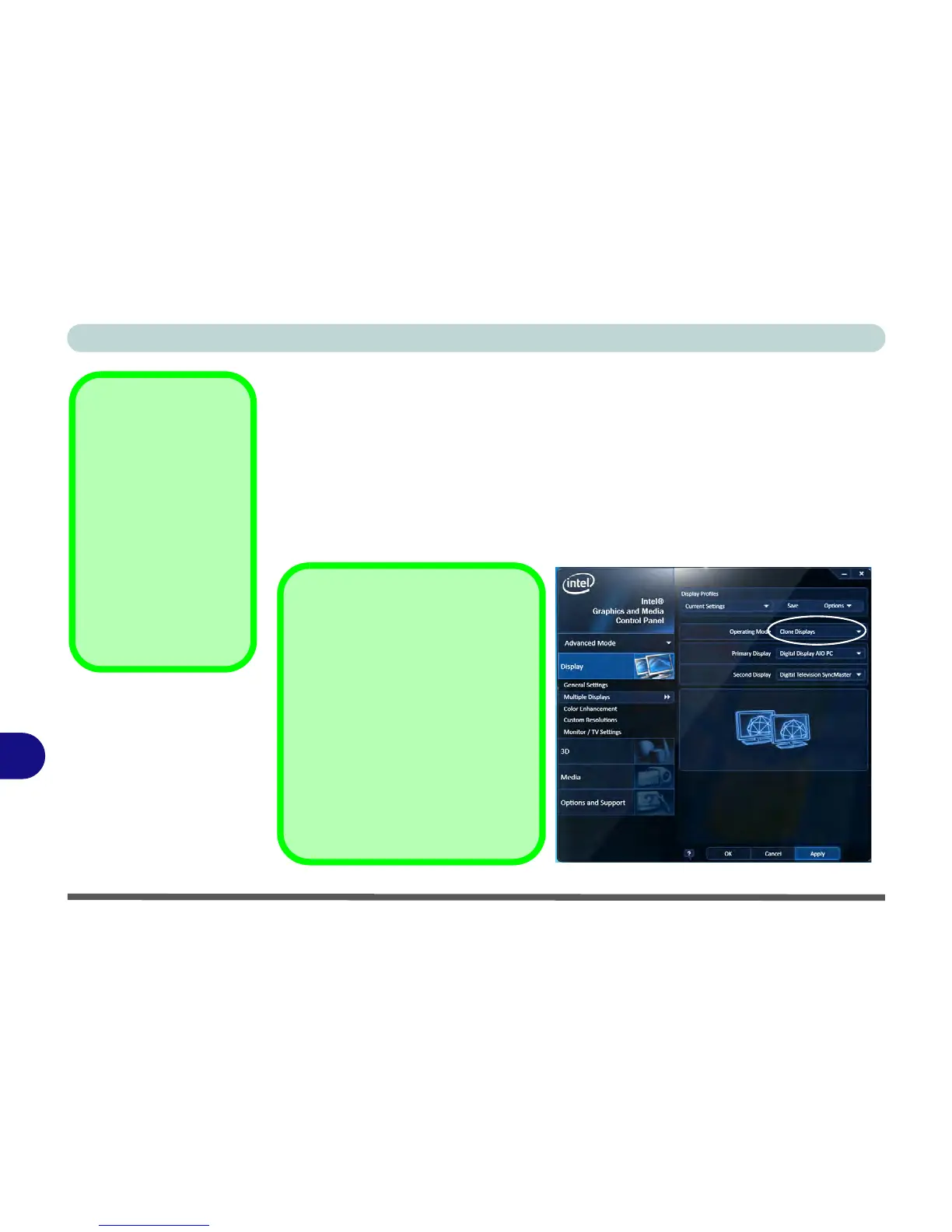
2. Go to the Intel(R) G&M control panel and click/tap Display > Multiple Displays.
3. Click/tap Operating Mode and select Clone Displays from the menu.
4. Click/tap Apply, and OK to confirm the settings change.
5. You can switch the Primary/Secondary Display from the menu.
Default Display Mode
The initial default display mode
when first attaching an external dis-
play is set to Extended Desktop
Mode.
You can use the Intel(R) G&M con-
trol panel to adjust this setting.
Subsequent to any restart/shutdown
or removal of display device, the
system will retain the last mode set
before the restart/shutdown or re-
moval of display device.



 To Next Page