Modules & Options
7 - 26 Bluetooth & WLAN Combo Module (Windows 8)
7
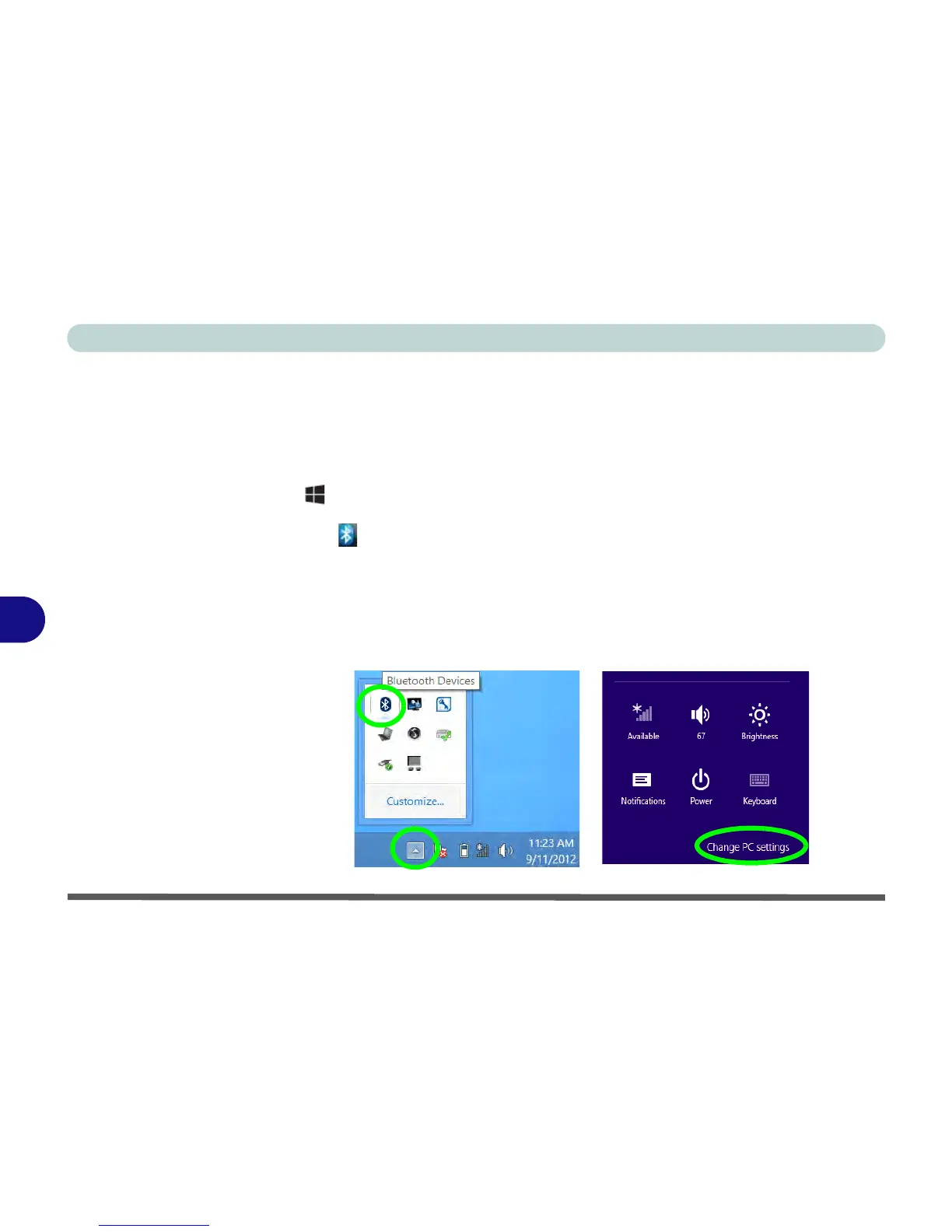
Bluetooth Configuration in Windows 8
You can configure a Bluetooth connection as below, however make sure the Blue-
tooth module is turned on (and not in Airplane Mode) before configuration begins.
Desktop Mode
1. Switch to the Windows Desktop (click/tap the App or use the Windows logo key
+ D key combination).
2. Click/tap the notification area of the taskbar and double-click/tap the Bluetooth
icon (or click/tap and select Show Bluetooth Devices).
3. The Devices item in PC Settings will appear.
OR
Charms Bar
1. Go to the Charms Bar.
2. Select Settings and then click/tap Change PC Settings.
3. The Devices item in PC Settings will appear.



 To Next Page