Intel Video Driver Controls
B - 8 Attaching Other Displays
B
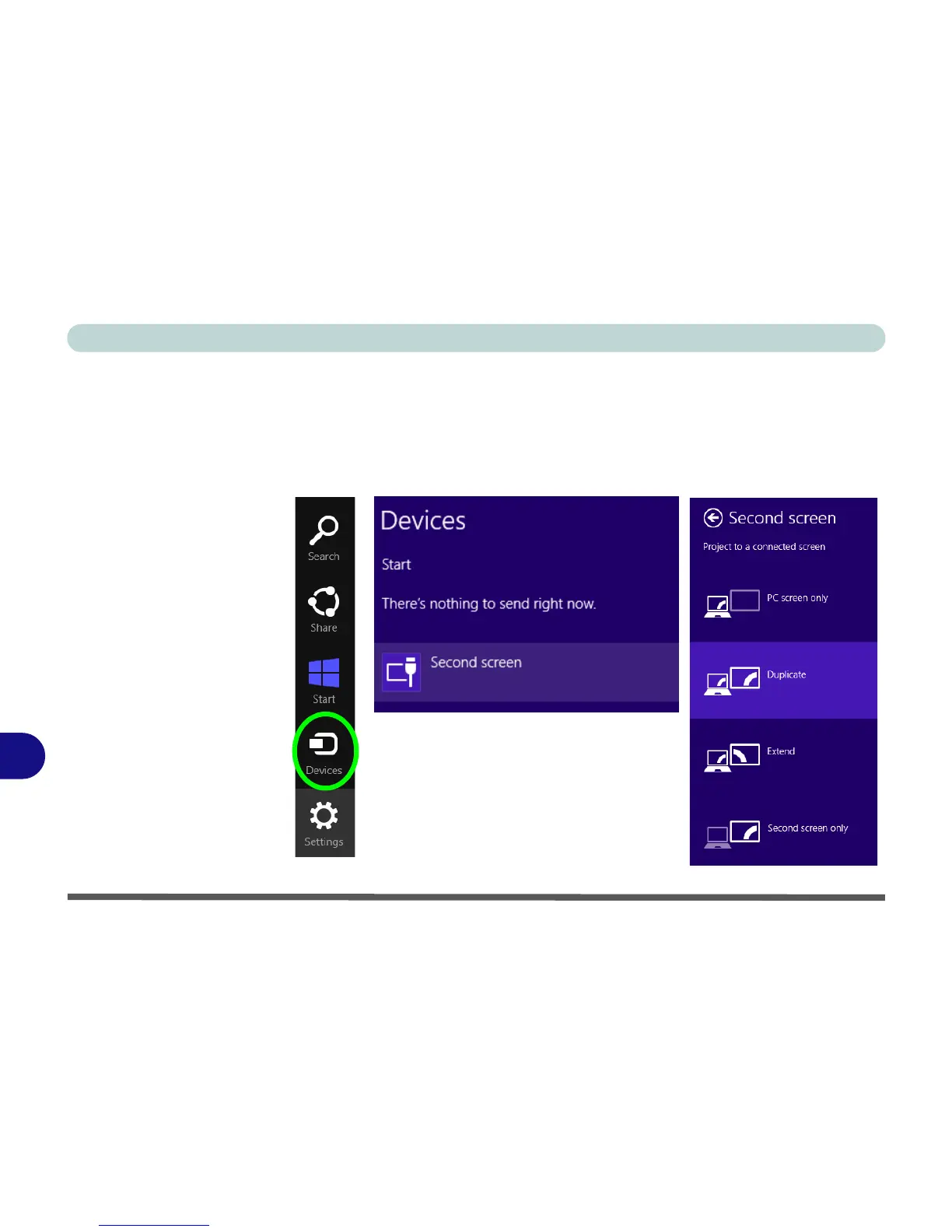
To Configure Displays from Devices (Charms Bar)
1. Attach your display to the HDMI-Out port, and turn it on.
2. Go the Charms Bar and select Devices.
3. Click/tap Second Screen.
4. Click/tap on any one of the options from the menu to select Duplicate, Extend or a
Single display.



 To Next Page