Upgrading The Computer
6 - 14 Upgrading the Hard Disk Drive/SSD
6
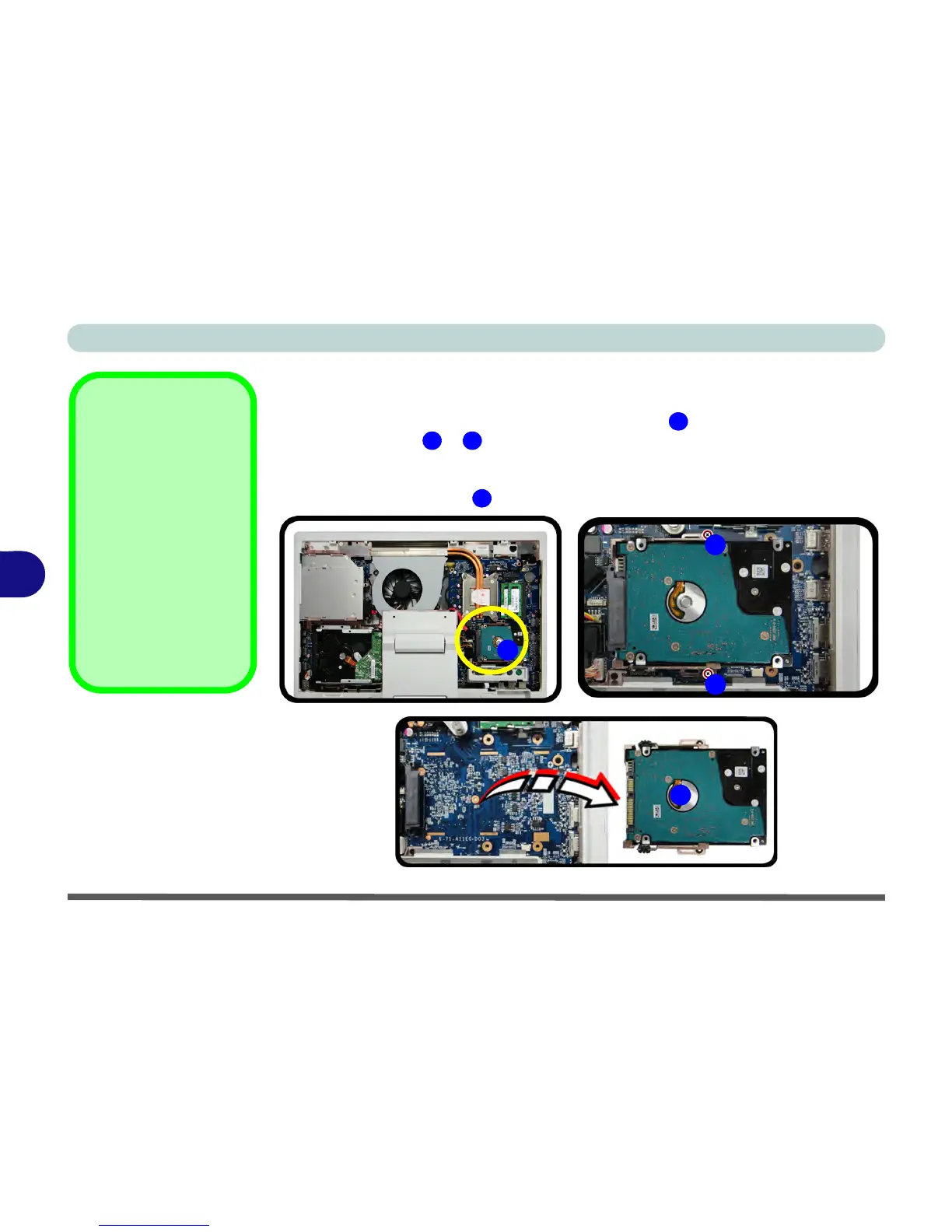
Removing the 2.5" (63.5mm) HDD or SSD
1. Remove the battery and rear cover (see pages 6 - 3 & 6 - 5).
2. The hard disk or solid state drive is located at point .
3. Remove screws & from the bracket (make sure you use a small manual
screwdriver and not an electrical screwdriver to do this, due to the delicate nature
of the screws).
4. Life the HDD assembly out of the computer.



 To Next Page