Power Management
3 - 4 Power Plans
3
Power Plans
The computer can be configured to conserve power by means of power plans. You
can use (or modify) an existing power plan, or create a new one.
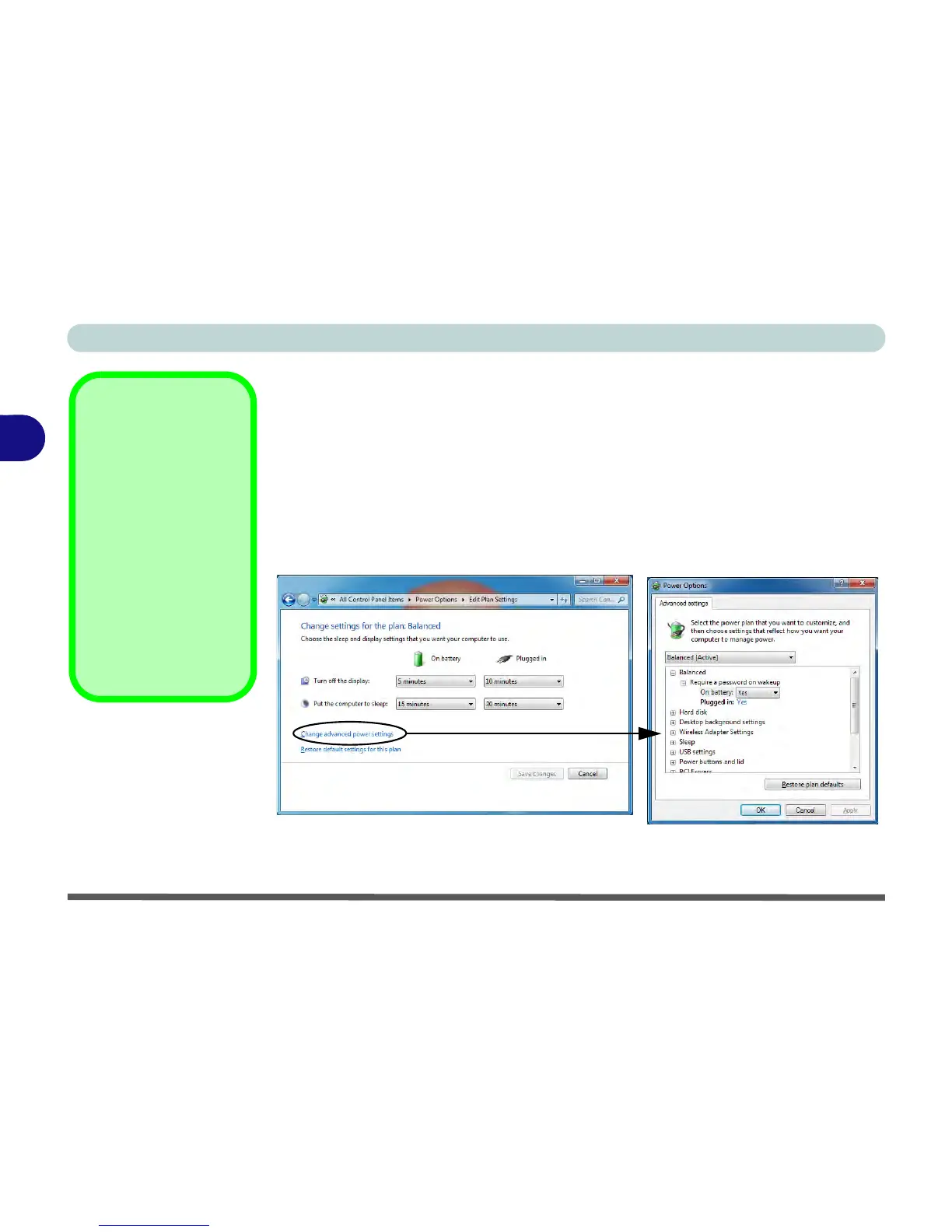
The settings may be adjusted to set the display to turn off after a specified time, and
to send the computer into Sleep after a period of inactivity.
Click/tap Change plan settings and then click/tap Change advanced power settings
to access further configuration options in Advanced Settings.



 To Next Page