1 - 18 Wireless Keyboard & Mouse USB Transceiver
Quick Start Guide
1
Wireless Keyboard & Mouse USB Transceiver
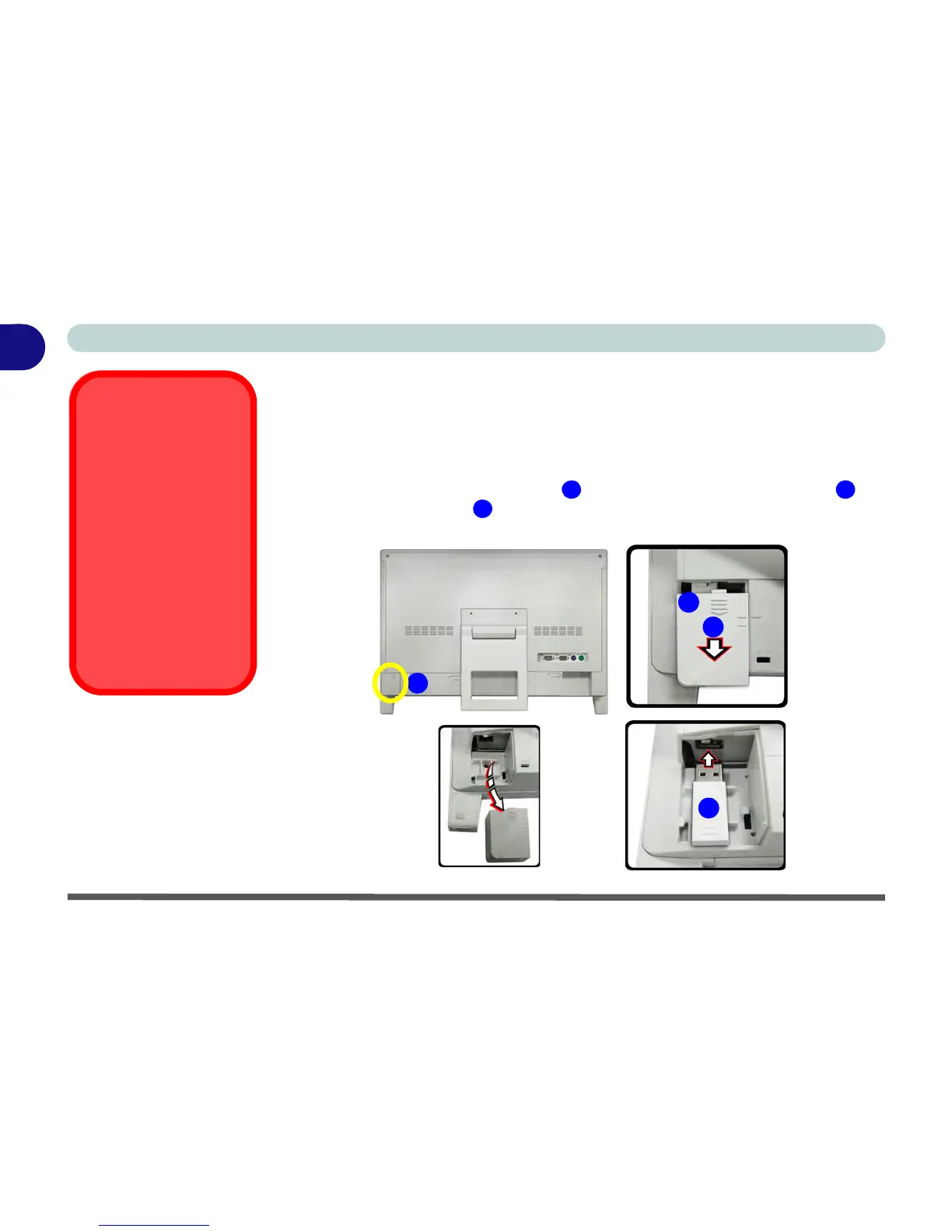
If you have purchased a wireless keyboard & mouse kit (not supplied with this com-
puter) you can use the USB port located at the bottom left of the rear cover to house
the USB transceiver dongle (do not use this port for any other device, see sidebar).
1.Remove the USB transceiver port cover by sliding it in the direction of arrow .
2.Insert the USB transceiver into the USB port.
3.Replace the cover.



 To Next Page