Windows Control Panel 1 - 23
Quick Start Guide
1
Windows Control Panel
Most of the control panels, utilities and applications within Windows are accessed from the Start menu in Win-
dows 7 (Windows 7’s standard interface is the desktop - see page D - 5), and from the Desktop in Windows 8
(see page 1 - 30 for more information on the Windows 8 Control Panel).
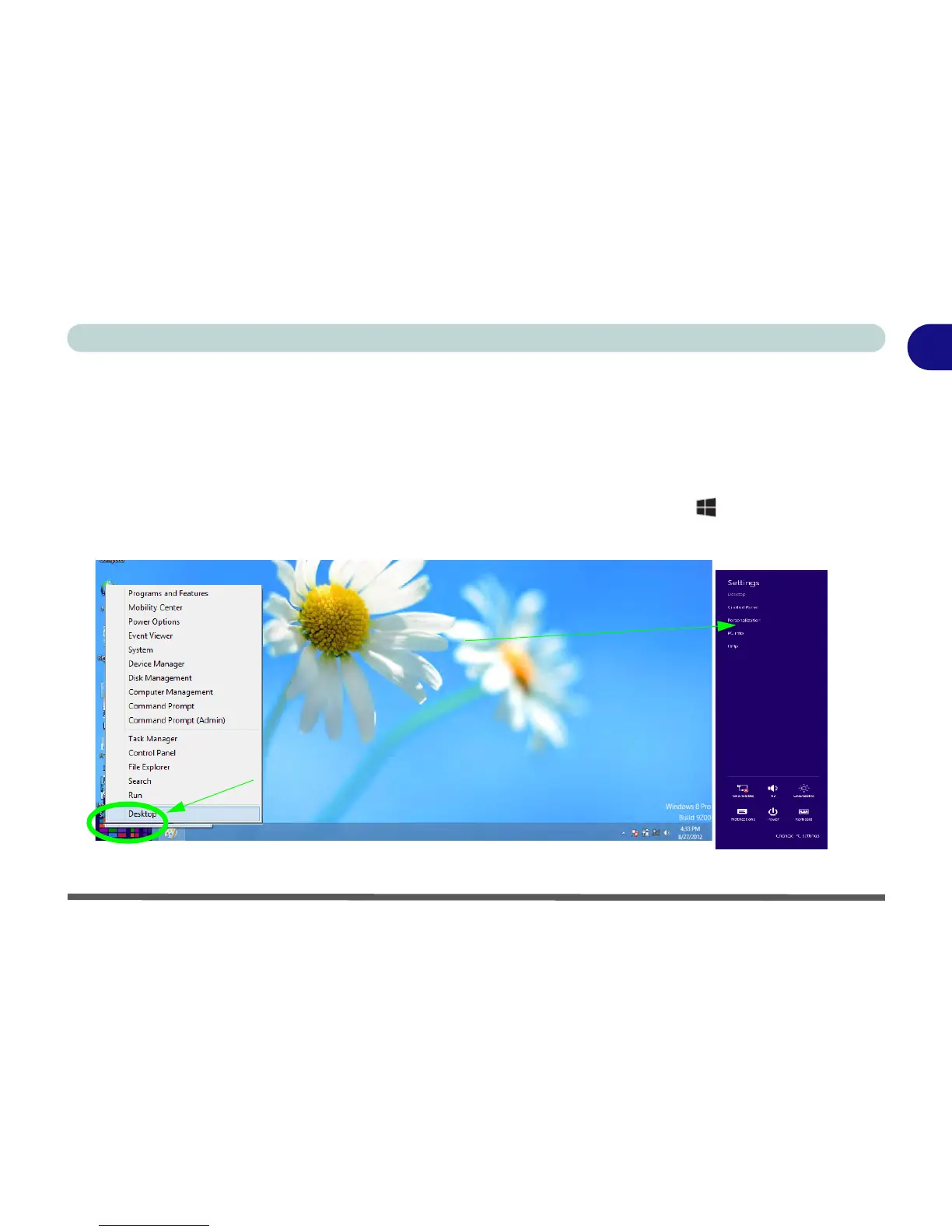
Throughout this manual you will see an instruction to open the Control Panel. In Windows 8
right-click the
lower left hot corner to bring up the context menu (or use the Windows Logo Key + X key combination)
and select Control Panel. If you are using a Touch Screen then access the Charms Bar from the desktop
(not the Start screen), tap Settings, and tap Control Panel or access it from the All Apps menu.
Figure 1 - 16 - Windows 8 Context Menu & Charms Bar Settings (from Desktop App)
Move the mouse to the
and right-click to access
bottom left of the screen
the menu.
Swipe a finger from the right to access the Charms Bar
and tap Control Panel.
from the Desktop (not the Start Screen), tap Settings



 To Next Page