Intel Video Driver Controls
Attaching Other Displays B - 7
B
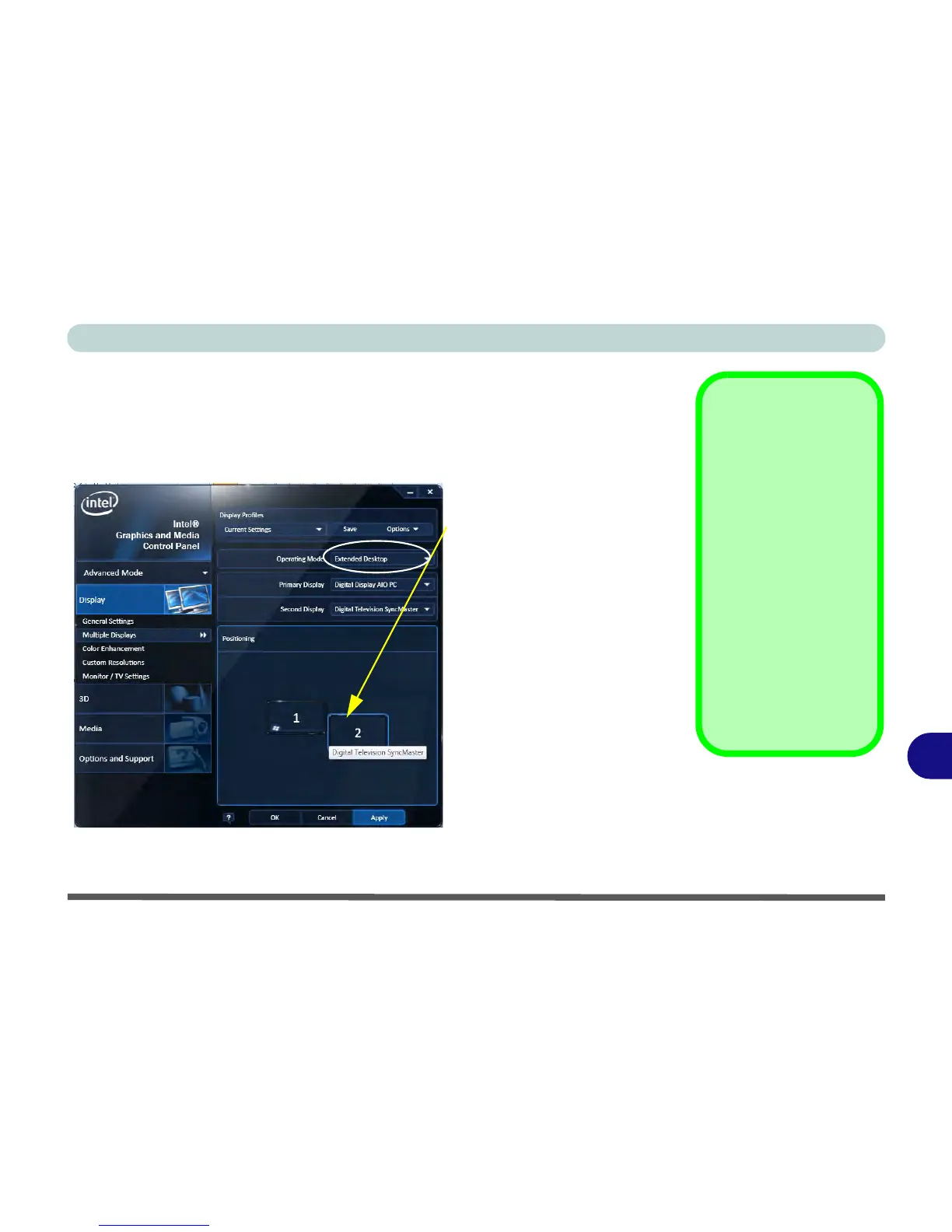
To Enable Extended Desktop:
1. Attach your display to the HDMI-Out port and turn it on.
2. Go to the Intel(R) G&M control panel and click/tap Display > Multiple Displays.
3. Click/tap Operating Mode and select Extended Desktop from the menu.
4. Click/tap Apply, and OK to confirm the settings change.
Click/tap the appropriate
monitor icon and drag it to
match the physical arrange-
ment you wish to use (e.g. the
secondary display may be ex-
tended left/right/above/be-
low the primary display).
Click/tap General Settings
to make any adjustments re-
quired.



 To Next Page