D - 46 Wireless LAN Module (Windows 7)
Windows 7
Windows 7
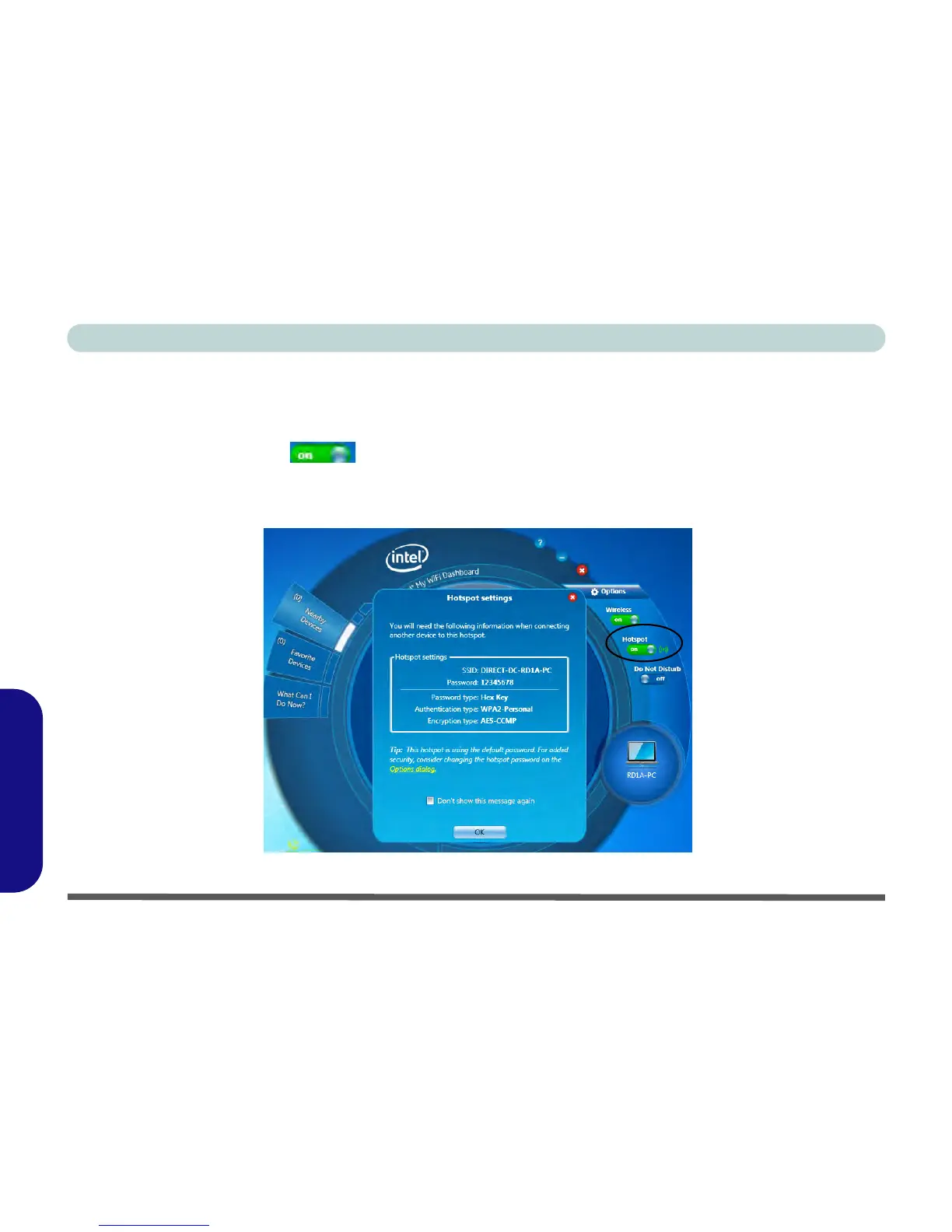
Hotspot
You can turn the computer into a hotspot to allow other devices to connect to it (and any locally connected de-
vices), and also (if available) the internet.
1. Click/tap the Hotspot icon to turn the Hotspot on.
2. The Hotspot settings tab shows the SSID and password (you will need to enter this information when accessing
the Hotspot from the client computer/device).
3. Click/tap OK to close the Hotspot settings.
Figure D - 27 - Intel® My WiFi Utility - Hotspot



 To Next Page