D - 72 Trusted Platform (Security) Module (Windows 7)
Windows 7
Windows 7
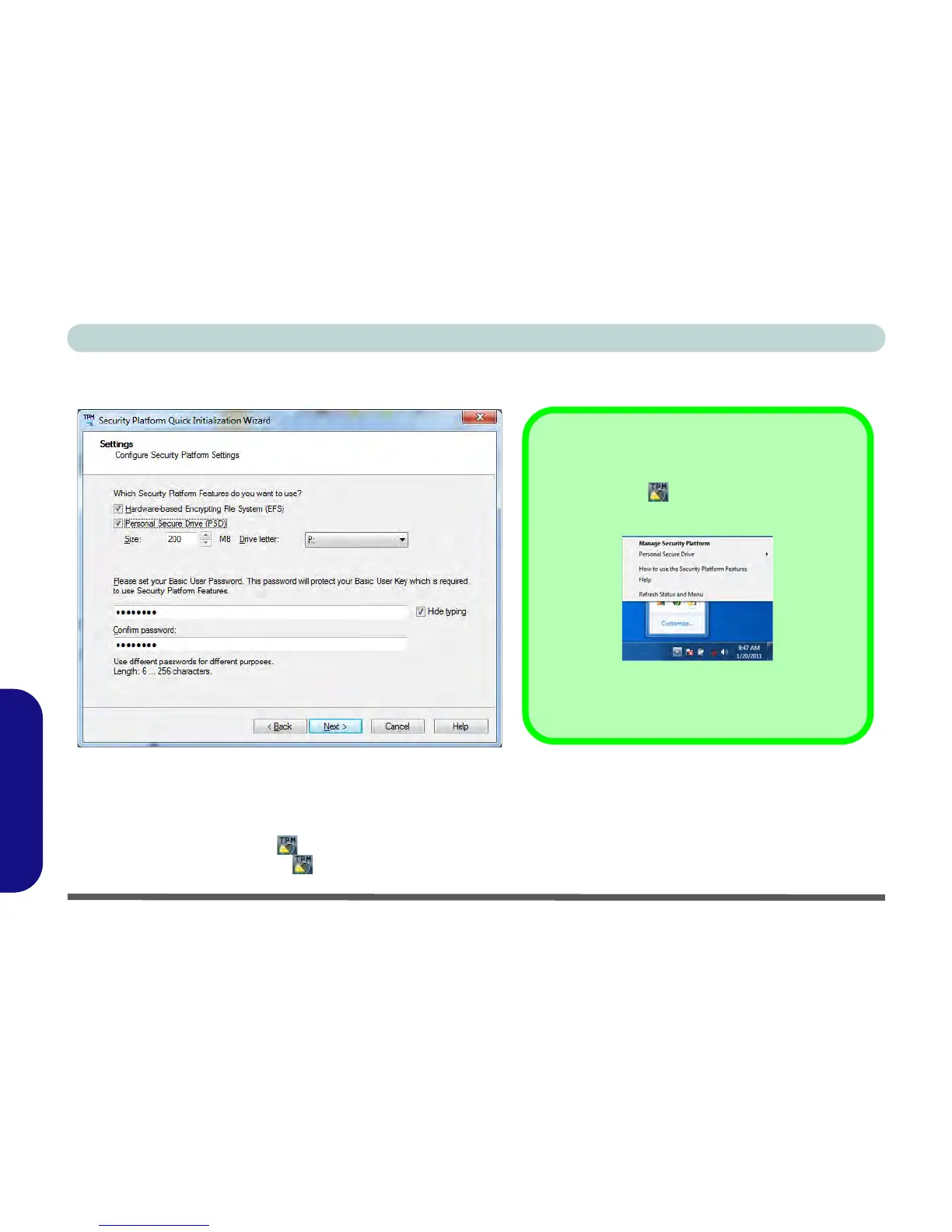
6. Choose the Security Platform Features you want to use by clicking the appropriate tickbox.
7. Enter a Basic User Password (and re-type to confirm it) and click/tap Next.
Figure D - 46 - Settings
8. Click/tap Next to confirm the settings and the computer will then initialize the settings.
9. Click/tap Finish.
10. Click/tap the tabs and control panels to adjust the settings.
11. Double-click/tap the icon in the taskbar notification area to access the Infineon Security Platform Settings
Tool, or right-click the icon and select a menu item.
Help
Right-click the icon in the notification area of the task-
bar to bring up the menu to select
Help
or
How to use the
Security Platform Features
.
You can also click/tap the
Help
button in any of the Infineon
Security Platform Settings Tool tabs to bring up specific
help topics on each tab.



 To Next Page