S83/85 Ultrasonic Generator Controls
A40-064 Rev 0 Page 17
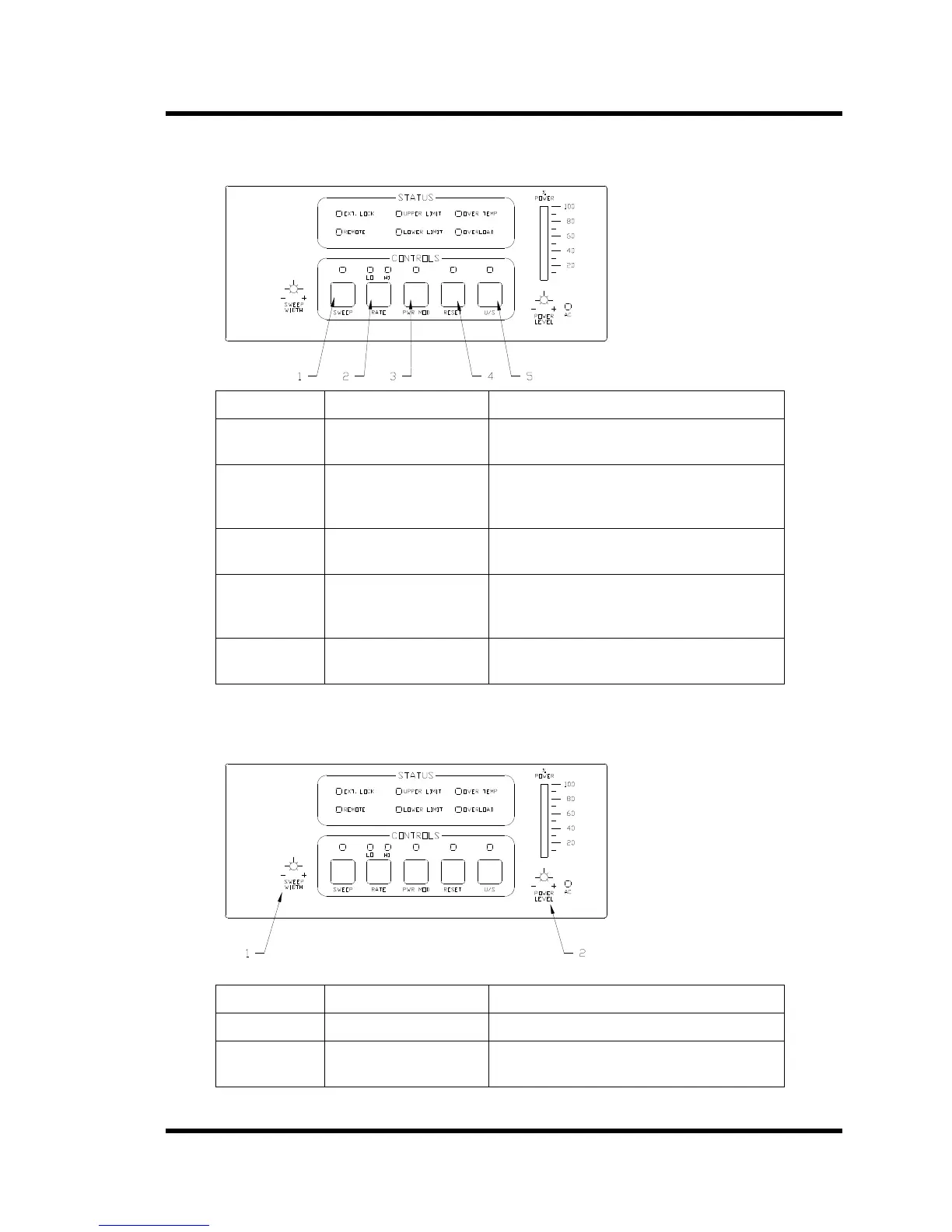
2.2.1 S8500 Control Switches
Figure 2-2 S8500 Control Switches
Item No. Switch Function
1 SWEEP Activates Sweep mode; LED is on when
sweep is on.
2 RATE Toggles between high (“HI” LED on) and
low (“LO” LED on) Sweep Rates. Power
On default is HIGH rate.
3 POW MOD Activates the Power modulation mode; LED
is on when Power Modulation is on.
4 RESET Press when the LED is on to reset the
ultrasonic power supply and turn the LED
off.
5 U/S Activates ultrasonic output power; LED is
on when ultrasonics are on
2.2.2 Adjustment Ports
Figure 2-3 S8500 Adjustment Ports
Item No. Adjustment Port Function
1 Sweep Width Adjusts the Sweep mode bandwidth.
2 Power Level Adjusts the percentage of ultrasonic output
power (20-100%).



 To Next Page