S83/85 Ultrasonic Generator Options
A40-064 Rev 0 Page 83
7 Options
7.1 Full Feature Input/Output Board (101-063-561)
The Input/Output (I/O) board kit is an accessory that allows you to operate the S83/S85 power
supply remotely. The I/O board includes two ports on the back panel of the power supply: (a) a 2-
position switch for selecting remote (I/O) or local (power supply) controls; and (b) a 25-pin D-
shell connector that you connect to your controls.
7.1.1 Removing the Cover
Warning: Ultrasonic Power supplies produce high voltage. Before working on an
ultrasonic power supply, do the following (1) turn off the ultrasonic
power supply and unplug AC voltage; and (2) before removing the cover,
allow at least 1 minute for capacitors to discharge.
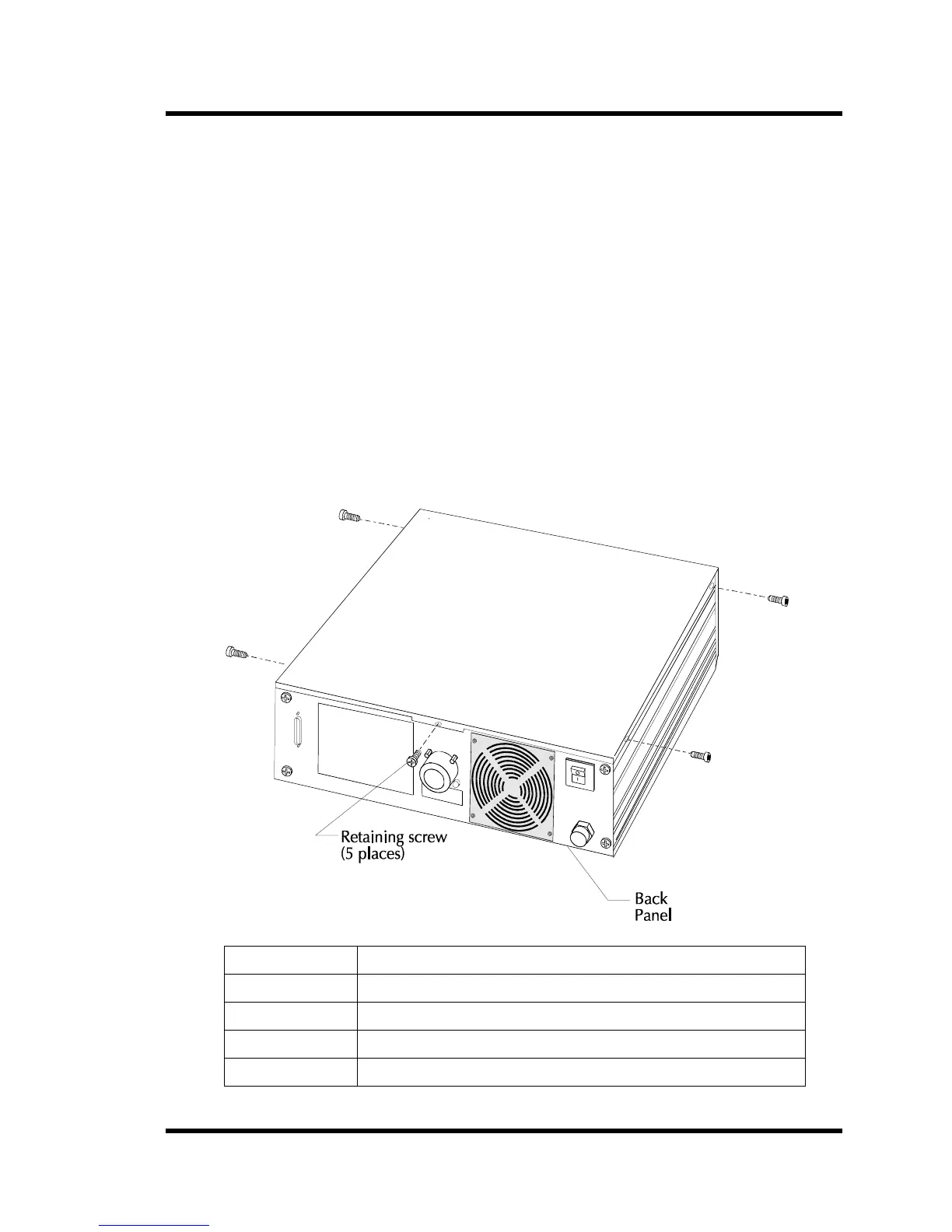
Figure 7-1 Removing The Cover
Step Action
1 Turn the power supply to Off; unplug main AC power.
2 Remove the five retaining screws (Figure A-1).
3 Lift the cover off.
4 Place the cover out of the way.



 To Next Page