S83/85 Ultrasonic Generator Operation
A40-064 Rev 0 Page 32
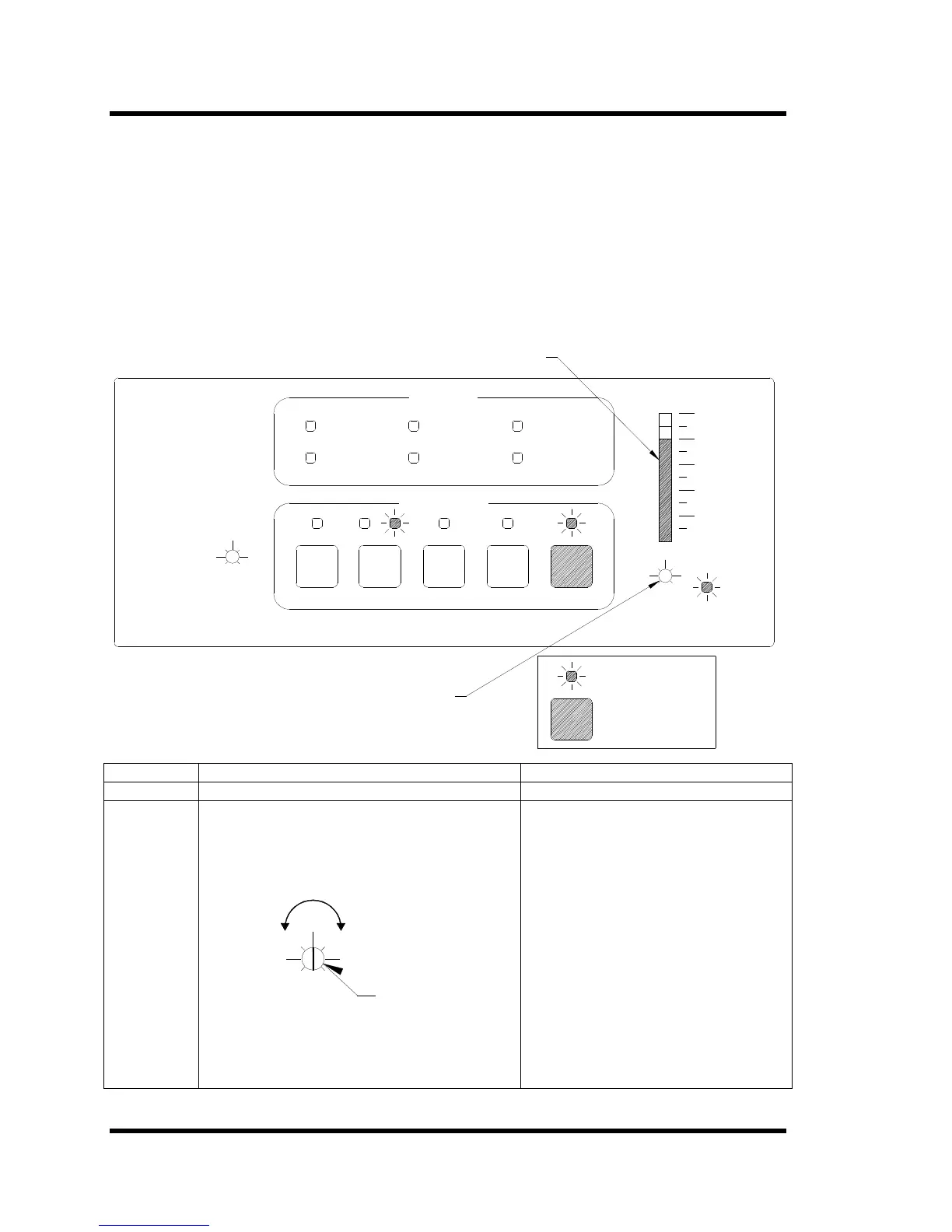
4.4 Setting the Power Level Function
The Power Level Adjustment Port allows to set the ultrasonic output power level from 20% to
100% of the maximum power rating of your ultrasonic power supply.
Notes: If operating the ultrasonic power supply in Remote position, the front panel power level
setting no longer applies.
Note: If the RESET light is illuminated, you cannot adjust the U/S power.
Figure 4-3 S85 Power Level Adjustment
OVERLOAD
OVER TEMP
U/S
CONTROLS
WIDTH
- +
SWEEP
SWEEP RATE
LO
HI
PWR MOD RESET
STATUS
REMOTE
EXT. LOCK
LOWER LIMIT
UPPER LIMIT
- +
LEVEL
POWER
AC
20
100
40
60
80
%
POWER
LED lit
Press key
US POWER BARGRAPH
POWER LEVEL ADJUSTMENT
Step Action Result
1 Press the U/S switch. U/S LED lights.
2 Turn the Power Level Adjustment Port to set the
Power Level.
Figure 4-4 Power Adjustment
LEVEL
POWER
Power Level
Decrease
Adjustment Port
(set to 50%)
Increase
The U/S Power bargraph displays the
power level on the S85 generator. There
is no display on the S83 generator.



 To Next Page