Factory Default Settings
7
CLS Pro 600 – Line and Contrast Sensor 81/108
DANGER
Danger from the power supplies!
You are only allowed to open the sensor if the power supply has
been switched off!
Setting up the Terminating Resistor:
1. Switch-off the power to the sensor.
2. Unscrew the stopper in the sensor enclosure
3. Check the S3 switch setting. The S3 switch must be set to the
ON position.
4. Switch S3 to the ON position if necessary.
5. Screw the stopper back into the sensor enclosure.
6. Switch on the mains voltage.
7.2.2 Control Panel Terminator Resistor
The control panel’s internal terminator resistor is switched on or
off using switch S3. The current setting is displayed in the System
info sub-menu as Can Resistor Commander (see Section 6.7.5).
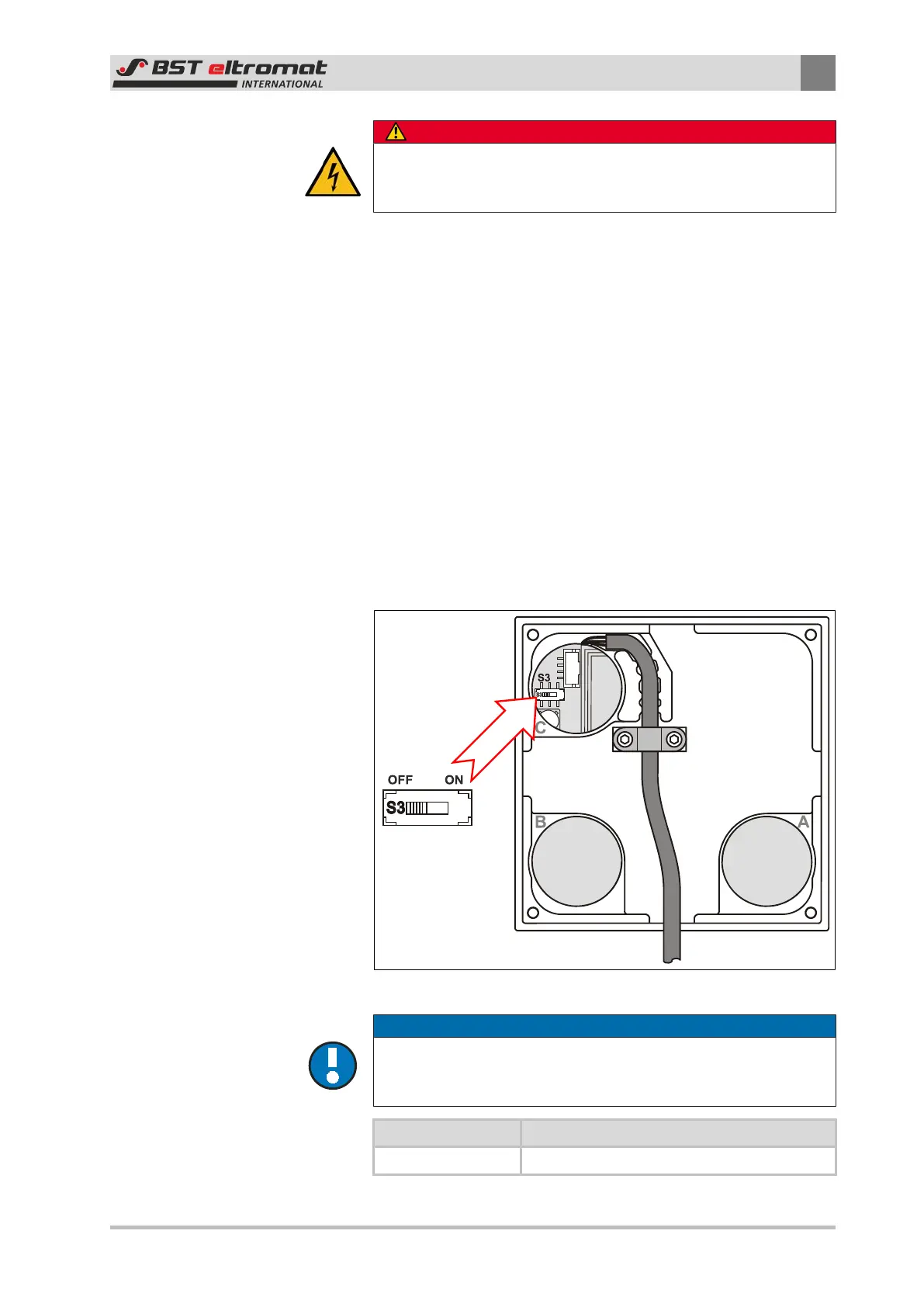
The S3 switch is mounted behind stopper C on the back of the
control panel.
Fig.42: Switch S3
NOTICE
Caution!
The terminating resistor should only be switched off after first ob-
taining agreement from the manufacturer!
Switch S3 Function
OFF Internal terminating resistor switched off


 To Next Page