INTELLIDOX DOCKING MODULE USER MANUAL || GETTING STARTED
BW TECHNOLOGIES BY HONEYWELL PAGE 9 OF 103
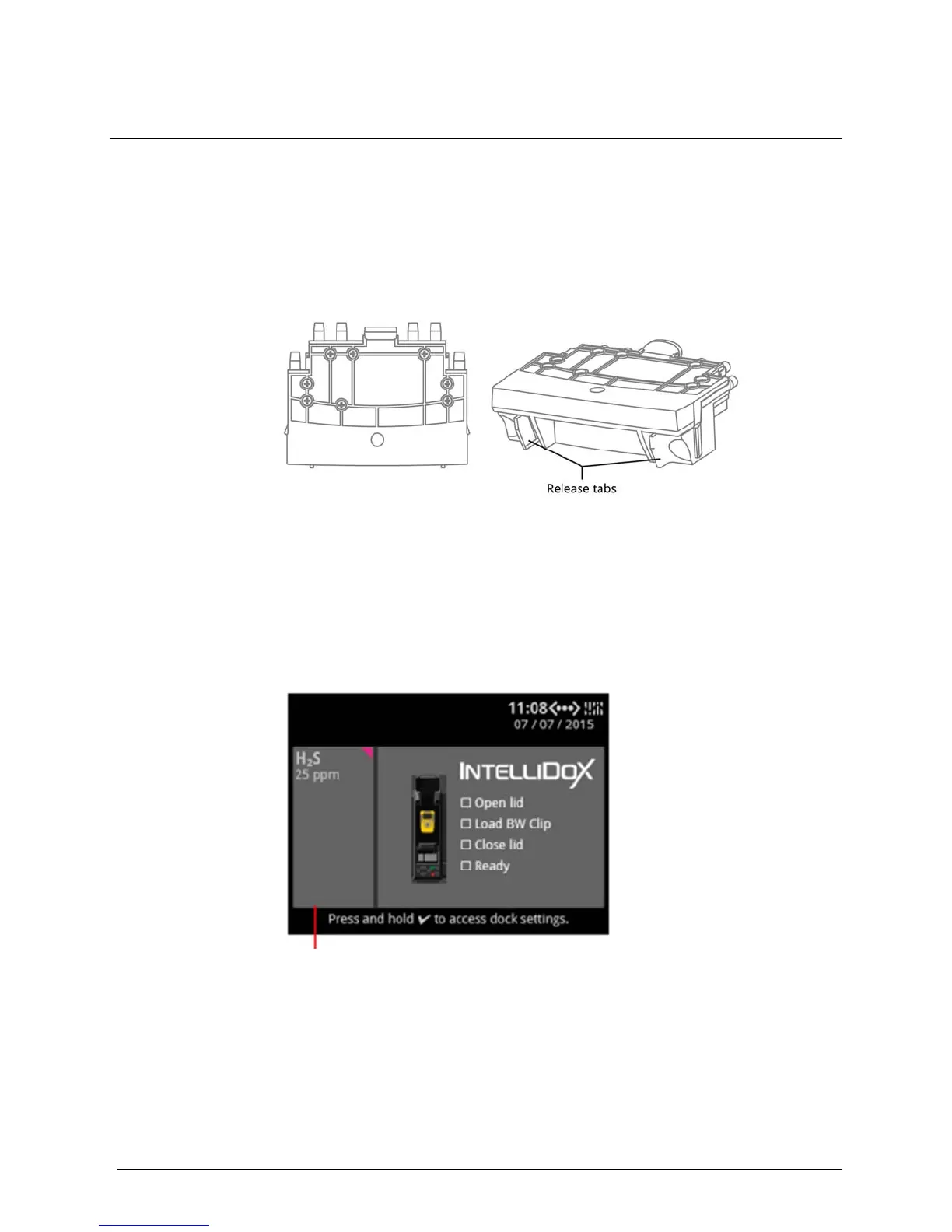
Inlet Keys
By default, IntelliDoX is configured to connect one calibration gas cylinder to gas inlet 1.
In this configuration,
gas inlets 2, 3, and 4 are inactive. To connect more than one
calibration gas cylinder to IntelliDoX, you must insert a multi-inlet key to activate
gas
inlets 1, 2
, 3, and 4.
Single-inlet Key
Insert the single-inlet key when only one gas inlet is required to support compliance test
operations performed on the module.
When the single-inlet key is inserted into a module, gas inlet 1 is active and gas inlets 2, 3
and 4 are inactive.
Gas Cylinder with a Single-Inlet Key
When you connect a gas cylinder to IntelliDoX with a single-inlet key, you will see one
connected gas type on the LCD screen:
Single-inlet key: IntelliDoX
activates gas inlet 1 and


 To Next Page