INTELLIDOX DOCKING MODULE USER MANUAL || PREPARE MODULES FOR USE
BW TECHNOLOGIES BY HONEYWELL PAGE 28 OF 103
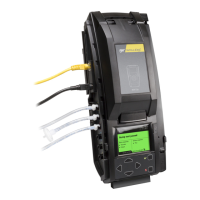
Connect the Inlet filter
Each IntelliDoX Enabler Kit contains inlet filters. Unless otherwise specified, the purge
inlet is configured to use ambient air in a fresh air environment with a normal atmosphere
of 20.9% v/v O
2
that is free of hazardous gas. Verify that an inlet filter is attached to the
purge inlet and each unused gas inlet before using the module.
Once connected, the inlet filters help to protect the module from dust ingress. For best
results, replace the inlet filters periodically, or whenever the inlet filter is damaged or dirty.
You may connect an extension tubing to the inlet filter to draw ambient air from an
adjacent fresh air environment.
If an inlet filter is damaged, dirty, or missing, replace it immediately. For replacement
parts, contact BW Technologies or an authorized distributor.
Failure to comply may result in damaged equipment.
Connecting the Inlet Filter
1. Verify that each inlet filter is free of obstructions and defects.
2. Connect an inlet filter to the purge inlet.
3. If necessary, connect an extension tubing to each inlet filter to draw ambient air from
an adjacent fresh air environment.


 To Next Page