63
MicroDock II
Bump Test
5. Depending upon the type of detector, the option to reconfigure is
provided.
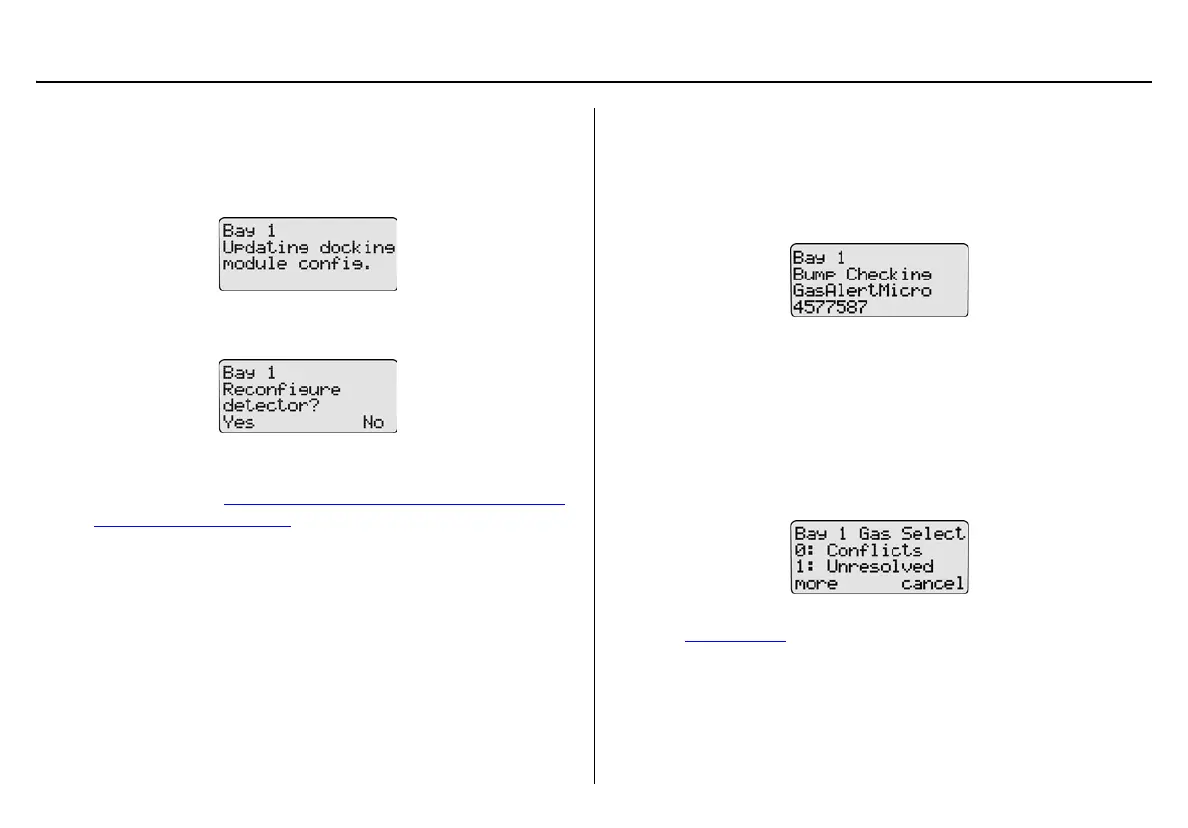
If the detector was reconfigured without user’s consent, the fol-
lowing screen displays.
If the detector was reconfigured with user’s consent the following
screen displays.
To reconfigure the detector, press
C Yes. The MMC/SD card
then transfers the new configuration data to the detector. If
required, refer to Reconfiguring the Detector (not applicable to
the GasAlertClip Extreme).
Or
Press
C No to continue with the bump test.
Note
If a selection is not made within 15 seconds, the base station
automatically defaults to the No selection and proceeds with
the bump test.
6. The base station begins the bump test and displays the
• docking module number,
• test being performed,
• detector type, and
• detector serial number.
Note
The serial number of the GasAlertClip Extreme does not dis-
play on the base station when performing a bump test.
The GasAlertMicro 5/PID/IR beeps and flashes twice to test
the sensors when the bump check begins.
7. If there is a gas conflict or a selected gas cannot be found, the
gas conflicts screen displays.
Gas conflicts must be resolved to continue the bump test. Refer
to Gas Conflicts
.



 To Next Page