Home key
Press to display the Home screen, which provides access to the setting menu and functions such as Memory
Media Print and Secure Print.
Home Screen(P. 107)
Customizing the Home Screen(P. 159)
Stop key
Press to cancel printing and other operations.
NFC (Near Field Communication) mark
You can also use functions such as printing by waving a mobile device with Canon PRINT Business installed
over this mark.
Connecting with Mobile Devices(P. 199)
Adjusting the Angle
When it is dicult to view the touch panel display, adjust the angle of the operation panel.
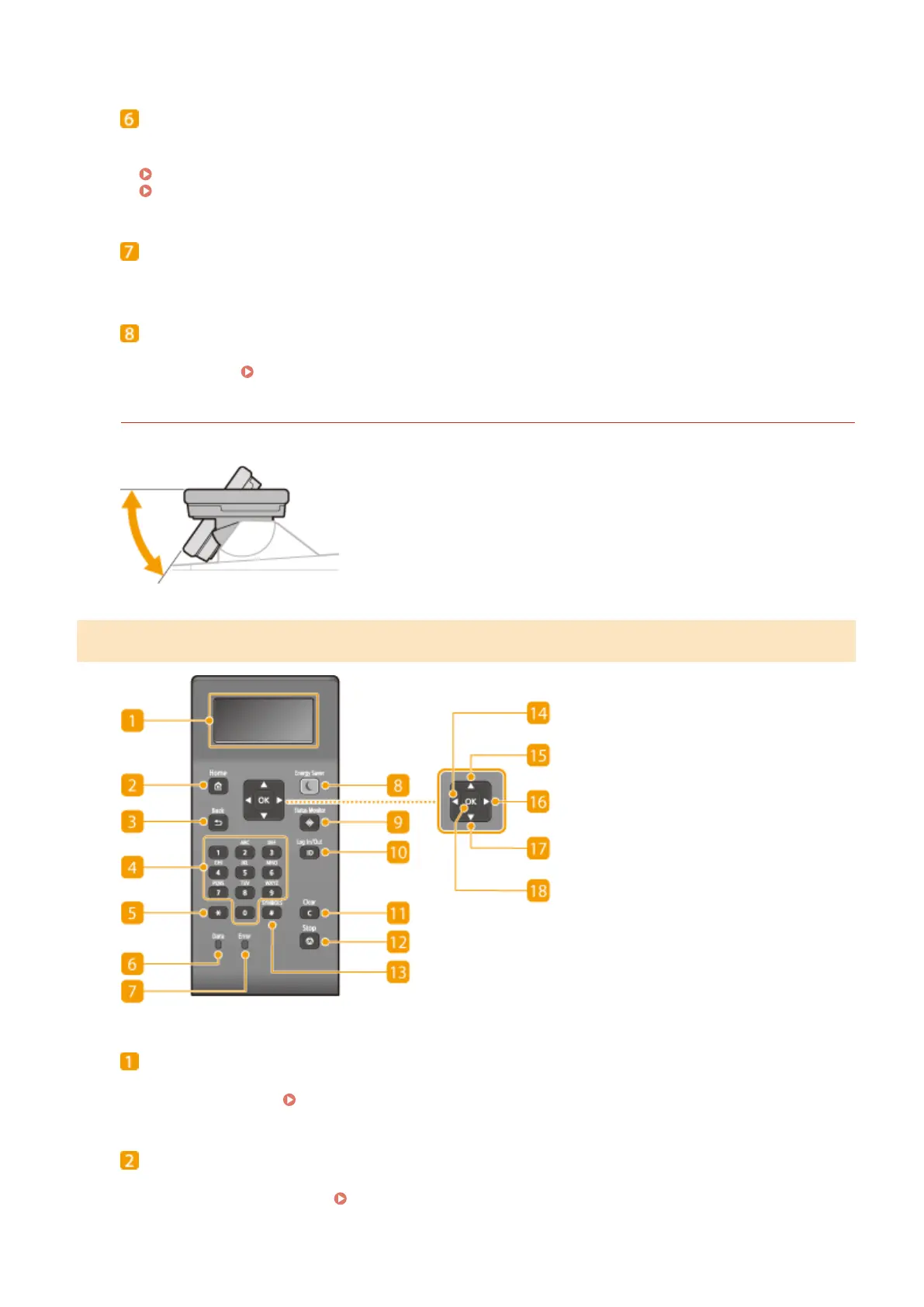
Operation Panel of Black and White LCD Model
Display
You can view the operation and error statuses of this machine, the amount remaining in the toner cartridges,
and other conditions.
Basic Screens(P. 106)
[Home] key
Press to display the Home screen, which provides access to the setting menu and functions such as Memory
Media Print and Secure Print.
Home Screen(P. 107)
Basic Operations
98









 To Next Page