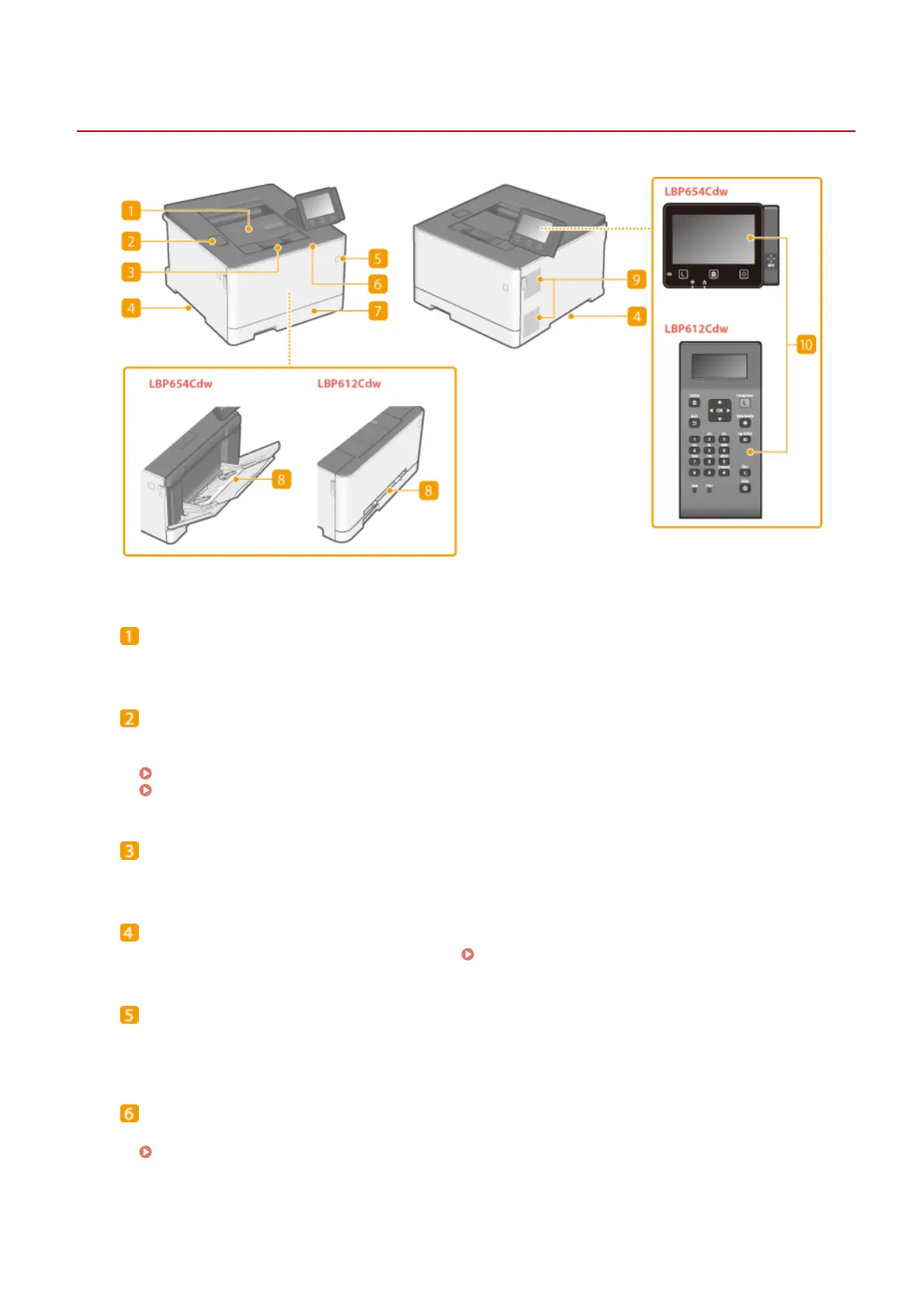
Front Side
1648-0H0
Output tray
Printed paper is output to the output tray.
USB port (for USB device connection)
Use this port to connect a third-party USB memory device or USB keyboard. Connecting a USB memory
device allows you to print data from the memory device.
Insert a USB Memory Device(P. 90)
Printing from a USB Memory Device (Memory Media Print)(P. 180)
Paper stopper
Open the paper stopper when you want to prevent paper from falling out of the output tray.
Lift handles
Hold the lift handles when carrying the machine.
Relocating the Machine(P. 433)
Power switch
Turns the power ON or OFF. To restart the machine, turn OFF the machine, wait for at least 10 seconds, and
turn it back ON.
Front cover
Open the front cover when replacing toner cartridges.
Procedure for Replacing the Toner Cartridge(P. 428)
Basic Operations
88













 To Next Page