2
Select this machine from the list of printers in [Printers & Scanners].
3
Click [Options & Supplies].
4
Click [Show Printer Webpage].
5
Logging in to the Remote UI.
● To change the AirPrint settings, it is necessary to log in as an administrator.
◼
AirPrint-Dedicated Page
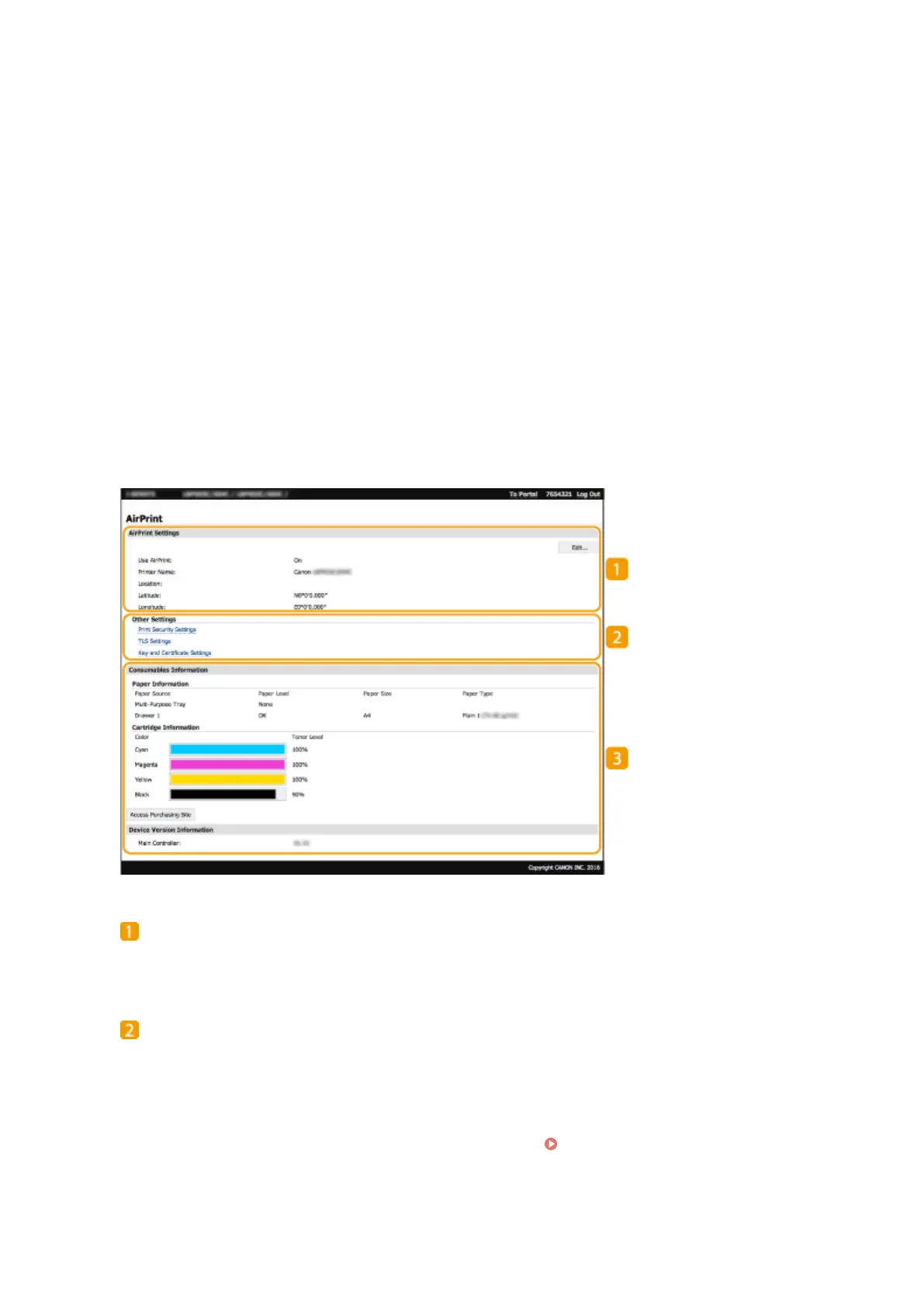
When you log in with administrator privileges, the AirPrint-dedicated page is displayed as shown below.
[AirPrint Settings]
Enables you to check the values entered in the AirPrint settings, such as the name and location of the
machine. You can click [Edit] to change the settings.
[Other Settings]
[Print Security Settings]
Congure the print security settings using TLS or authentication.
[TLS Settings]
Enables you to change the key and certicate used for TLS. Conguring the Key and Certicate for
TLS(P. 246)
[Key and Certicate Settings]
Linking with Mobile Devices
211













 To Next Page