Specifying Paper Size and Type in the Paper Drawer
1648-0JR
1
Select <Paper Settings> in the Home screen. Home Screen(P. 107)
2
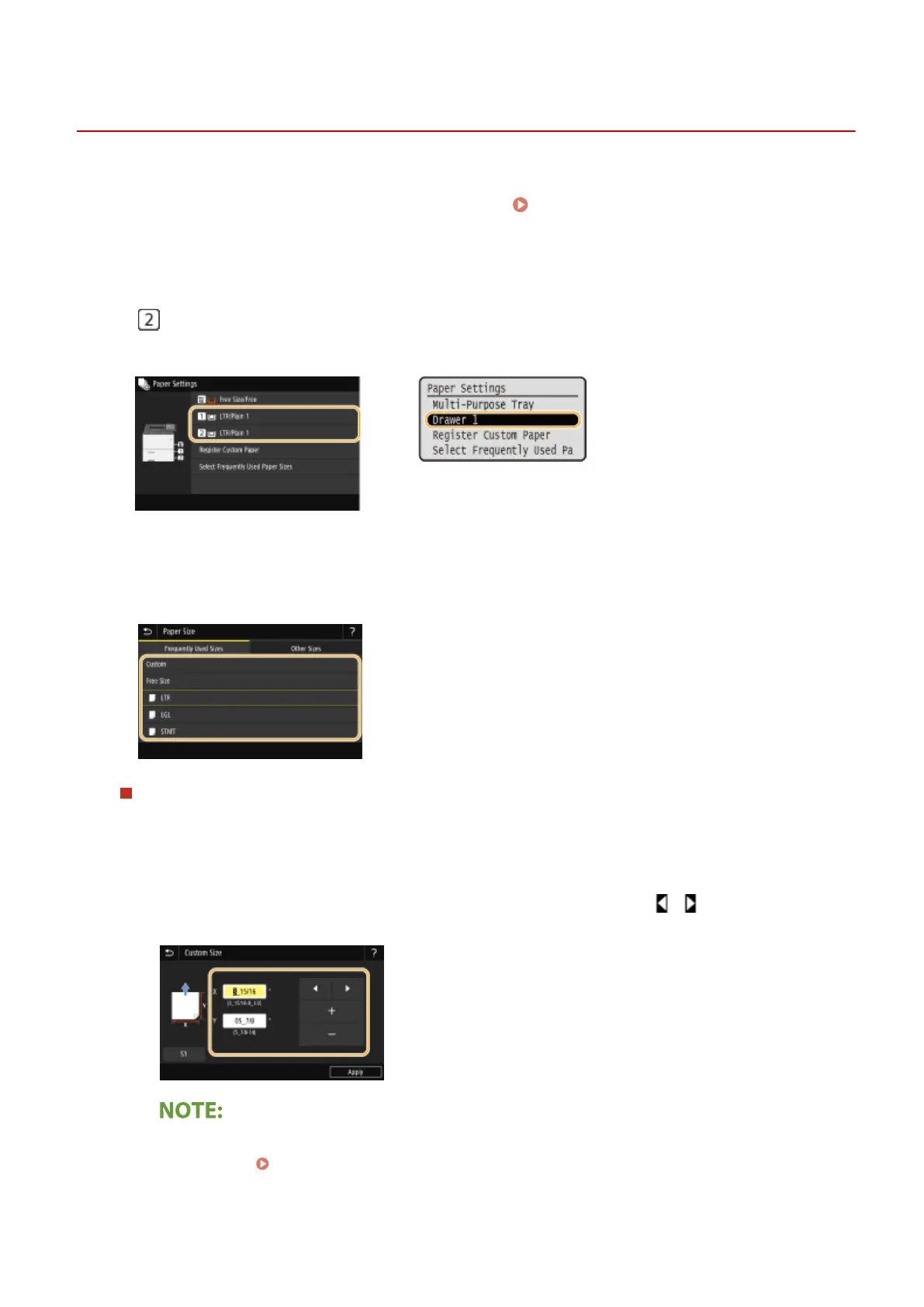
Select the target paper drawer.
● is displayed only when the optional cassette feeding module is installed.
Touch panel model
Black and white LCD model
3
Select the paper size.
● If the loaded paper size is not displayed, select <Other Sizes>.
When loading custom size paper (Touch panel model)
1
Select <Custom>.
2
Specify the length of the <X> side and <Y> side.
● Select <X> or <Y>, and enter the length of each side using <+>/<->, with / to move the cursor
between the digits for inputting whole numbers and fractions.
● If you register the paper size you use frequently on buttons <S1> to <S3>, you can call them up with
one touch. Registering a Custom Paper Size(P. 153)
3
Select <Apply>.
Basic Operations
145













 To Next Page