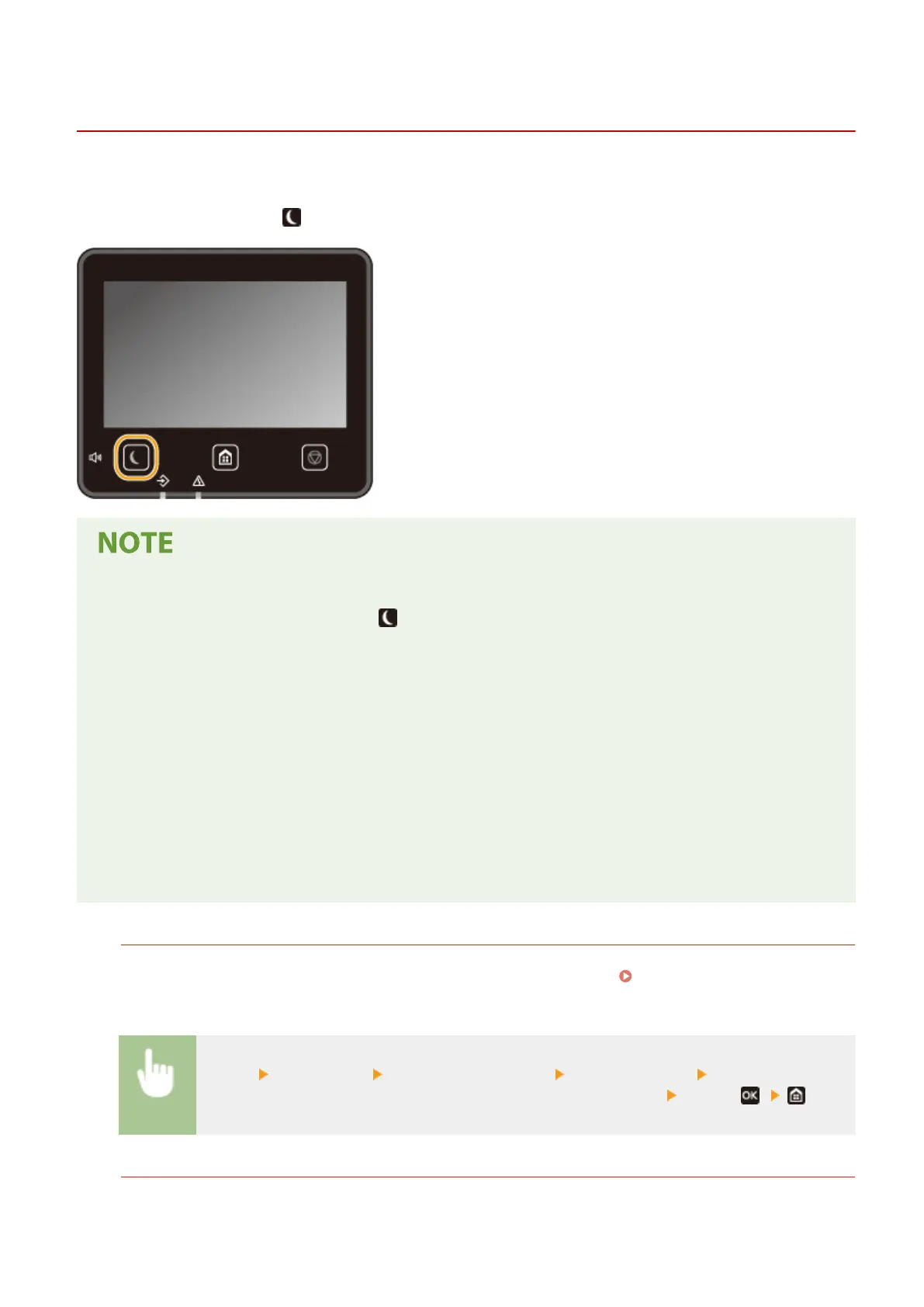
Entering Sleep Mode
1648-0HA
The sleep mode function reduces the amount of power consumed by the machine by disabling power ow to the
operation panel. If no operations will be performed on the machine for a while, such as during a lunch break, you can
save power simply by pressing on the operation panel.
When in sleep mode
● When the machine enters sleep mode, lights up yellow green.
Situations in which the machine does not enter sleep mode
● When the machine is in operation
● When the Data indicator is lit up or blinking
● When the machine is performing an operation such as adjustment or cleaning
● When a paper jam occurs
● When the menu screen is displayed
● When an error message is displayed on the screen (There are some exceptions. The machine sometimes
enters sleep mode when error messages are displayed.)
● When the SSID/network key screen for Direct Connection is displayed
● When settings are being imported or exported
Changing the Auto Sleep Time Value
Auto Sleep Time is a function that automatically puts the machine into the sleep mode if it remains idle for a
specied length of time. We recommend using the factory default settings ( <Timer/Energy
Settings>(P. 301) ) to reduce power usage. If you want to change the amount of time that elapses before the
machine enters the auto sleep mode, perform the procedure below.
<Menu> <Preferences> <Timer/Energy Settings> <Auto Sleep Time> Set the amount of
time that elapses before the machine automatically enters sleep mode
<Apply>( )
Changing the Sleep Mode Setting to the Specied Time
You can congure a setting so that the machine is placed into the sleep mode at the specied time. You can also
congure a setting so that the sleep mode is released at the specied time.
Basic Operations
163













 To Next Page