Displays the amount remaining in the toner cartridges in
stages. This is hidden while the Home screen is active.
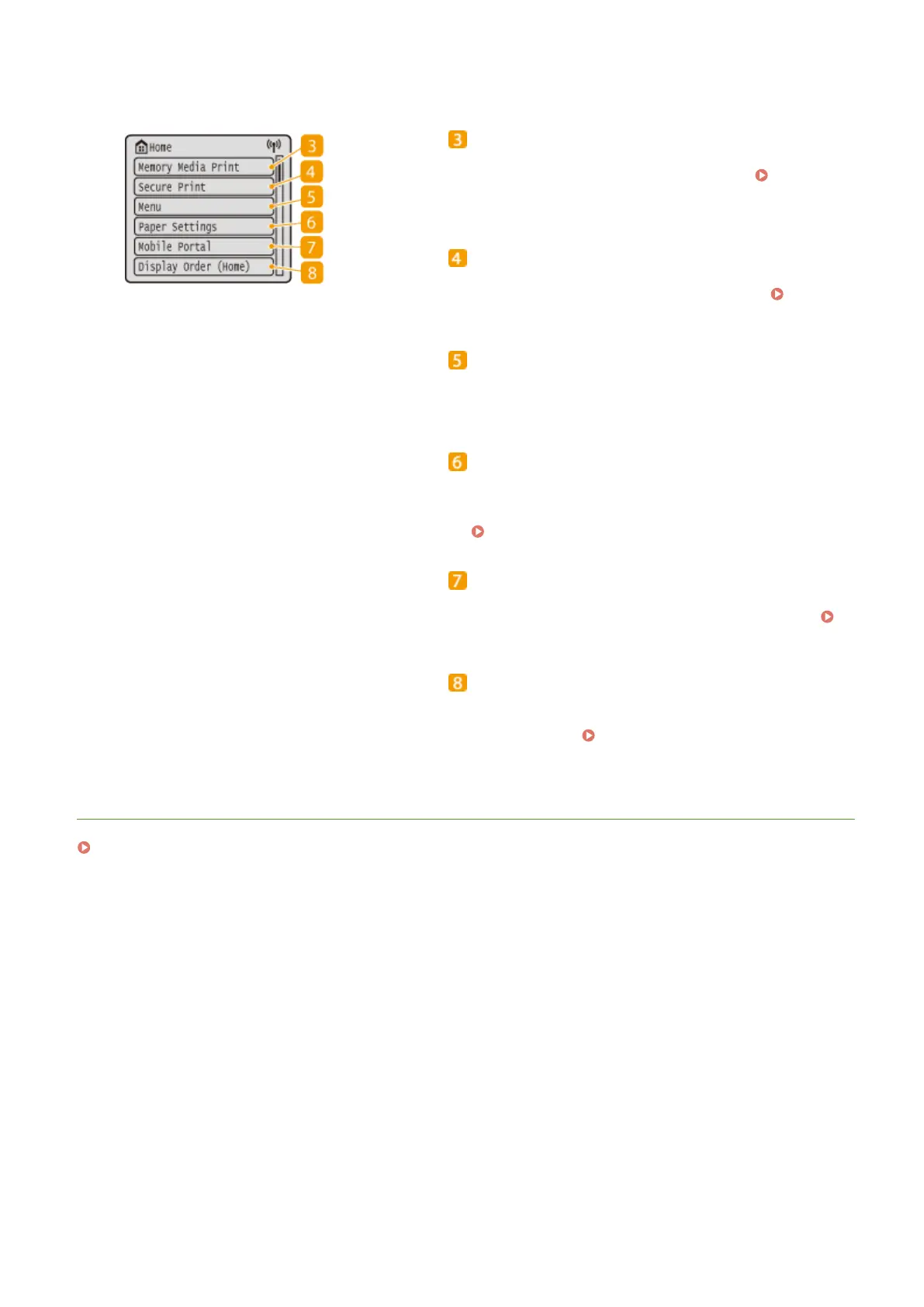
<Memory Media Print>
Prints les stored in a USB memory device. Printing
from a USB Memory Device (Memory Media Print)
(P. 180)
<Secure Print>
Use this function to print a secure document. Printing
a Document Secured by a PIN (Secure Print)(P. 176)
<Menu>
<Function Settings>, <Preferences>, and many other
machine settings start from this button.
<Paper Settings>
This button is also used for specifying the size and type of
paper loaded in the paper drawer and multi-purpose tray.
Specifying Paper Size and Type(P. 144)
<Mobile Portal>
Use this to establish a connection to a mobile device.
Connecting with Mobile Devices(P. 199)
<Display Order (Home)>
Allows you to change the order that Home screen buttons
are displayed in.
Customizing the Home
Screen(P. 159)
LINKS
Customizing the Home Screen(P. 159)
Basic Operations
109













 To Next Page