2
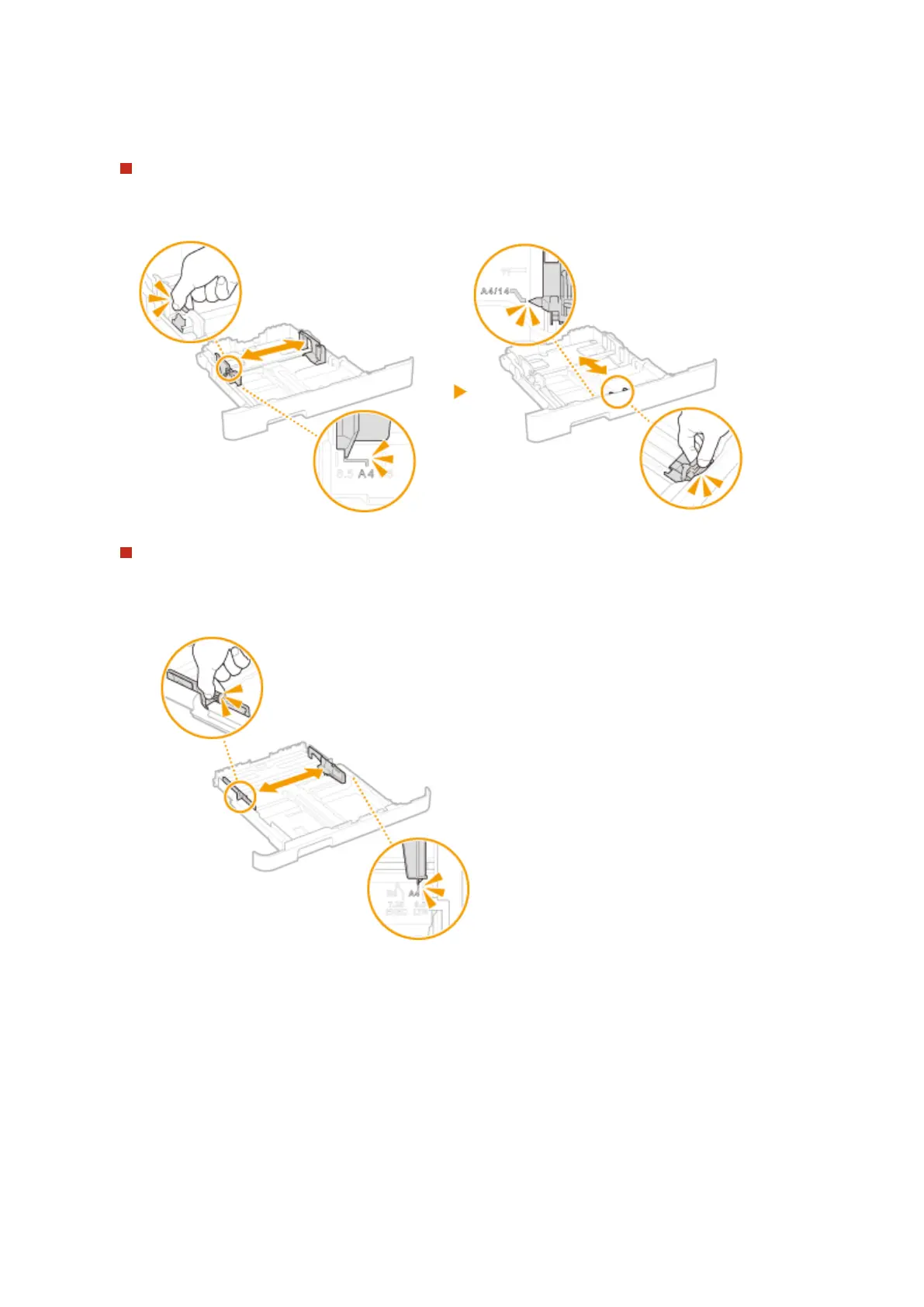
Adjust the positions of the paper guides to the paper size you want to use.
LBP654Cdw
● While pressing the lock release lever, move the paper guide to align the projection to the appropriate
paper size marking.
LBP612Cdw
1
Slide the paper guide located on the side, and align the projection to the appropriate paper size
markings.
2
While pressing the lock release lever, move the front side paper guide to align the projection to the
appropriate paper size marking..
Basic Operations
127













 To Next Page