● If you register the paper size you use frequently on buttons <S1> to <S3>, you can call them up with
one touch. Registering a Custom Paper Size(P. 153)
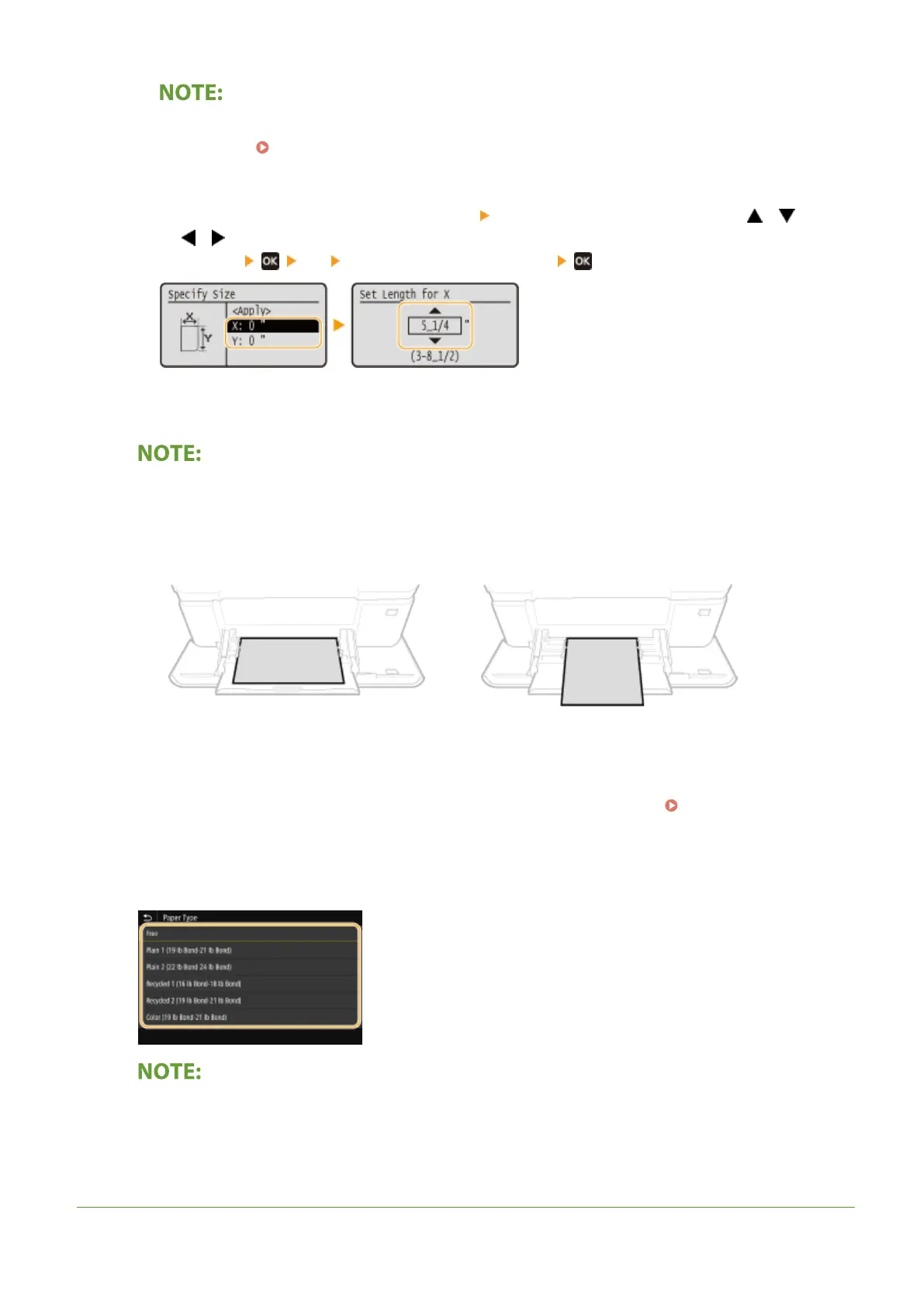
Black and white LCD model
● Execute the following steps in sequence: <X> enter the length of the <X> side using / , with
/ to move the cursor between the digits for inputting whole numbers and
fractions <Y> enter the length of the <Y> side
3
Select <Apply>.
When loading A5 size paper
● In the landscape orientation, select <A5>. In the portrait orientation, select <A5R>.
Example for LBP654Cdw:
Landscape orientation
Portrait orientation
About <Free>
● If you frequently need to change the paper to be loaded, set to <Free>; this will reduce the number of
steps required to change the setting each time. You can also display an error message when the setting in
the printer driver is signicantly different from the size of the loaded paper.
<Action When Free Paper
Size Mismatch>(P. 351)
2
Select the paper type.
About <Free>
● The machine operates based on the paper type setting in the printer driver. When the paper type is [Auto],
the machine operates the same way as when the paper type is [Plain 1].
LINKS
Basic Operations
148













 To Next Page